Purpose-built agents for
every phase of the engagement
Caseware Verity Agents execute the most time-intensive work across the engagement lifecycle. From planning and risk assessment to evidence gathering and disclosure review, each agent operates directly within the workflow helping teams move faster, improve consistency and focus more time on professional judgement.


Prepare
Accelerate client acceptance, engagement setup, scoping and independence procedures with agents designed to reduce manual coordination and administrative effort.

Plan
Generate engagement-specific risk suggestions grounded in financial data, prior-year history, controls and supporting documents helping teams focus earlier on what matters most.

Evaluate
Reduce manual evidence preparation with agents that review documents, extract key information and support testing workflows directly inside the engagement.

Report
Streamline disclosure review and deliverable preparation with citation-backed suggestions and traceable AI-assisted outputs reviewers can validate with confidence.
Caseware Verity Agentic Suites
Intelligent agents purpose-built for audit’s most time-intensive tasks.
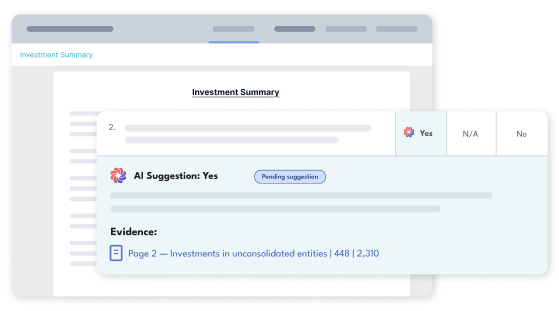
Automates disclosure checklist review against financial statements, generating citation-backed suggestions auditors can review, refine, accept or override directly within the engagement workflow.
- Summarise PDFs across engagements and extract key points instantly
- Surfaces evidence-backed ‘Yes’, ‘No’ and ‘N/A’ suggestions
- Allows reviewers to validate responses directly from citations
- Embedded directly within the existing engagement workflow
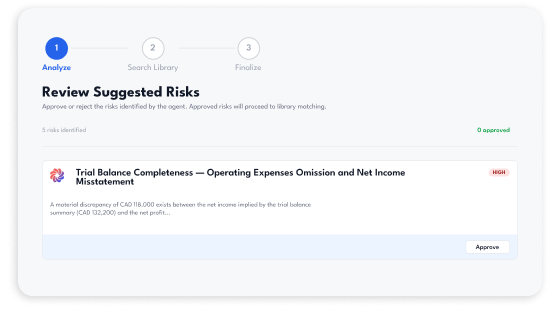
Surfaces engagement-specific risk suggestions by synthesizing financial data, prior-year risks, controls, board minutes and supporting engagement context helping teams identify meaningful risks earlier and with greater consistency.
- Identifies meaningful risks beyond simple ratio fluctuations
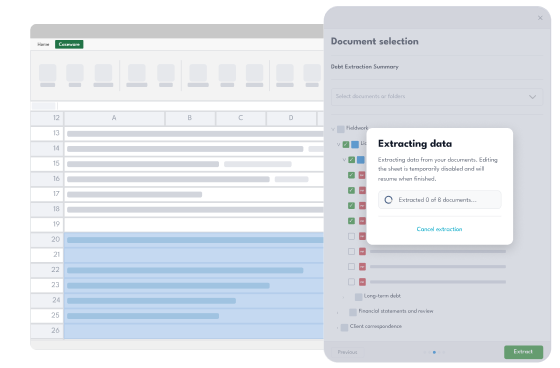
- Convert messy bank statements into organised Excel formats
- Reduces noise with focused, review-ready risk suggestions
- Helps teams begin planning with stronger engagement awareness
Cross-checks a workpaper, selected phases or the entire engagement for gaps and conflicts, delivering citation-backed findings for reviewers to validate and act on.
- Reduces manual cross-referencing across workpapers
- Surfaces evidence-backed findings with recommended follow-ups
- Checks for alternative explanations to reduce false alarms

Related products
Ready to transform
your practice?
See how the Caseware platform can help your team work smarter, faster and with greater confidence