Accounts Production – Corporates

May 18 2023

Product

Accounts Production

Experience the power of automation and increase your accuracy and efficiency with compliant statutory reporting.

Request a demo arrow_forward

Fast, accurate and compliant year end accounts

Most year end accounts are too complex for paper-based, manual processes and require digital tools to automate the processes. With Caseware, you can quickly and efficiently produce your year end accounts across a wide range of entity types, no matter how complex your accounting is. Automate the production of your IFRS, FRS 101, 102 and 105 accounts to enable your teams to take on additional client work.

Simplify your accounting across our specialist templates for academies, charities, pensions, LLPs, IFRS and group consolidations.

Features
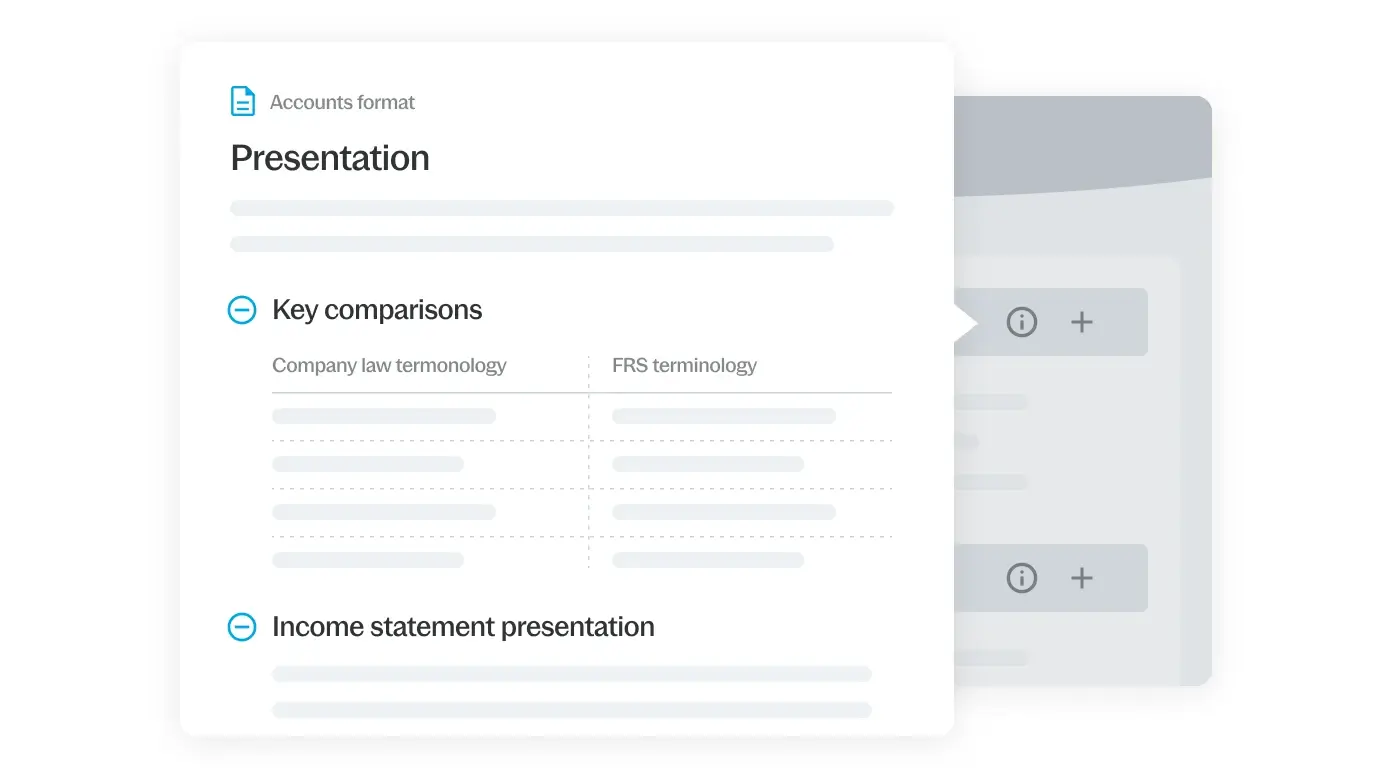
Integrated step by step guidance that increases accuracy and efficiency

The in-built wizard lets you simply follow processes throughout the accounts production journey. Import your trial balance, bring in company details directly from Companies House and then tailor your accounts effortlessly.
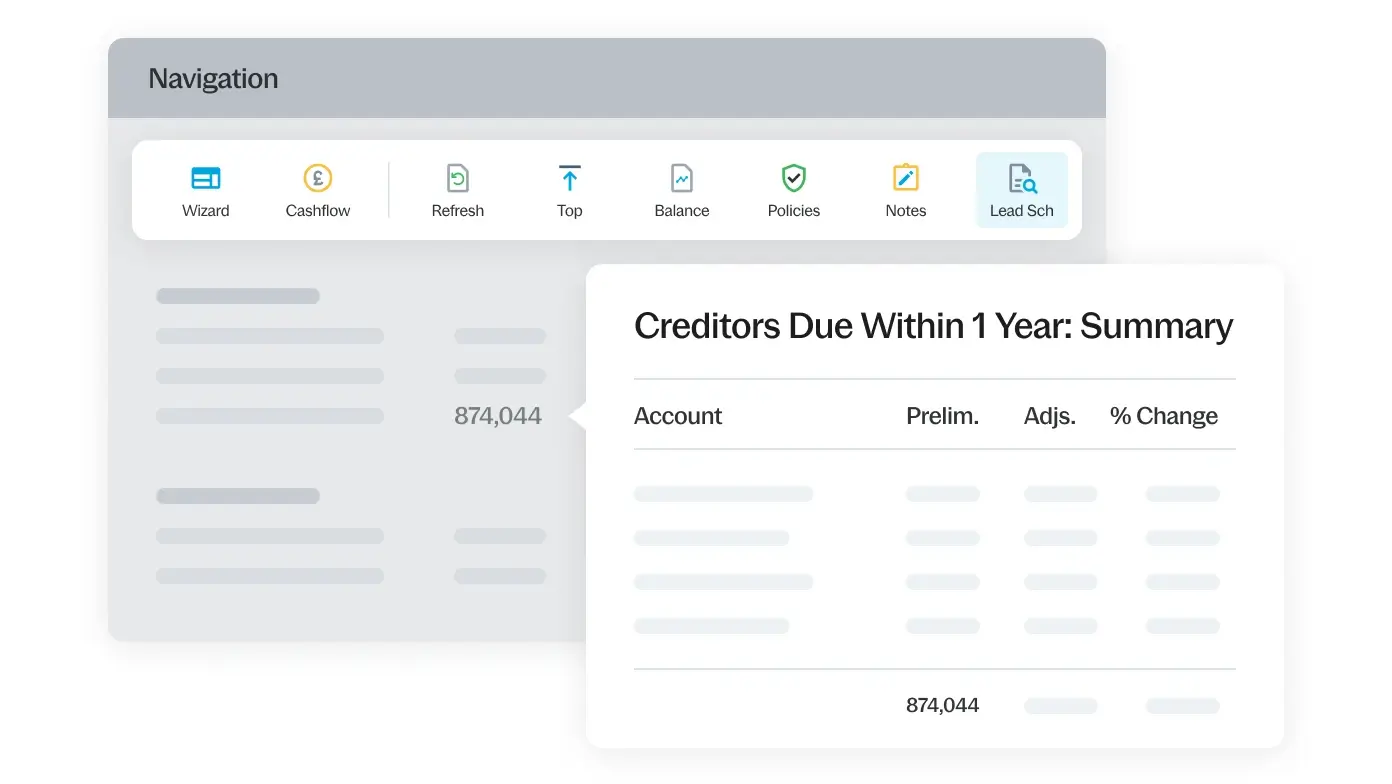
Have confidence in your accounts with drilldown and analysis

Drilldown on any figure on the face of the accounts to automated lead schedules allowing you to add notations or supporting evidence such as spreadsheets and PDFs within a couple of clicks.
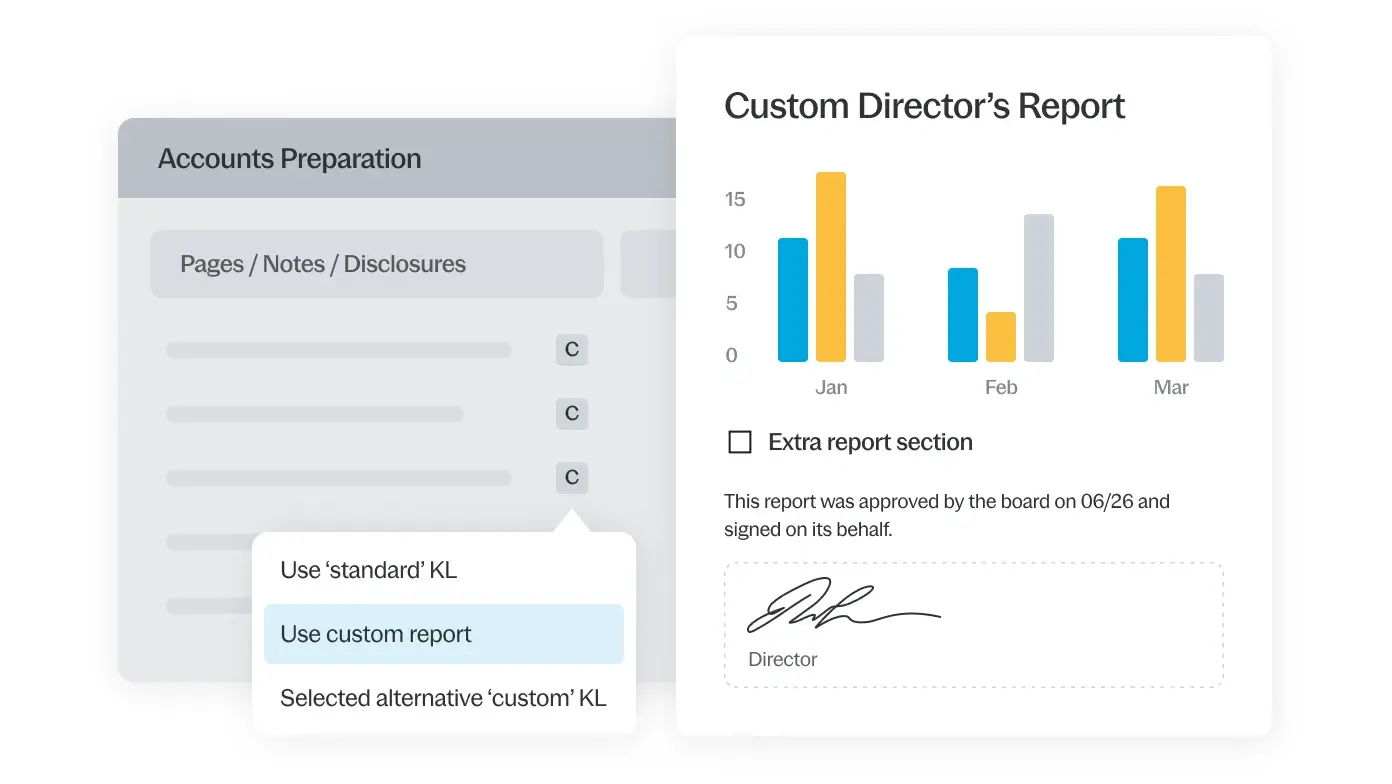
Enhanced control with customisation

Our customisation and notebuilding tools allow you to tailor your disclosures to include the exact level of detail that you specifically require, giving you full control over the accounts.
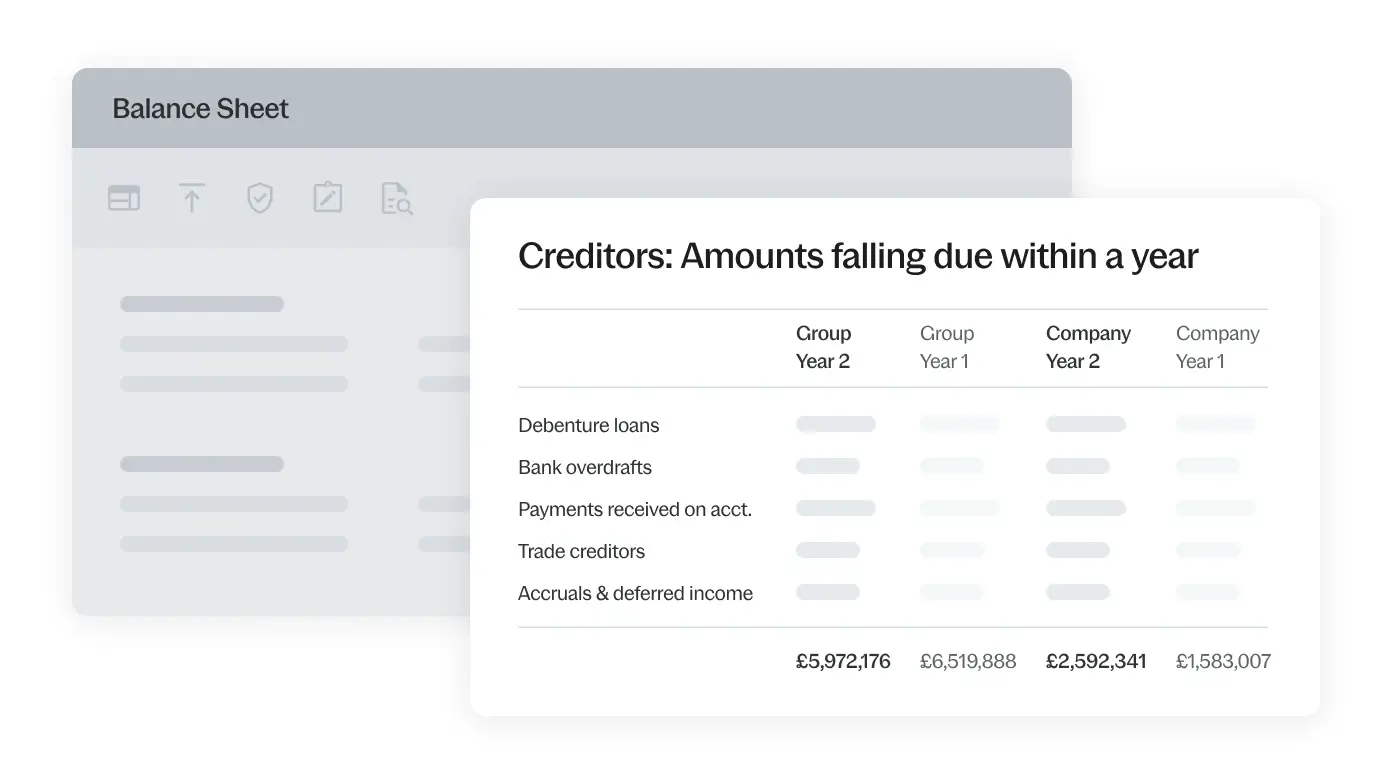
Easily see the bigger picture with group consolidation

Reduce reporting time by easily consolidating multiple sets of accounts in one engagement file giving investors, regulators and customers a better overview of the entire entity’s overall financial health.

Benefits

Boost staff efficiency and experience

Boost staff efficiency and experience

Automate your processes, reduce errors and become more productive, thus saving your company time, money and resources.
Comply with confidence

Comply with confidence

We take care of compliance so you can have the peace of mind that your accounts are compliant with the latest standards.
Work together - from anywhere

Work together – from anywhere

With our additional hybrid tools, staff in multiple locations can collaborate without the need for being in the same location.
Increase your reporting accuracy

Increase your reporting accuracy

With our cross referencing and annotation features, you can have the confidence in the accuracy and clarity of your accounts.
Easy review

Easy review

Improve review efficiency and easily annotate key areas for discussion, review the changes your team has recently made and verify your results.
Automated iXBRL tagging

Automated iXBRL tagging

Automate your iXBRL tagging to save a significant amount of time when producing multiple sets of accounts.

Supporting tools

Easy-to-use templates that simplifies the financial reporting process

Take advantage of carefully crafted templates designed to simplify the lives of accountants

  • Corporation Tax
    arrow_forward

    Leverage capability and integration and automate the process of producing corporation tax computations and filing CT600. Enhance your efficiency at every stage of your tax process and calculate, analyse, produce, tag and submit online in one easy process.

  • Caseware IDEA
    arrow_forward

    Caseware IDEA data analysis software seamlessly integrates with Caseware Working Papers and Caseware Cloud to offer a one-stop, easy-to-use solution for external auditors, accountants and data analysts.

Moduless to help financial professionals be collaborative

Enhance communications with our intelligent cloud tools

  • SmartSync
    arrow_forward

    Provide everyone on your team with up-to-date changes to working papers, eliminating the need to manage synchronisation. Team members collaborate on local copies of a client file in real time, with each automated Working Papers file syncing in the background.

  • CloudBridge
    arrow_forward

    Seamlessly transfer data from Caseware Working Papers to a cloud engagement. To import data to a cloud engagement, begin by downloading the installation package and install the version of CloudBridge for your region.

  • Connector
    arrow_forward

    Easily access and retrieve a wide range of data, including trial balance data, engagement properties and firm properties, while seamlessly inserting it into a Microsoft Excel file.
Find the answers you need

How do I review files?

add

There are multiple sign off levels but typically you would have a prepared by and a reviewed by for each document. You can sign off entire folders in one click which is useful when reviewing an entire audit section – such as Stock for example. If there are any review points, these can be raised by way of “Issues”.

What if my colleagues are in another office?

add

SmartSync is a good way to enable users in different locations to work together. It is also possible to send batches of files from an engagement to another user via email quickly and easily. However, we do find collaboration via the Cloud to be the preferred method these days.

Can I file the accounts directly with Companies House?

add

Yes. This requires an additional module, but once purchased, you can tag and submit your Accounts electronically – saving you time and money.

Does it tag accounts with iXBRL?

add

All of our standard content will be fully tagged to the relevant taxonomies for UK and Irish entities. Where our standard content is amended, users can easily amend the default tag and similarly, any new content can be tagged manually to whichever taxonomy is applicable. A helpful “traffic light” review tool shows which parts of the accounts are tagged to a CaseWare standard tag (green), an amended tag (orange), or a new user-created tag (yellow). If any tags are omitted, they will show up in red.

How does group consolidation work?

add

This is achieved by either combining multiple single entity engagement files within CaseWare – or you can add multiple entities within one file and effectively use several TB’s for each entity in the one engagement file. Eliminating journals are likely to be required, but these can be entered by selecting the applicable entity available from a drop-down selector within the journal entry screen. This option is only available when you do have more than one entity – so you would not see this additional column within a single entity engagement.

Drive transformation with Caseware financial solutions

Comments Off on Accounts Production – Corporates

Cloud Audit

May 18 2023

Product

Cloud Audit

Empower your audit teams and raise efficiency with advanced automation to produce fast, reliable, risk-focused audits

Request a demo arrow_forward

High quality audit results with less effort

Most audits have evolved past using manual processes. Now, digital tools are needed to enhance efficiency. Using the power of Caseware cloud, our audit solution empowers your teams to collaborate more effectively and produce high-quality audits quickly and efficiently.

As the global leader in the accounting and auditing space for more than three decades, Caseware has harnessed the power of automation in a game-changing application. Caseware Cloud Audit is built around the Mercia methodology and you can capitalise on our wide range of specialist audit templates for academies, charities, pensions and LLPs.

Features

Real time collaboration and improved client communication

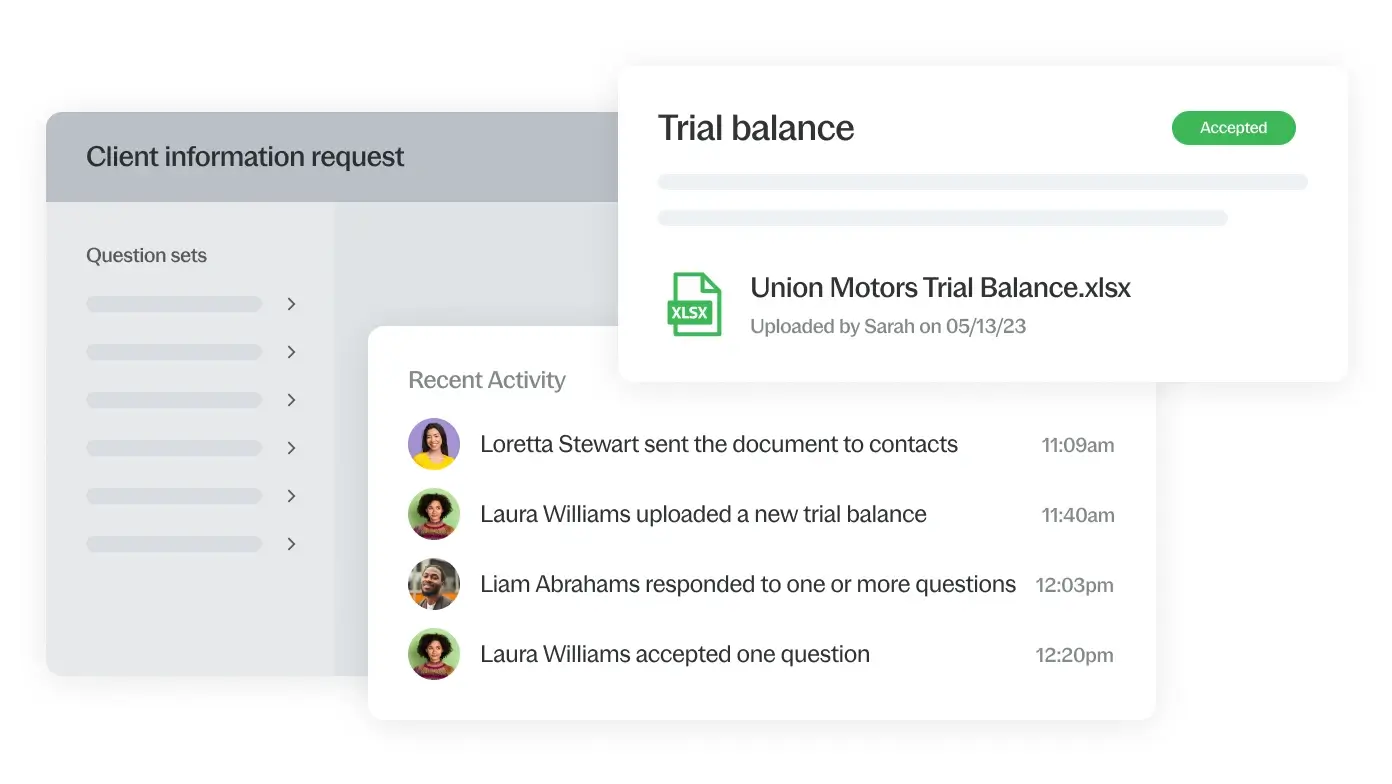
Experience real-time collaboration for staff and clients. Your team can perform tasks independently without waiting on others. Seamlessly collaborate with your clients directly within the audit function. Any responses and files received after a request will automatically be filed and referenced within the relevant engagement.

Review tools and visualisations that ensure accuracy and reduce confusion

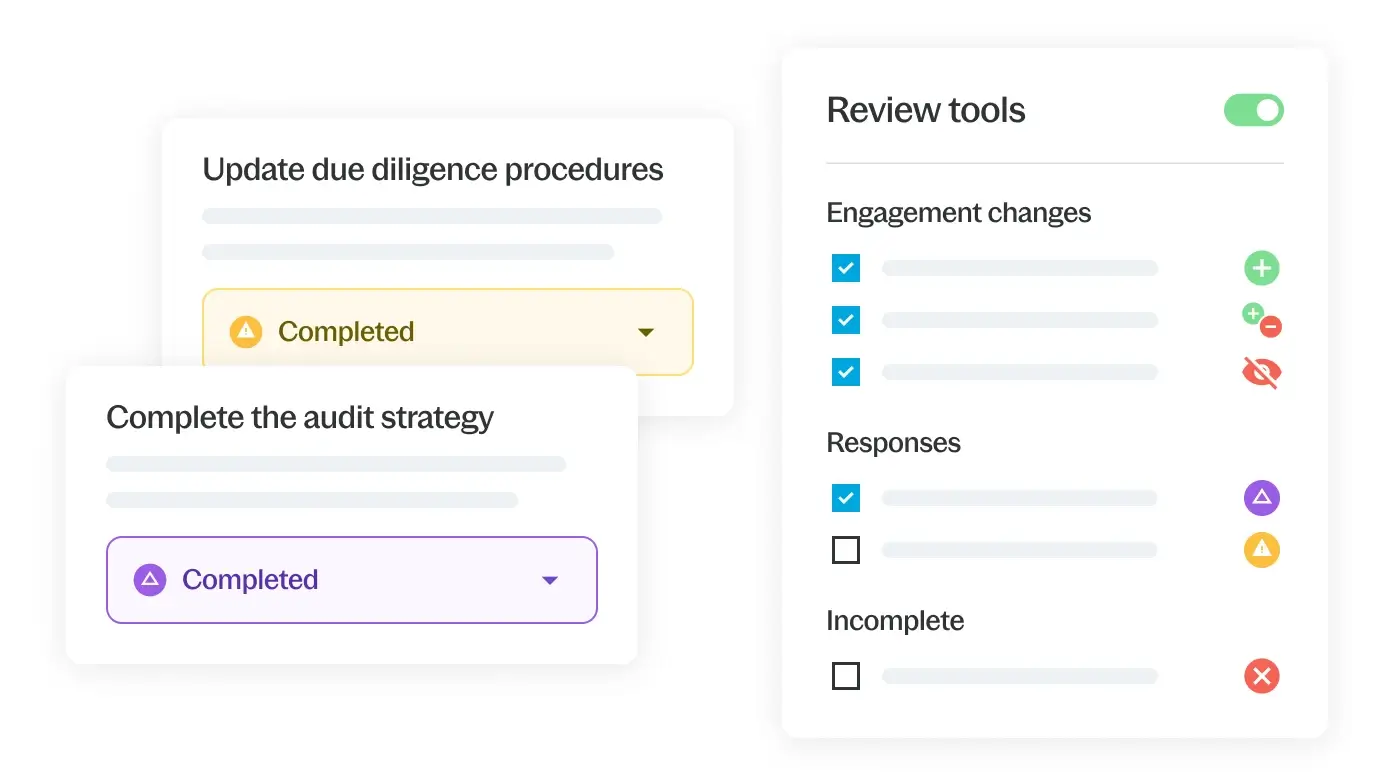
Quickly review engagements and identify issues accurately through our simple, colour coded visualisation tool, which allows you to provide greater value-added insights to your clients.

Risk management and visualisation enable a smoother audit experience

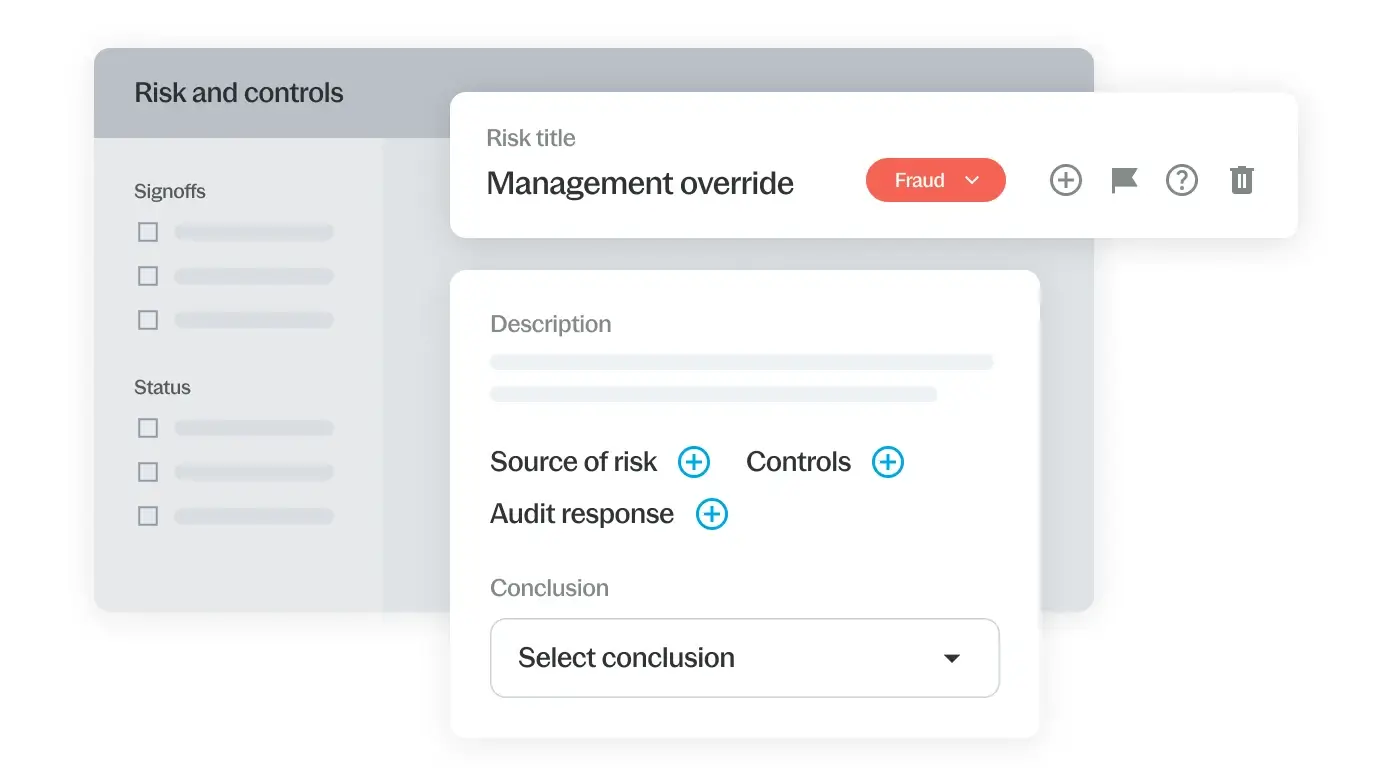
New and existing risks can be added and updated at any time. Our centralised summary page provides visual charts, and records and stores risk assessment notes. Materiality is documented and visible within the navigation panel. Easy visualisation cues allow you to easily see if an assessment is higher than materiality.

Increase your efficiency with intelligent content

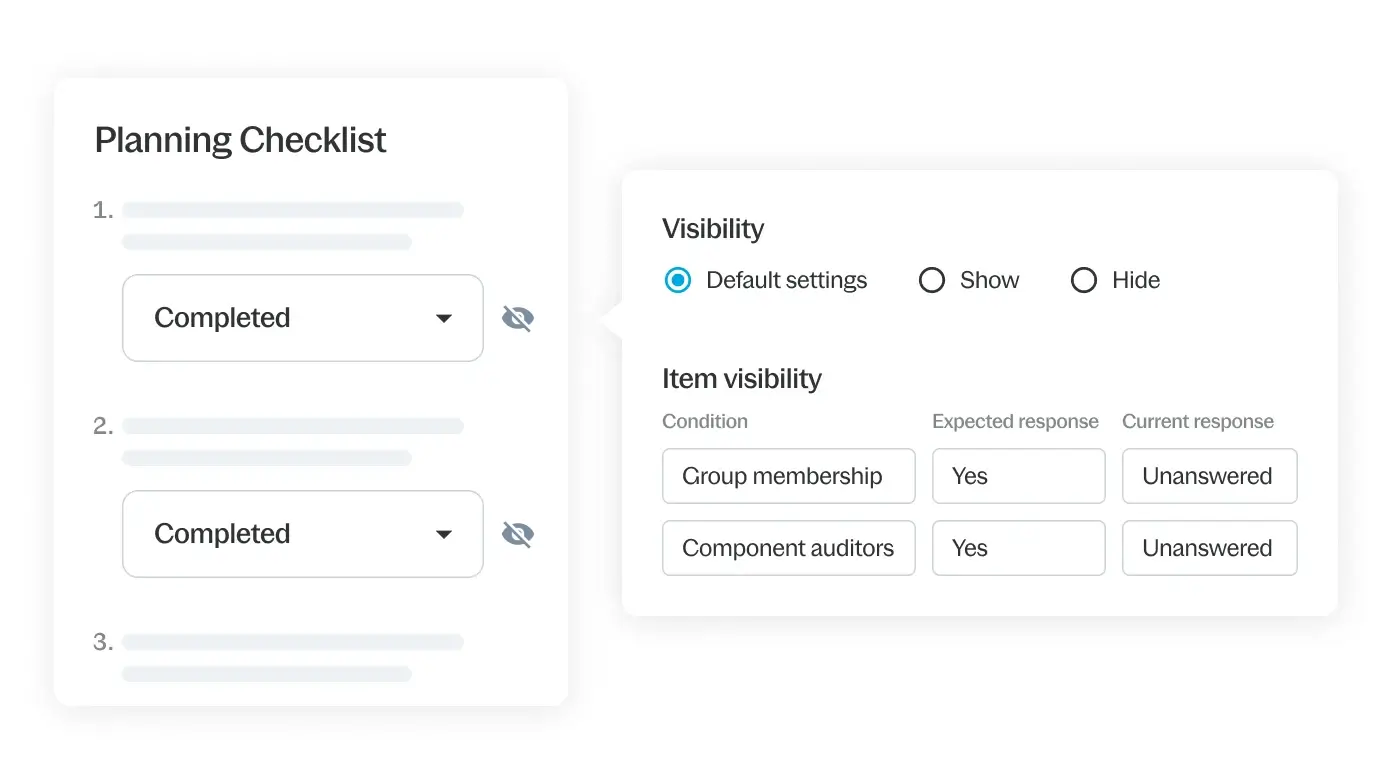
Using client data and responses to pre-set questions, online content is tailored to provide only what is relevant for the engagement at hand, saving you time and increasing your efficiency.

Benefits

Boost client collaboration

Boost client collaboration

Securely send and receive documents and track information requests with our ‘Prepared by Client’ query function
Comply with confidence

Comply with confidence

Built-in guidance gives users reassurance by providing accurate information and documentation compliant with latest guidelines
Work together - from anywhere

Work together – from anywhere

Staff in multiple locations can collaborate without the need for being in the same location and can access the latest client data from anywhere, at any time.
Increase profitability

Increase profitability

Ensure the minimum amount of work to achieve the maximum result with our intelligent one-click responses and roll-forward ability.
Client advisory

Client advisory

Provide greater value-added insights to your clients with our analysis tool in each work programme and review documents.
Intelligent File Building

Intelligent File Building

Built-in intelligence means that you only see documents and procedures that are relevant to the audit you are working on.

Supporting tools

Easy-to-use templates that simplifies accounting and audit processes

Take advantage of carefully crafted templates developed by leading standards bodies designed to simplify the lives of accountants and auditors.

  • Accounts Production
    arrow_forward

    Experience the power of automation and increase your accuracy and efficiency with compliant statutory reporting. Simplify the production of your IFRS, FRS 101, 102 and 105 accounts.

  • Corporation Tax
    arrow_forward

    Leverage capability and integration and automate the process of producing corporation tax computations and filing CT600. Enhance your efficiency at every stage of your tax process and calculate, analyse, produce, tag and submit online in one easy process.

  • Caseware IDEA
    arrow_forward

    Caseware IDEA data analysis software seamlessly integrates with Caseware Working Papers and Caseware Cloud to offer a one-stop, easy-to-use solution for external auditors, accountants and data analysts.

Let Caseware’s advanced applications take your firm to a new level of success

These modern tools are designed to reduce repetition and needless work, enabling your staff to work smarter and quicker to deliver better results.

  • Xtend
    arrow_forward

    A client collaboration app that makes it possible for firms and individual engagement teams to securely communicate with clients and manage requests smoothly.

  • Disclosure Checklist
    arrow_forward

    Our Disclosure Checklist application aids accountants by eliminating unnecessary disclosure questions, helping to streamline their financial reporting processes.

Harness the power of automation to revolutionise your audits

Comments Off on Cloud Audit

IDEA

May 05 2023

Product

IDEA

Generate better audit insights with the trusted platform for data analytics

Request a demo arrow_forward

Unlock the power of data-driven engagements with Caseware IDEA data analysis software

Data analytics is changing the game for audit, accounting and finance professionals worldwide. When analysing audit data — whether you’re detecting fraud or identifying anomalies, trends and patterns — you must have a solution that delivers high-quality results without fail.

With a modern, intuitive interface and advanced analytical functionalities, Caseware IDEA software accelerates data analytics, provides a user-friendly experience and supplies you with in-depth knowledge in a timely, cost-effective manner.

Features

Seamless data imports to add engagement efficiency

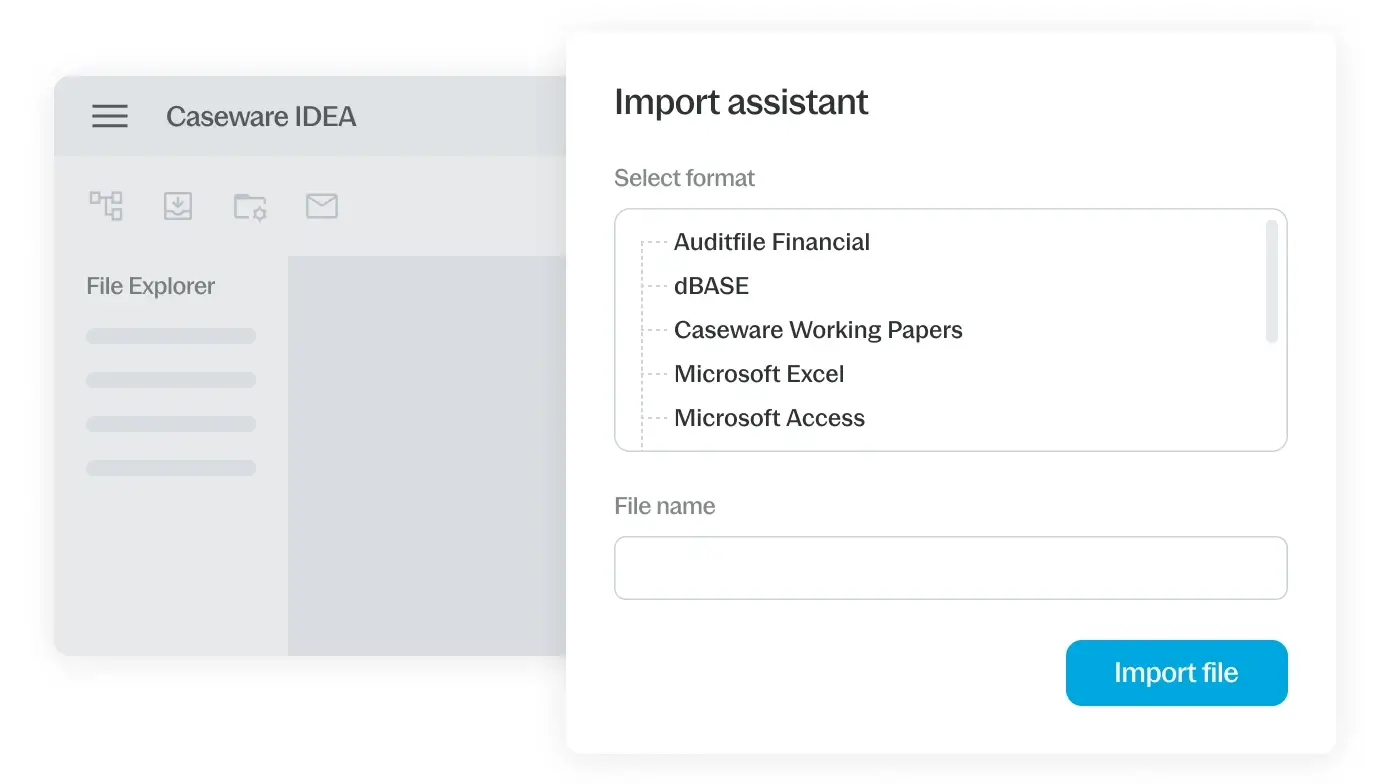
Import data easily from top sources, including PDF, Excel and CSV. IDEA accounting software also works with 50+ packages (Quickbooks, Sage, Xero, etc.), Caseware Working Papers, Python and more.

Powerful audit analytics for deeper, more informative insights

Boost your view with our all-in-one analytical tool that covers every audit need. Whether you’re running a specific test, like sampling, or using built-in automated tests for an entire financial audit, IDEA has you covered.

Comprehensive reporting that gives auditors the full view of what’s happening

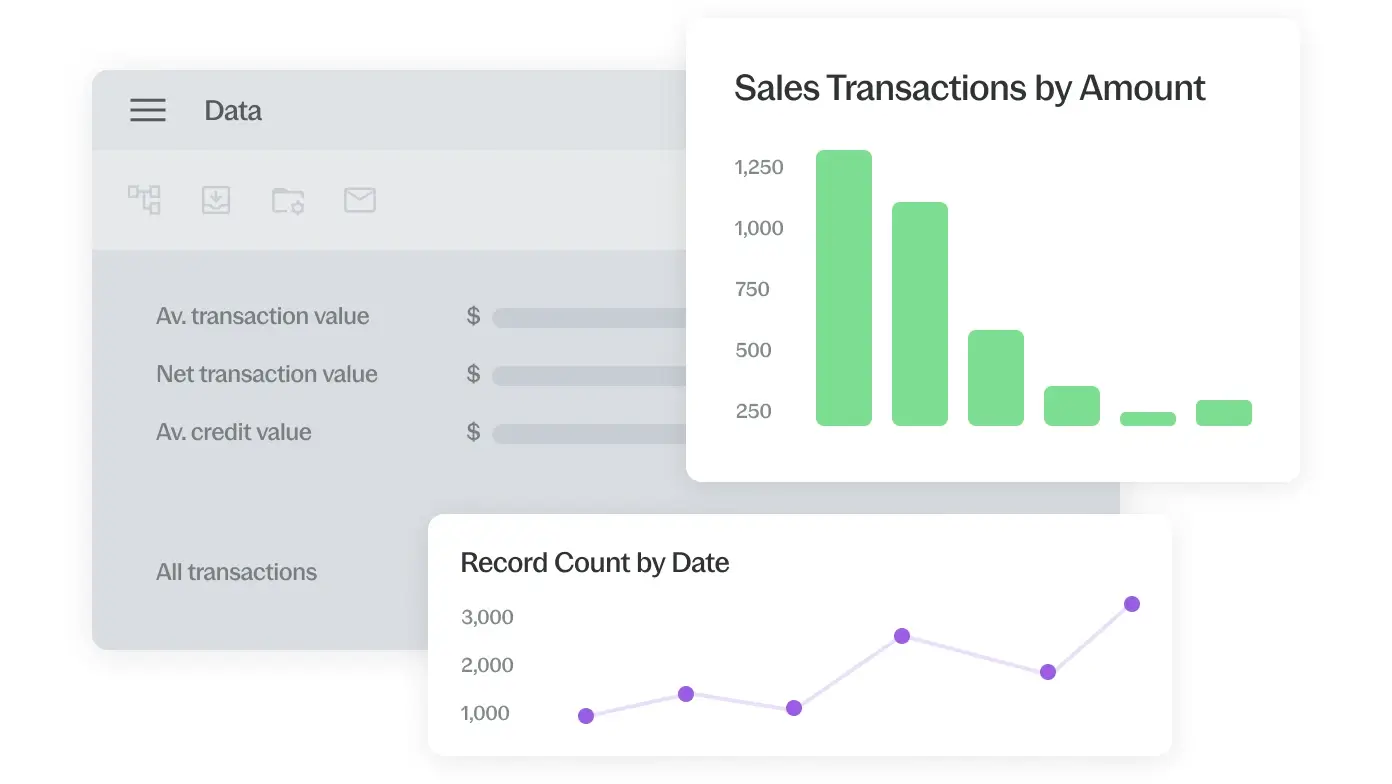
Visually pinpoint patterns, trends and outliers using interactive dashboards. With seamless integrations, you can export engagement results or third-party applications.

Reliable audit trail that delivers an accurate and reliable record

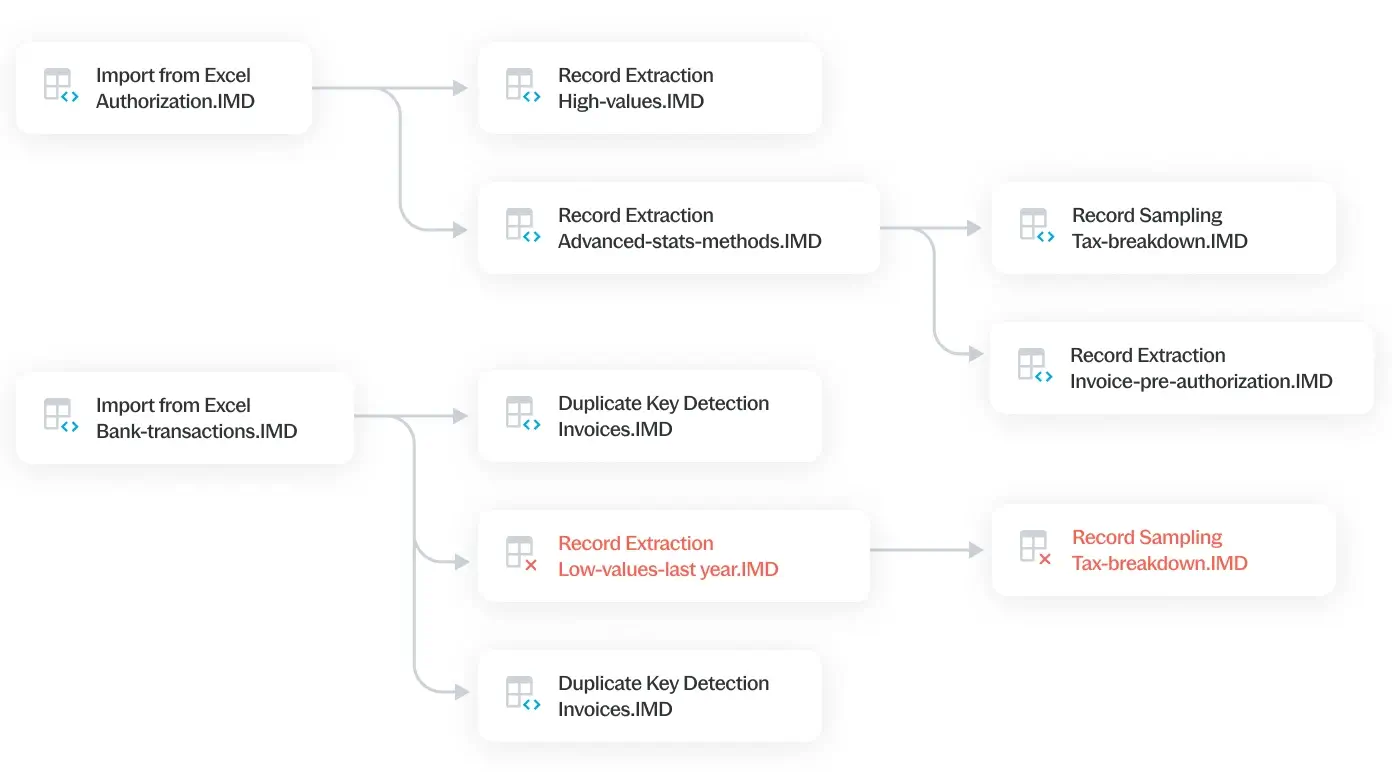
Master your work with Project Overview. This tool displays every task’s status using sleek graphics. Document the project or generate a script quickly to re-run the analytics later.

Benefits

Boost productivity

Boost productivity

Automate data analysis using ready-made workflows and simplified navigation to reduce errors. Watch productivity soar as staff focus on more critical work, saving time and money.
Improve risk management

Improve risk management

Mitigate risks related to data security and confidentiality with Caseware’s unified ecosystem. Harness audit intelligence and machine learning techniques to generate risk-based samples.
Reclaim time and money

Reclaim time and money

Reduce wasted time. Save weeks using IDEA to verify and analyse hundreds of thousands of records in minutes.
Strengthen collaboration

Strengthen collaboration

Improve documentation, reporting and collaboration with colleagues and clients, strengthening the audit process and other engagements.
Bolster data integrity

Bolster data integrity

Analyse all data with full confidence using read-only access to source data. IDEA guarantees the accuracy of audit assessments and disclosures in published financial statements.
Provide an unforgettable customer experience

Provide an unforgettable customer experience

IDEA’s intuitive design prioritises users. With our software, you receive a wealth of resources to gear teams for success.

Supporting Tools

Enhance your IDEA experience

Take advantage of these modules to run more tests and generate better insights.

  • IDEA Lab
    arrow_forward

    IDEA Lab offers an expanding library of advanced analytics plug-ins developed by industry experts. It includes cutting-edge technologies that provide solutions for various tasks and industry-specific functions.

  • SmartAnalyzer
    arrow_forward

    SmartAnalyzer is a collection of queries and tasks that improve the quality and consistency of every audit engagement. It offers an extensive set of routines for analysing general ledger, accounts receivable, inventory, fixed assets and accounts payable transactions.

  • Passport
    arrow_forward

    Passport is Caseware IDEA’s all-in-one user portal. It hosts software downloads, tutorials, videos, SmartAnalyzer apps, sample scripts, custom functions, tech tips, industry-related content and more.

Boost your reports with these added features

These plug-ins add more capabilities to your IDEA solution.

  • Exceptional exceptions
    arrow_forward

    Access audit intelligence and machine learning techniques to generate risk-based samples and provide overviews of risk areas. Identify notable journal entries and focus audit efforts on items posing the highest threat of fraud or error.

  • Financials app
    arrow_forward

    Get access to a collection of 55+ smart audit tests for faster, detailed analysis of the general ledger and important sub-ledgers to detect anomalies, exceptions or outliers effortlessly.

  • Journal entry testing
    arrow_forward

    Apply over 20 journal entry audit tests. Plus, use integrated workflows between procedures and IDEA for analytics to help users conduct audit tests directly and save engagement evidence.

  • Fuzzy join
    arrow_forward

    Perform a fuzzy join between two IDEA databases by testing for possible duplicates.

  • Relative size factor
    arrow_forward

    Identify anomalies where the most considerable AMOUNT field value for subsets in each key is outside the norm.

  • Subset sampling
    arrow_forward

    Perform a Stratified Random Sample analysis, enabling high-value sampling on multiple subsets. Run the plug-in independently on any data set or as a complement to the Exceptional Exceptions application.

  • Text analysis
    arrow_forward

    Parse and analyse report files, then import results into IDEA to create sentiment analysis, word frequency and word cloud charts.

Take your IDEA solution to the next level

These innovative tools offer additional capabilities to IDEA’s core functionality.

  • SmartExporter
    arrow_forward

    Leverage SmartExporter, an intuitive, user-friendly, Windows-based extraction tool, to pinpoint and export the precise SAP® data required for analyses. This integration will simplify workflows, diminish wait times and augment operational efficiencies.

  • Cloud Import Utility
    arrow_forward

    Integrate IDEA with over 90 accounting applications that can fetch information, such as trial balance, with precision and consistency.

Easy-to-use templates that simplifies the financial reporting process

Take advantage of carefully crafted templates developed by leading standards bodies designed to simplify the lives of finance professional

  • Accounts Production
    arrow_forward

    We offer many templates for financial statement preparation for accounting practices and corporations based on accounting standards, including FRS 101, 102, 105 and IFRS.

  • Corporation Tax
    arrow_forward

    Leverage capability and integration and automate the process of producing corporation tax computations and filing CT600. Enhance your efficiency at every stage of your tax process and calculate, analyse, produce, tag and submit online in one easy process.

Deliver deeper insights and more informed business decisions

Comments Off on IDEA

Working Papers

Apr 26 2023

Product

Working Papers

A flexible and intuitive platform for managing accounting and audit working papers

Request a demo arrow_forward

Deliver high-quality engagements with seamless integrations

Caseware Working Papers is a flexible engagement management platform that integrates everything you need to conduct accurate assurance and reporting engagements. It provides a one-stop location for your data.

Access to all the information you need during an engagement is readily available, with data linked so that any changes you make flow through to all related documents. You can significantly decrease manual effort associated with an audit while improving the transparency, consistency and quality of your team’s work.

Features

Seamless data imports and exports to document management systems

Import trial balance or general ledger details from over 60 accounting packages and applications like Word, Excel, PDF, ERPs and other electronic formats. With smart integrations, the engagement data is easily exported to tax packages and other document management systems.

Powerful document management platform for added efficiency

Access a comprehensive working paper management system with a wide range of capabilities for delivering efficient accounting services. Gain full visibility for all compliance and engagement workflows, allowing all authorised users to see documents regardless of their location.

Roll forward for embedded continuity from one year to the next

Maximise your firm’s efficiency levels by leveraging Working Papers’ roll-forward capability. This feature takes your existing file and rolls forward identified information to the next year.

Boost information sharing with centralised and accessible data

Enhance engagement transparency and easily address questions that arise by retaining all engagement information and supporting materials in one conveniently accessible location.

Benefits

Create next-generation reporting

Create next-generation reporting

Our purpose-built accounting software turns any documents, including financial statements, into a cost-effective report, immediately ready for client, stakeholder or external accountant review. Even PDF versions can be easily shared.
Enhance client communication

Enhance client communication

Quickly and securely send clients signed letters and supporting documents using the built-in query system. By easily managing client requests and aligning them with engagement status, you can respond individually or collectively.
Depend on data to minimise risk

Depend on data to minimise risk

Integration with Caseware IDEA brings analytics directly into your workflows and minimises the risk of error or data inconsistency. This allows you to provide valuable insights to your clients and ensure their continued business.
Work together effectively

Work together effectively

Activating the SmartSync module in Caseware Working Papers allows team members to collaborate efficiently on the same engagement file. This benefit is possible even from different locations, eliminating the hassles of version control.
Customise firm processes

Customise firm processes

Build intelligent documents, including financial statements, reports and work programs, based on your specific project needs or business requirements. Use the CaseView module within Working Papers to support smoother firm-wide adoption.

Supporting tools

Easy-to-use templates that simplifies accounting and audit processes

Take advantage of carefully crafted templates developed by leading standards bodies designed to simplify the lives of accountants and auditors.

  • Accounts Production
    arrow_forward

    Experience the power of automation and increase your accuracy and efficiency with compliant statutory reporting. Simplify the production of your IFRS, FRS 101, 102 and 105 accounts.

  • Corporation Tax
    arrow_forward

    Leverage capability and integration and automate the process of producing corporation tax computations and filing CT600. Enhance your efficiency at every stage of your tax process and calculate, analyse, produce, tag and submit online in one easy process.

  • Caseware IDEA
    arrow_forward

    Data analytics is changing the game for audit, accounting and finance professionals worldwide. When analysing audit data — whether you’re detecting fraud or identifying anomalies, trends and patterns — you must have a solution that delivers high-quality results without fail.

Let Caseware’s advanced applications take your firm to a new level of success

These modern tools are designed to reduce repetition and needless work, enabling your staff to work smarter and quicker to deliver better results.

  • Cloud Audit
    arrow_forward

    Using the power of Caseware Cloud, our audit solution empowers your teams to collaborate more effectively and quickly and efficiently produce high-quality audits.

  • Disclosure Checklist
    arrow_forward

    Our Disclosure Checklist application aids accountants by eliminating unnecessary disclosure questions, helping to streamline their financial reporting processes.

  • Xtend
    arrow_forward

    A client collaboration app that makes it possible for firms and individual engagement teams to securely communicate with clients and manage requests smoothly

Ramp up your engagements with cutting-edge capabilities

Tap into advanced features that allow your firm to manage files easily and communicate with clients and staff like never before.

  • SmartSync
    arrow_forward

    Provide everyone on your team with up-to-date changes to working papers, eliminating the need to manage synchronization. Team members collaborate on local copies of a client file in real time, with each automated Working Papers file syncing in the background.

  • SmartAnalyzer
    arrow_forward

    Caseware IDEA license holders can use this module to run more than 80 guided, risk-based analytical tests. You can do this on general ledgers and subledgers, easily issuing identify exceptions.

  • CloudBridge
    arrow_forward

    Seamlessly transfer data from Caseware Working Papers to a cloud engagement. To import data to a cloud engagement, begin by downloading the installation package and install the version of CloudBridge for your region.

  • Caseware Connector
    arrow_forward

    Easily access and retrieve a wide range of data, including trial balance data, engagement properties and firm properties, while seamlessly inserting it into a Microsoft Excel file.

Find the answers you need

Can I directly upgrade from an older version of Working Papers to the latest version? And if I do, will my files convert?

add

Yes, you can upgrade to the latest version without installing the versions in between. Caseware only guarantees a successful conversion between subsequent versions when converting your files. It is possible to restore older files to the latest version directly, but we encourage you to create a backup before attempting to do so.

Is Working Papers financial accounting software offered in 32-bit?

add

Current versions of Working Papers are available exclusively in 64-bit. Any 32-bit version is no longer supported.

Take a modern approach to managing working papers

Comments Off on Working Papers

« Newer