
What's new - Caseware DocuFlex 2026.2.0 (v 2.1470.0)
Here's a list of what's new in the DocuFlex 2026.2.0 release.
Template variants for enterprise authors
As an enterprise author, you can now create multiple template variants from a single master template.
You can use template variants when the master template contains minimal shared content and each variant requires substantially different content.
This feature helps you:
-
Support multiple engagement types within one governed template model
-
Maintain each variant independently, without manually synchronizing changes
-
Let firms select the appropriate variant when they create an engagement
-
Avoid complex visibility rules and occlusion logic
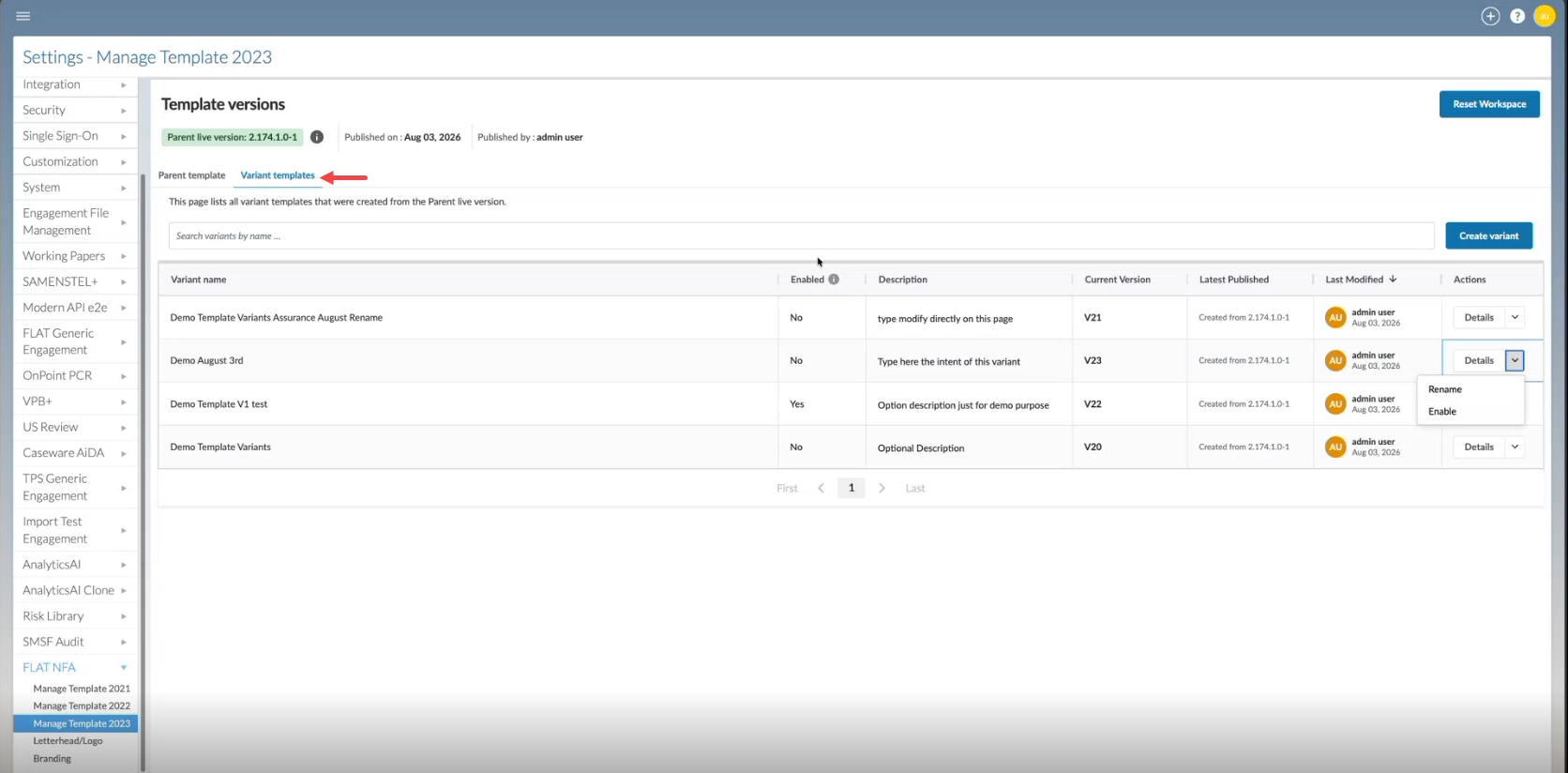
To learn more, see Manage the enterprise template.
Analytics Hub
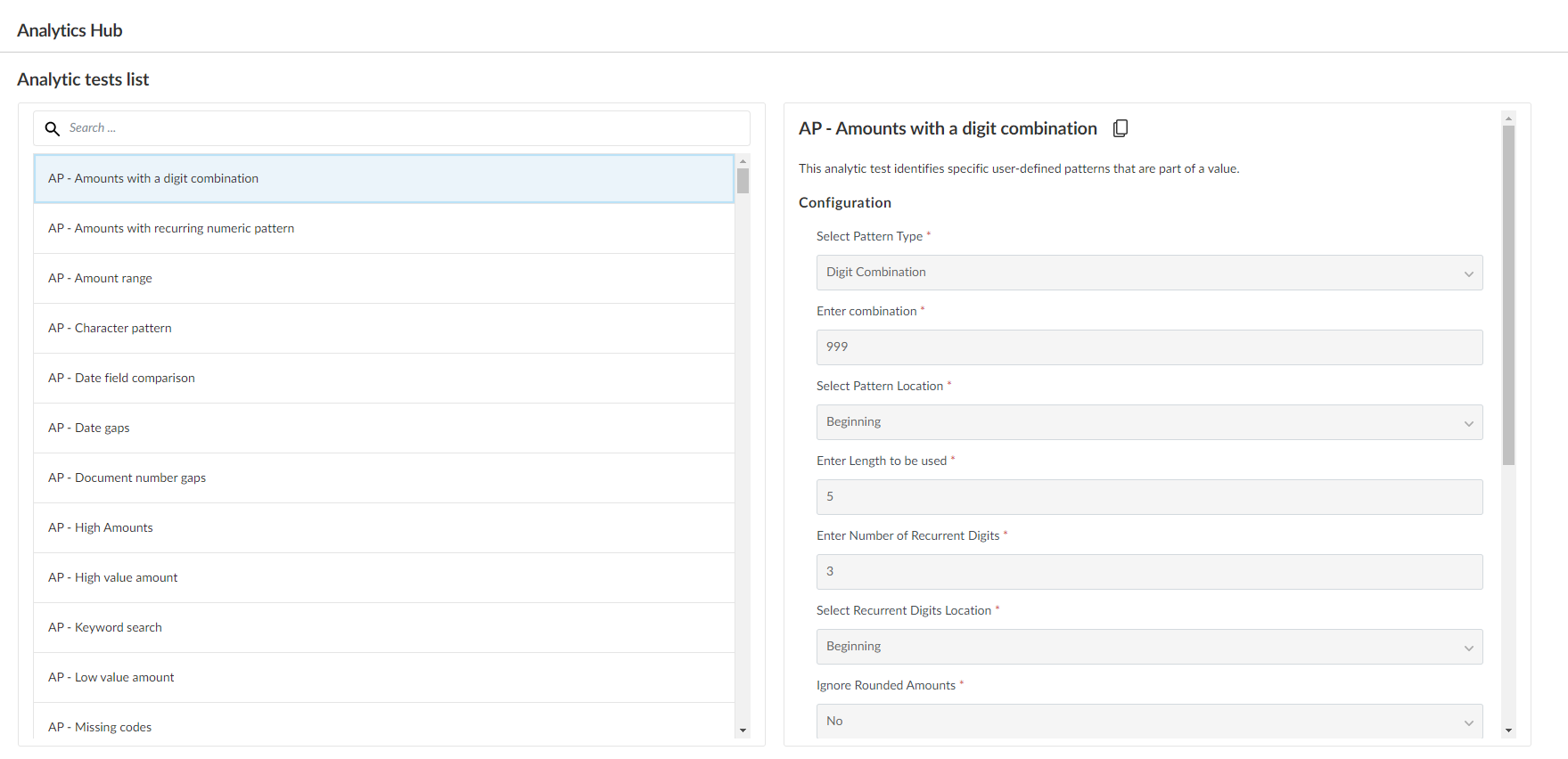
The Analytics Hub has now been enabled in Caseware DocuFlex. The Analytics Hub is a central location that you can use to view a list of all analytic tests that have been linked to a checklist in your product.
Analytic tests let you identify and analyze risks related to engagement data and support your ability to meet engagement objectives.
Before users can view analytic tests, firm authors must link the tests to checklist procedures. To link analytic tests to a checklist procedure, see Link analytic tests to a checklist procedure.
Once firm authors link a test to a procedure within a checklist, users can run the test, view the test results and re-configure the tests before running them again if necessary. If analytic tests have been linked to your Analytics Hub, see Manage analytic tests in the Analytics Hub to learn more.
Customize analytic tests in the Analytics Hub
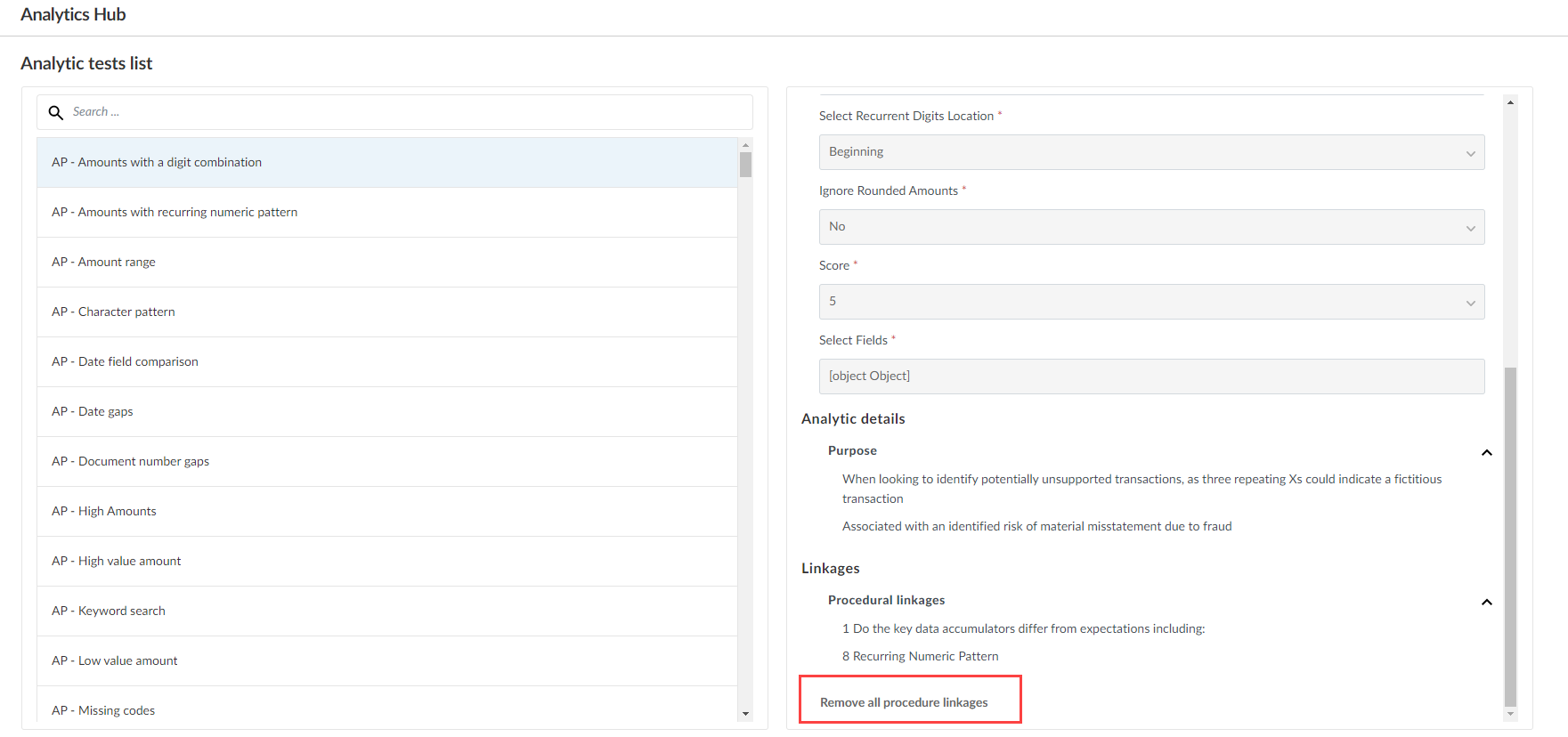
When you select a test, you can view configuration details as well as a list of checklist procedures linked to the test. You also have the option of duplicating an analytic test to customize it. To customize analytic tests in the Analytics Hub, see Customize analytic tests.
You can also select Remove all procedure linkages to remove links to checklist procedures for a test. Note that if you select this option, the test will no longer display in the Analytics Hub.
Support short and long year engagements
You can now handle non-standard reporting periods using short and long year engagements that previously used only annual reporting periods.
This update lets you:
-
Define accurate engagement start and end dates for standard and non-standard fiscal years
-
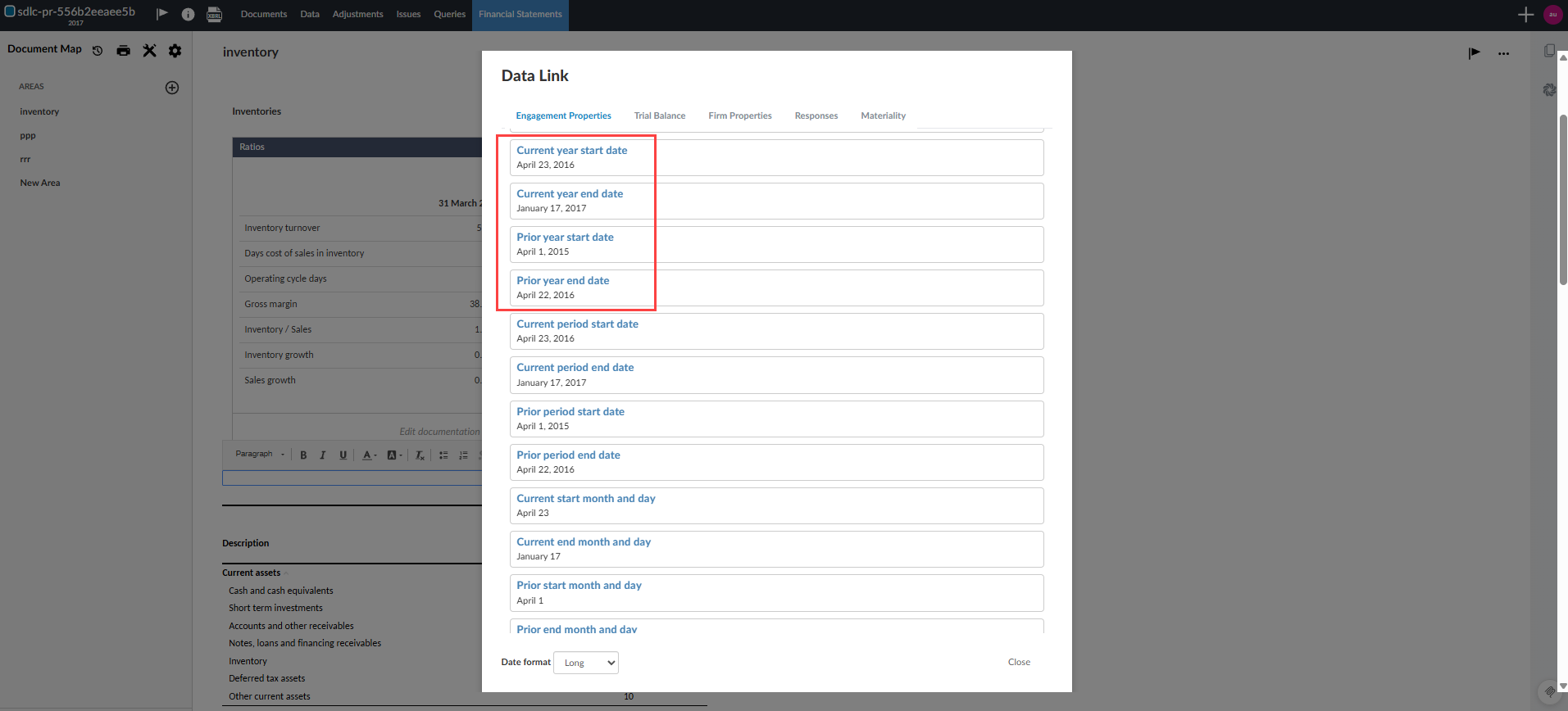
See precise date ranges in Engagement Properties, the Data page and Data Link-driven content
-
Maintain consistent behavior when engagements are carried forward and prior-year trial balance data exists
-
Clearly identify short and long year periods in dynamic tables, including custom calculation and consolidated views, with headings and popovers that show the full date range for each column
-
Keep Analysis views and ratios aligned with the actual number of days in each reporting period, so short and long year engagements display accurate date ranges and time-based metrics
The current scope includes updates to the Engagement Properties, the Data page and Data Link formulas and headings.
From Data Link:
Limitation:
-
For engagements that use a short or long year, only CSV import is supported.
Duplicate engagements within and across entities
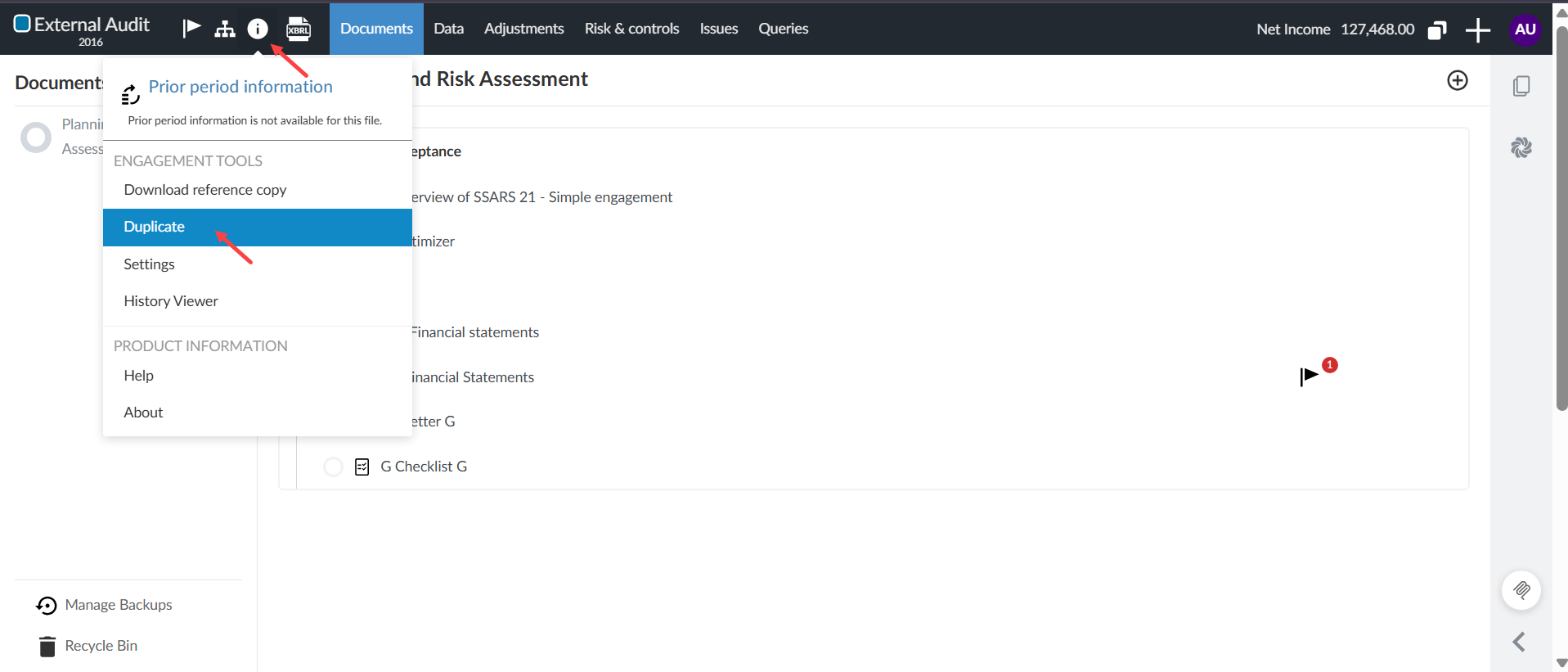
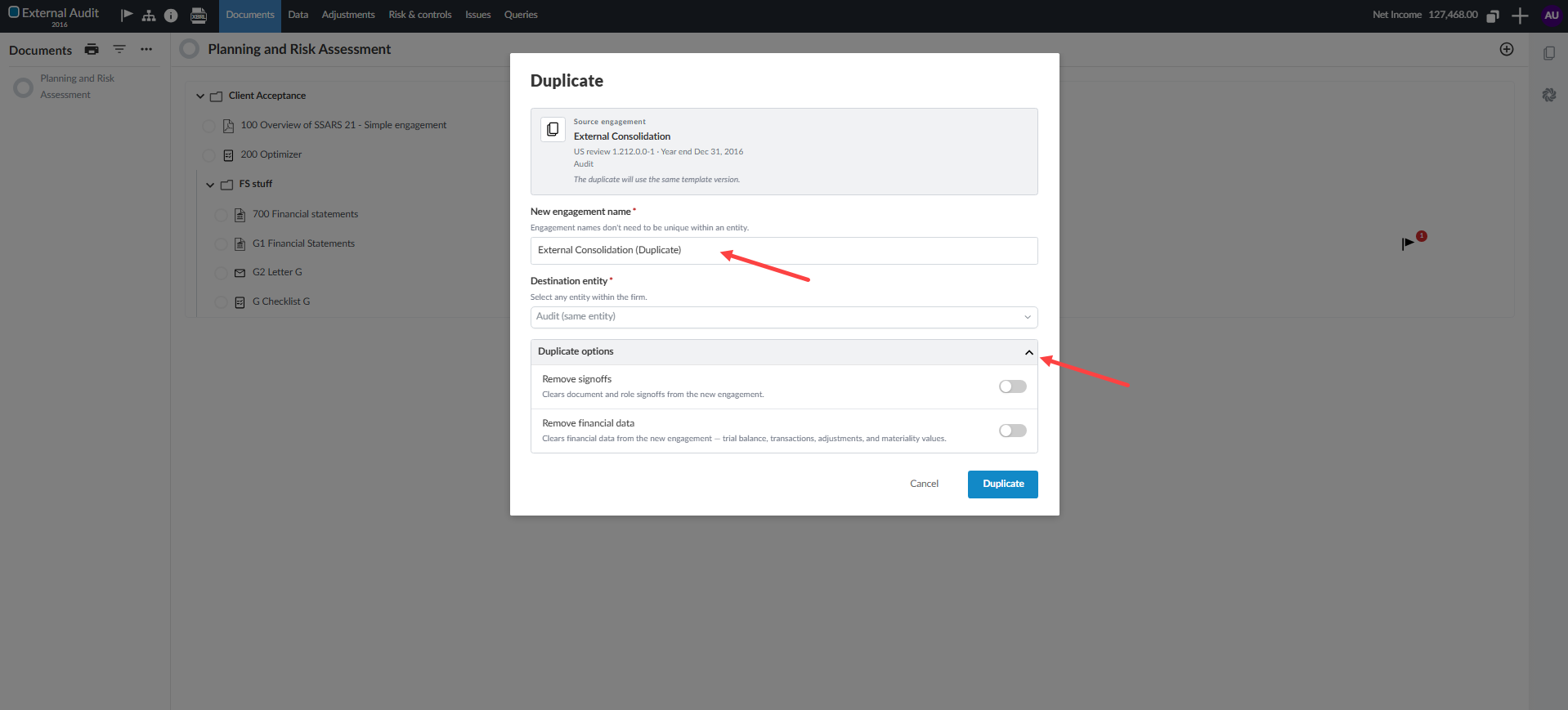
You can now duplicate unlocked engagements within the same entity or copied across different entities in your firm. You can also choose to remove sign-offs and financial data from the new engagement at creation time.
This flexibility helps you create training files, reuse customized engagement structures across entities, or prepare amended filings without rebuilding an engagement from scratch.
The Duplicate feature from the engagement:
The Duplicate dialog:
To learn more, see Create and set up an engagement file.
View financial grouping balances on the Assessment tab
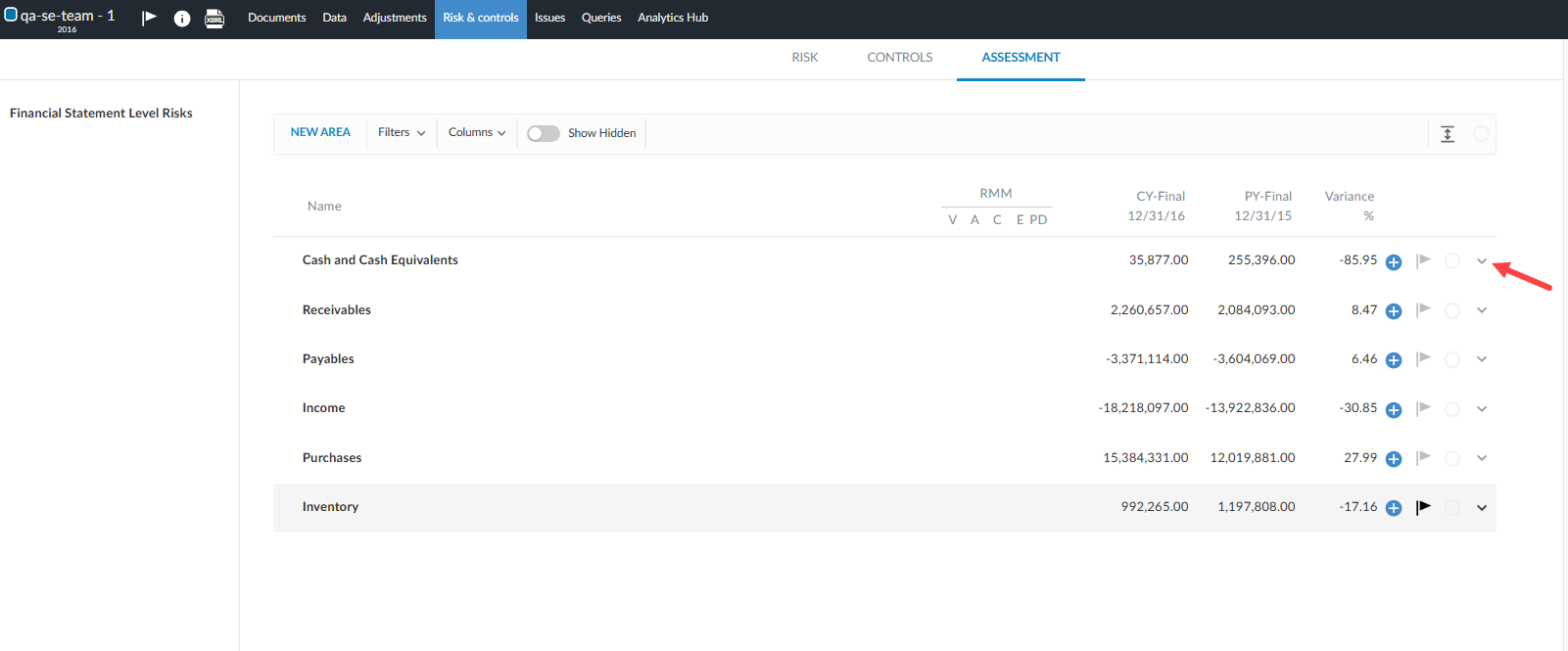
You can now view individual balances of mapped financial groups directly on the Assessment tab under the Risk & controls page. When assessing risks at the area level, you can view detailed financial group balances instead of a single combined area total. This breakdown provides more granular financial context when you evaluate risk severity.
To learn more, see Financial grouping structures.
Link controls to procedures and configure additional control fields
You can now link internal controls directly to audit procedures and capture deeper control attributes in the Control Report. Link controls to procedures, see a control indicator on linked procedures and document control operator qualifications.
Enterprise authors can enable and customize these fields in Product Settings.
To learn more, see Manage controls and the Control Report.