
Navigate the Risk & controls page
The Risk & controls page provides a centralized location for identifying risks, documenting the controls that address those risks and assessing their effect on the engagement.
To open the page, select Risk & controls from the Cloud Engagement menu.
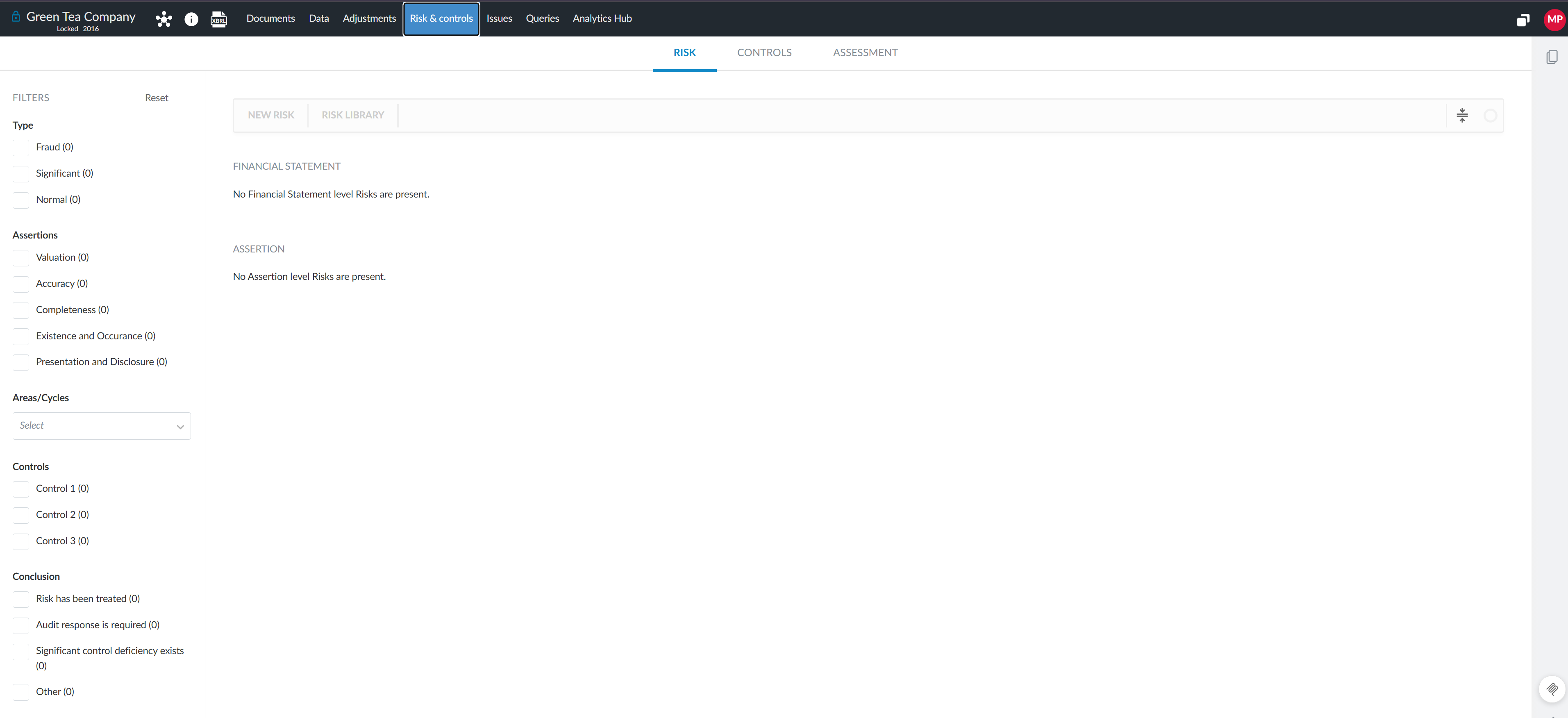
Depending on how your product is configured, the page can include the following areas:
-
Risk: View, add and modify risks identified throughout the engagement.
-
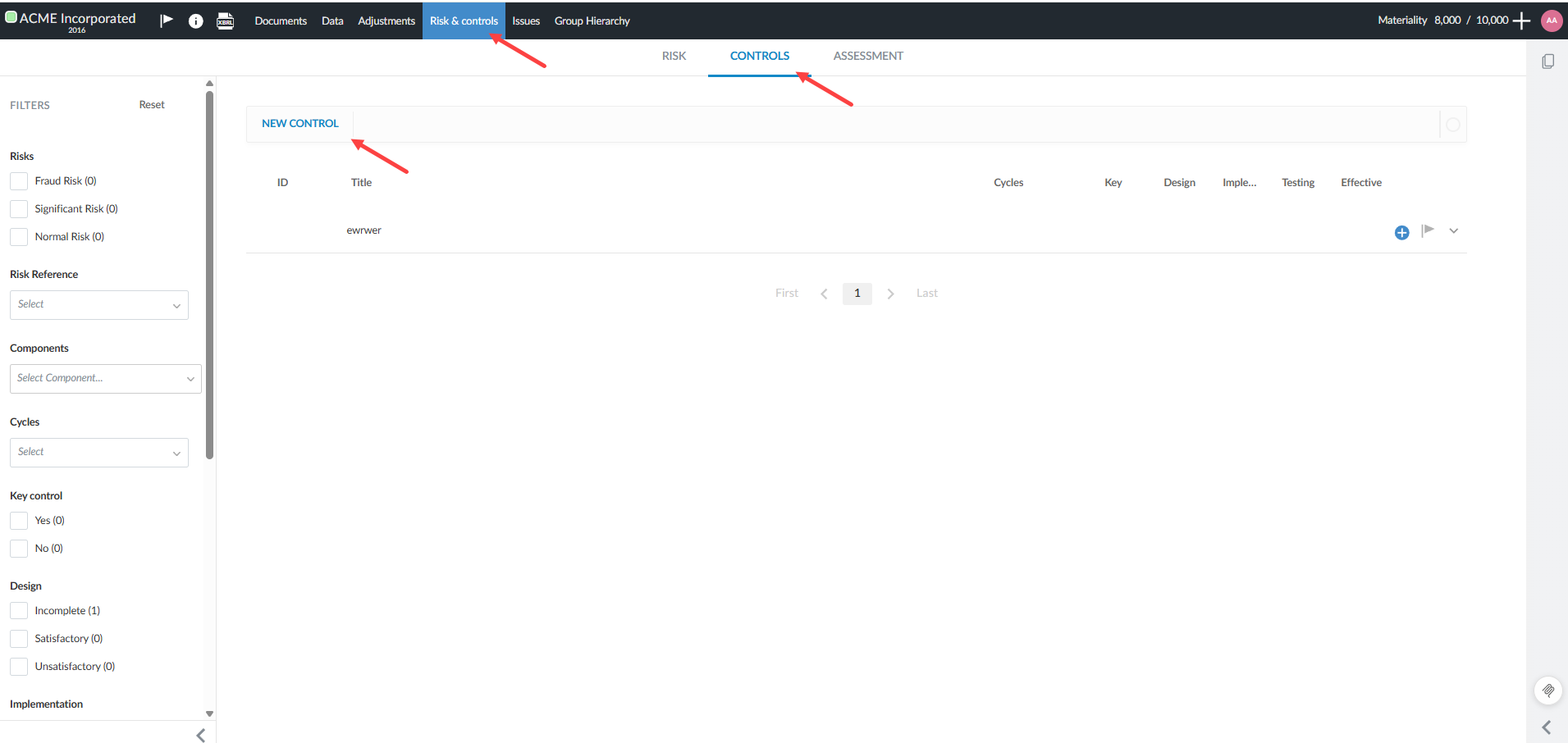
Controls: View, add and evaluate the controls designed to address identified risks.
-
Assessment: Assess risks by area, cycle and assertion and document the planned response.
An example of the Risk tab on the Risk & controls page.
Understand the relationship between risks and controls
Risks identify circumstances that could affect the engagement. You can document details such as the risk description, category, likelihood, impact and planned response.
Controls are policies or activities designed to mitigate identified risks. You can link controls to risks to show how the risks are mitigated and document the design, implementation and operating effectiveness of each control.
You can also link risks and controls to checklist procedures to connect the identified risks and controls with the work performed by the engagement team.
Manage risk and risk assessment
From the Risk and Assessment tabs, you can:
Risk tab:
-
View, add, and modify risks.
-
Link risks to controls, audit procedures, and other engagement documents.
-
Sign off on individual risks or the entire report (depending on your product configuration).
Assessment tab:
-
Complete risk assessments at the assertion level by financial statement area or business cycle.
-
Identify relevant assertions.
-
Assess inherent and control risks to determine risk of material misstatement at the assertion level.
-
Document issues, annotations, and rationale at the assertion level.
-
Review and track risk ratings that have been manually overridden.
-
Filter assessment views by process or business cycle (if configured in product settings).
Manage controls and the Controls report
From the Controls tab, you can:
-
View, add, modify or remove controls.
-
Link controls to identified risks and audit procedures.
-
Document control attributes.
-
Evaluate control design, implementation and operating effectiveness.
-
Review controls in the Controls report.
An example of the Controls tab, displaying the Controls report, from the Risk & controls page:
Configure risks and controls (authors only)
Caseware and enterprise authors can configure the fields and options available to engagement teams. Available configuration options depend on the product and can include:
-
Risk assessment scales and styles
-
Control fields and displayed labels
-
Assessment controls
-
Areas and cycles
-
Sign-off options
Related topics
-
To learn how to identify and assess engagement risks, see Manage risks and risk assessments.
-
To learn how to review and evaluate internal controls, see Manage controls and the Controls report.
-
To learn how to configure control fields and settings, see Customize controls.
-
To learn how to configure risk fields and settings, see Customize risks.