
What's new – PEG ReviewComp Summer 2026 (v1.3065.0)
Here's a list of what's new in the PEG ReviewComp Summer 2026 release.
2026 PEG updates
The PEG ReviewComp update includes all updated content based on CPA Canada PEG Review and Compilation Practice Aids up to and including the August 2026 updates.
Here is a list of documents that have been updated.
|
PEG form – Content updates |
PEG ReviewComp document(s) – Content updates |
|---|---|
|
FRF906 ASPE — General |
|
|
FRF907 First-time adoption of ASPE |
3-97 Worksheet - ASPE supplementary |
|
FRF908 ASPE — Income taxes |
3-FF Income taxes |
|
FRF909 ASPE — Investments |
3-B Investments |
|
FRF910 ASPE — Leases |
FRF-906 ASPE - General financial statement presentation |
|
FRF911 ASPE — Goodwill and intangible assets |
|
|
FRF912 ASPE — Employee future benefits |
3-97 Worksheet - ASPE supplementary |
|
FRF913 ASPE — Supplementary |
3-97 Worksheet - ASPE supplementary |
|
FRF914 ASPE — Agriculture |
3-97 Worksheet - ASPE supplementary |
|
FRF915 ASPE — Business combinations |
3-97 Worksheet - ASPE supplementary |
|
FRF971 First-time adoption of ASNPO |
3-98 Worksheet - ASNPO supplementary |
|
FRF972 ASNPO – General |
FRF-972 ASNPO - General financial statement presentation |
|
FRF973 ASNPO — Combinations by not-for-profit organizations |
3-98 Worksheet - ASNPO supplementary |
New features and enhancements
Support short and long year engagements
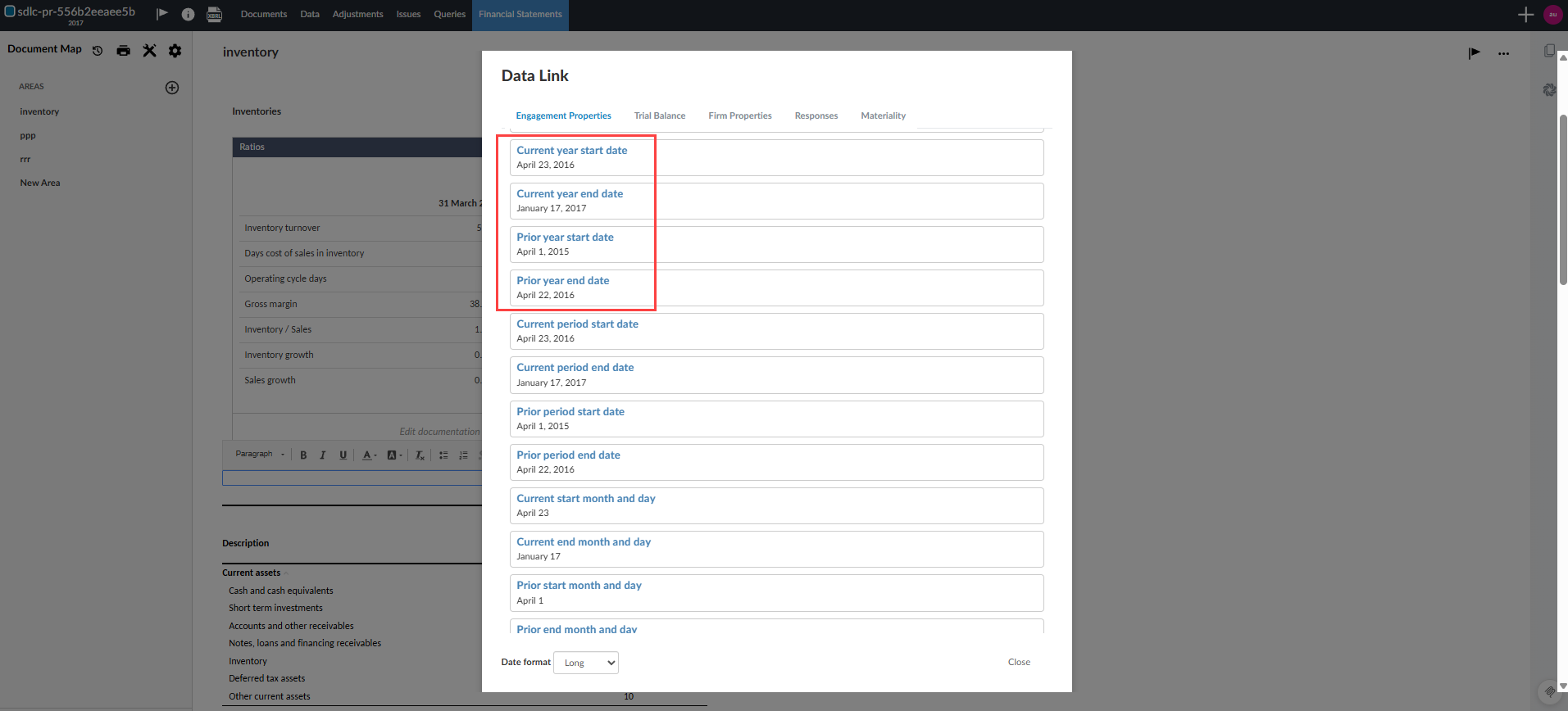
You can now handle non-standard reporting periods using short and long year engagements that previously used only annual reporting periods.
This update lets you:
-
Define accurate engagement start and end dates for standard and non-standard fiscal years.
-
See precise date ranges in Engagement Properties, the Data page and Data Link-driven content.
-
Maintain consistent behaviour when engagements are carried forward and prior-year trial balance data exists.
-
Clearly identify short and long year periods in dynamic tables, including custom calculation and consolidated views, with headings and popovers that show the full date range for each column.
-
Keep Analysis views and ratios aligned with the actual number of days in each reporting period, so short and long year engagements display accurate date ranges and time-based metrics.
Limitation:
-
For engagements that use a short or long year, only CSV import is supported.
For more information about interim periods, see Create an engagement for an interim period.
Track and compare initial and revised budget balances
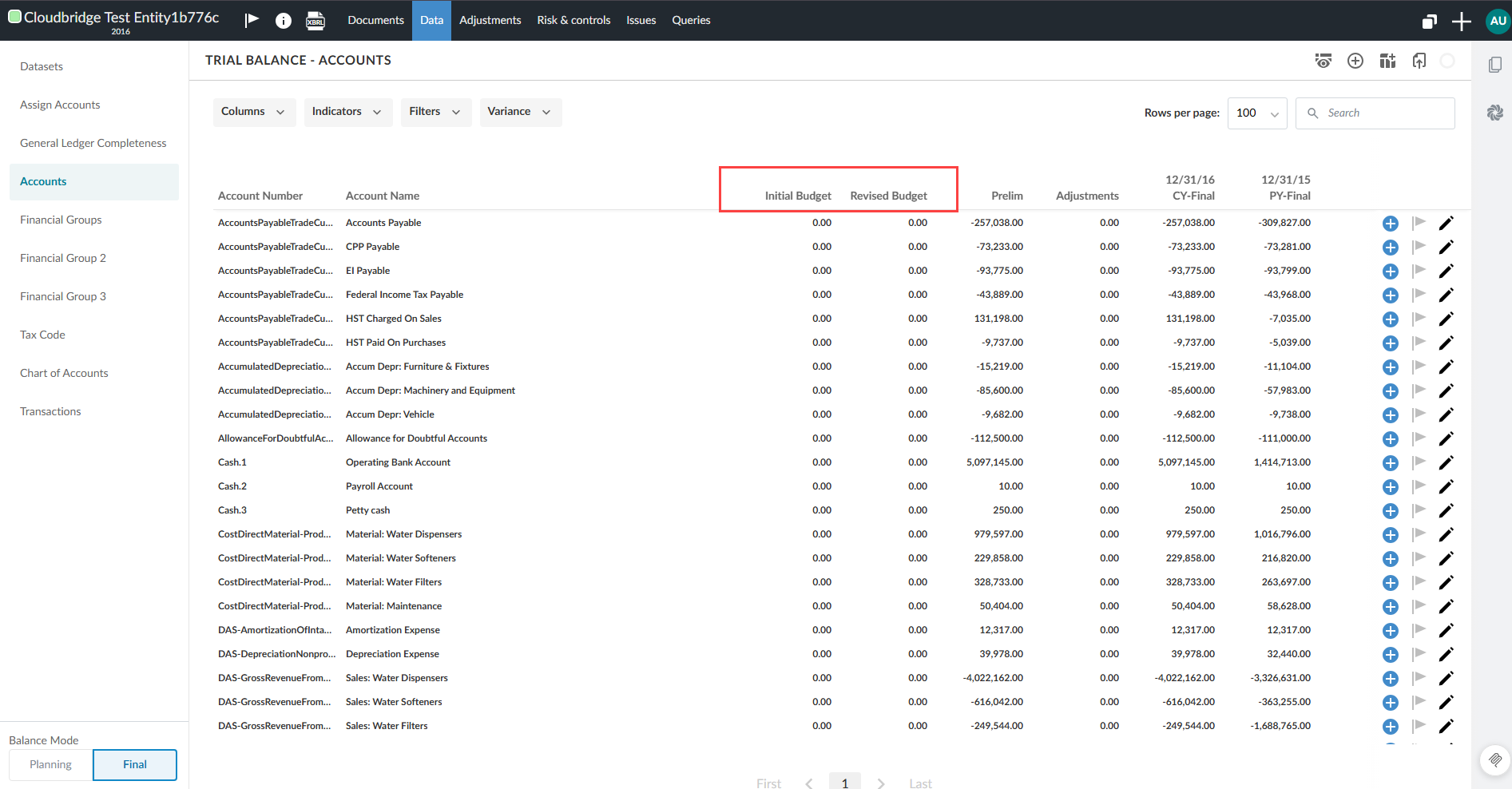
You can now track initial and revised budget balances in the trial balance, leadsheets and analysis views. Budget balances let you compare initial and revised budgets against actual balances in one view. You can import and reimport them without affecting other balance categories.
Features
-
Budget columns — Initial Budget and Revised Budget columns appear in the trial balance for the current year.
-
Variance calculations — Three new selections let you compare budget and actual figures in the trial balance:
-
Initial Budget to Revised Budget
-
CY Planning to Initial Budget (requires planning balance to be enabled)
-
CY Final to Revised Budget
-
-
Dimension breakdown — In the dimension breakdown view, a Balance type button switches between Final (or Planning), Initial Budget and Revised Budget. Column labels update to reflect your selection (e.g. CY-Initial Budget).
-
Leadsheets and charts — In leadsheets and analysis views, the balance type selector now includes Initial Budget and Revised Budget alongside Planning, Prelim and Final. This also drives embedded groups pages and charts. You can enter budget values in the Account Properties dialog.
Known limitations
-
Budget columns appear in the selected entity view only, not the consolidated view.
-
Prior year import and display aren't supported.
-
Visibility conditions aren't included.
-
Adjustments aren't supported.
-
Scenarios with budget balances but no other types of balance aren't supported.
-
Sherlock Export isn't supported.
-
Budget columns don't display the materiality icon or out-of-balance indicators.
From the trial balance:
To learn more about budget balances, see Budget balances overview.
Consolidation source
PEG ReviewComp now supports including subsidiaries from engagements created in other supported apps.
With this release, PEG ReviewComp can now include subsidiaries from engagements created in:
-
PEG Audit
-
DocuFlex CA
-
DocuFlex GA
-
DocuFlex Enterprise