
Define materiality
You may need to consider material amounts for misstatements in the client file. Some online engagement products include a materiality document that can help you assess materiality as you work on the engagement. These documents are like forms where you can define thresholds for overall materiality, performance and trivial misstatements to keep track of benchmarks.
Complete the materiality form
Some engagement files have a Materiality document where you can record the determination of materiality for your engagement. You will most likely complete this form before doing any other testing or work for your client.
To complete the materiality form:
-
From the top menu, select Documents.
-
Select the Materiality document.
-
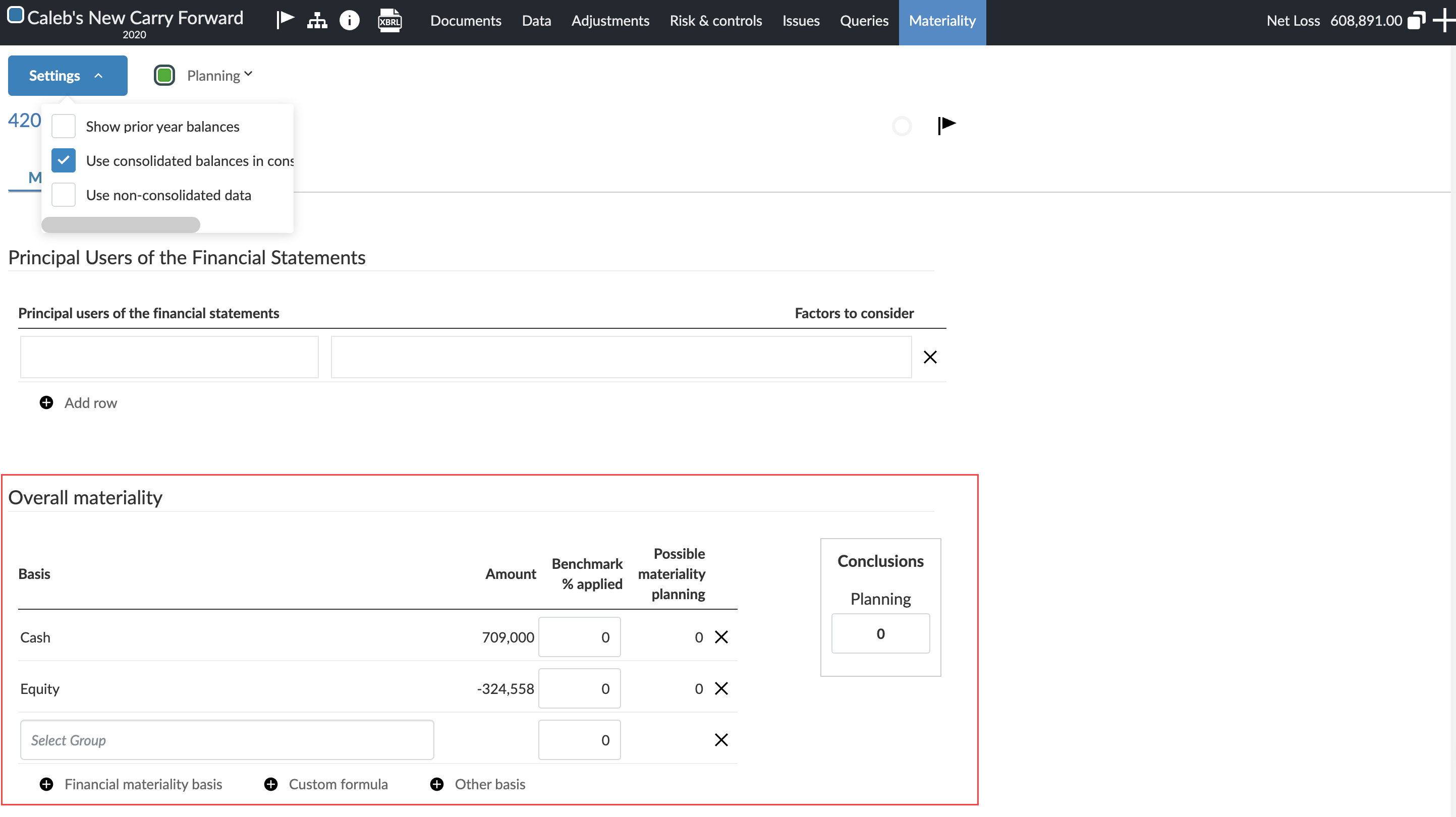
In the Principal Users of the Financial Statements section, enter the principal users and any factors to consider. You can select + Add row to add more principal users to the document.

-
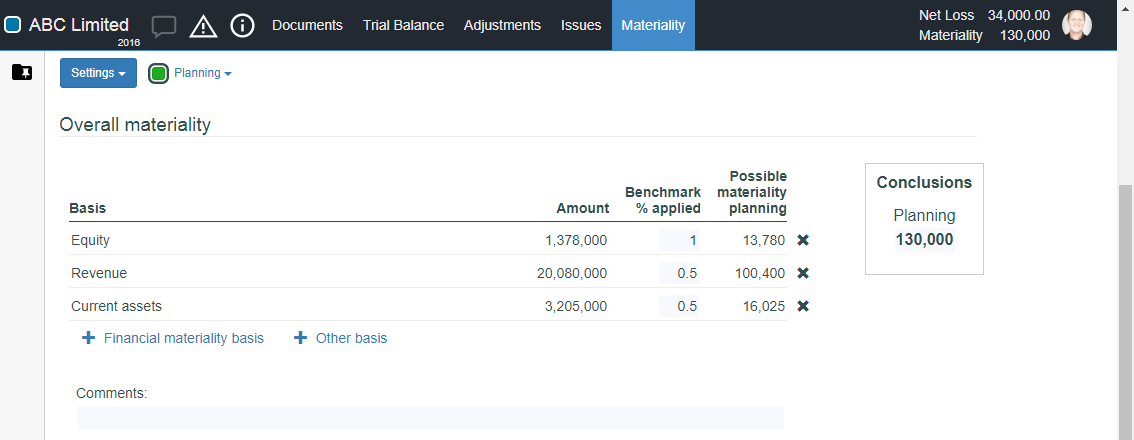
In the Overall materiality section, enter one or more factors to determine materiality. You can add two basis types:
-
Financial materiality basis - select a group from the trial balance and enter a benchmark percentage.
-
Other basis - enter a custom basis description and amount, and enter a benchmark percentage.
-
-
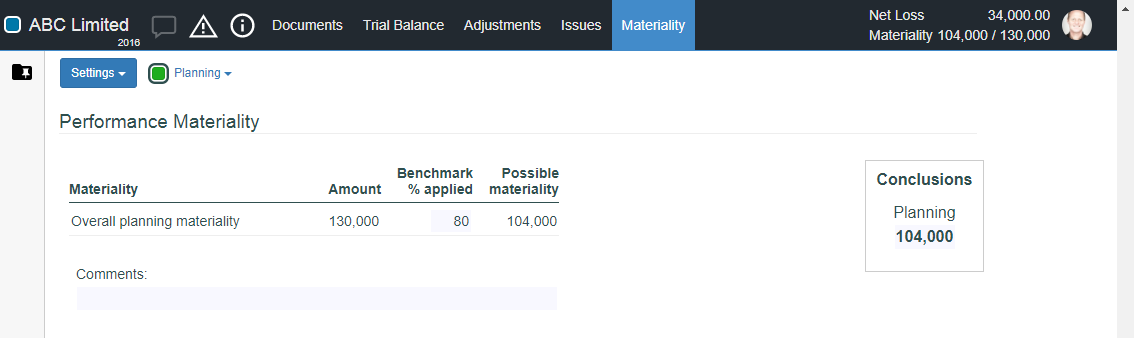
In the Performance Materiality section, enter a benchmark percentage to be applied to overall planning materiality.
-
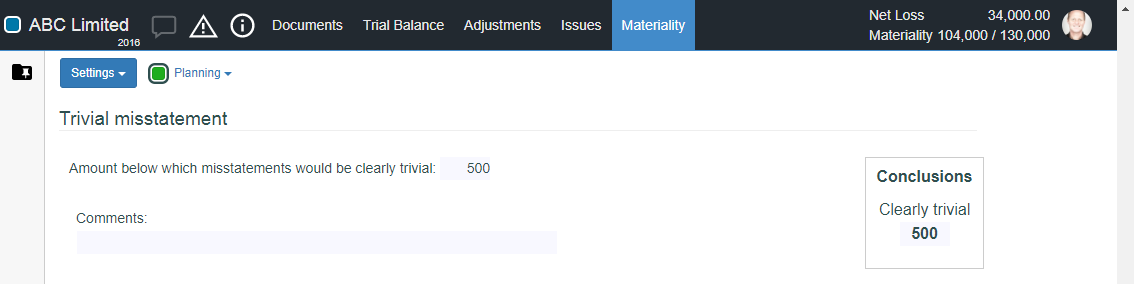
In the Trivial misstatement section, enter a maximum amount for trivial misstatements.
-
In the Materiality for circumstances section, enter one or more materiality factors for circumstances.
-
In the Performance materiality for specific circumstances section, enter one or more materiality factors for specific circumstances.
-
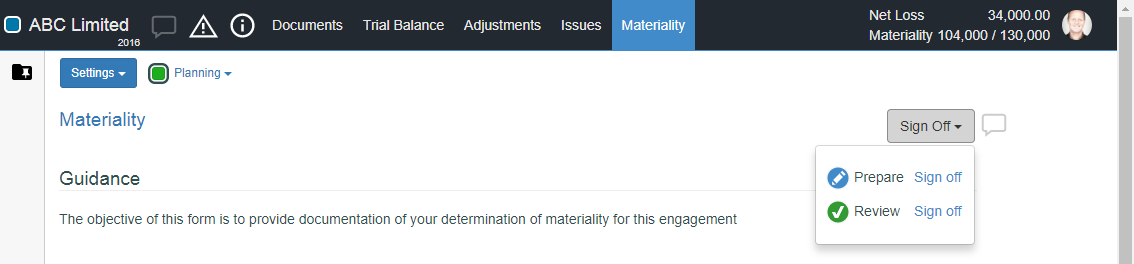
At the top of the Materiality document, select the Sign Off button and then sign off the Prepare role.
Planning and Revised mode
You can switch between Planning and Revised modes in the forms for both Materiality and Component Performance Materiality.
-
Planning mode is used during the drafting stage of your single or group audit.
-
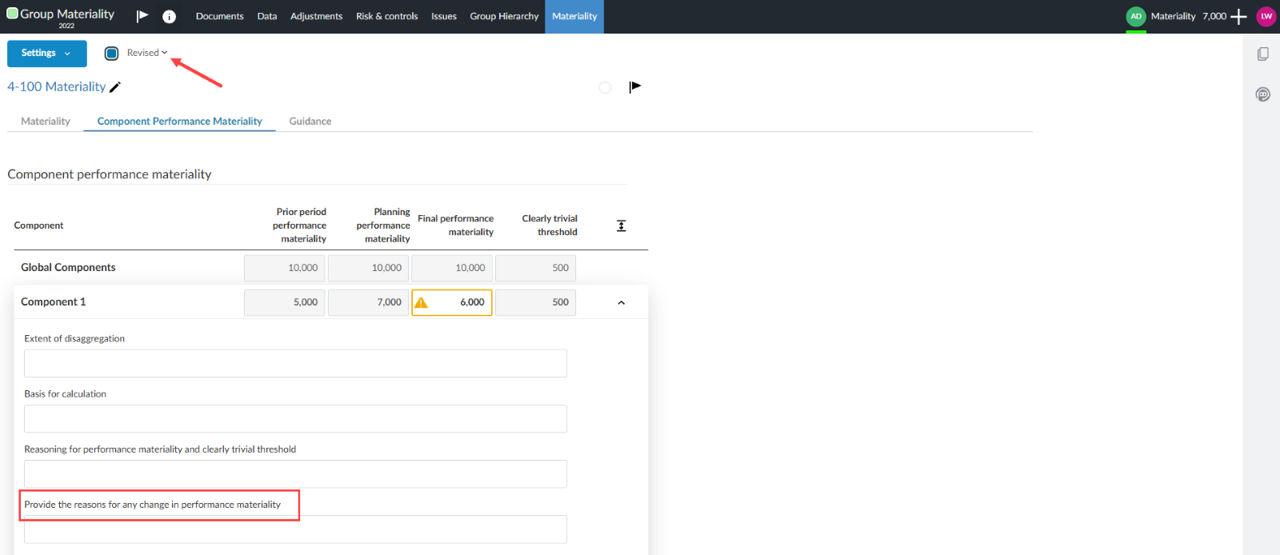
Revised mode is used at the end of the audit when comparing prior and current materiality. This mode will provide an additional column in the Component performance materiality tab for Final performance materiality.
You have completed the materiality form. During the course of your engagement, you can review material groups and accounts in the trial balance.
Use consolidated balances in the materiality form
In consolidated and group audit engagements, the materiality form uses Final balances by default. This means eliminating journal entries are not reflected in the balances used to determine materiality.
You can enable the Use consolidated balances in consolidated engagements setting to switch the balances in the materiality form from Final to Consolidated. When enabled, eliminating journal entries are reflected in the balances, ensuring your materiality calculations are based on the consolidated figures.
This setting applies to:
-
Overall materiality basis rows (the group selector and amount columns)
-
Materiality for circumstances group selectors
To enable consolidated balances in the materiality form:
-
From the top menu, select Documents.
-
Select the Materiality document.
-
Enable the Use consolidated balances in consolidated engagements setting. The balances in the materiality form reflect consolidated figures, including eliminating journal entries.
Component performance materiality for group audit components
You can assess the performance materiality of a component within a group audit. Performance materiality is more specific than materiality and helps auditors identify areas that require more attention during the audit process. It reduces the risk that the aggregate of uncorrected and undetected misstatements exceeds the materiality level for the financial statements, as set by the group auditor.
How to manage component performance materiality
An engagement must be set as a group audit before the component performance materiality feature will become available.
-
Click the Documents page of your group audit engagement.
-
Click the Materiality tab in the left-side menu.
-
Click the Materiality form.
-
Click the Component Performance Materiality subtab.
The group auditor can add performance materiality thresholds for its components as well as provide reasoning for any of the following that should apply:
-
Extent of disaggregation
-
Basis for calculation
-
Reasoning for performance materiality and clearly trivial threshold
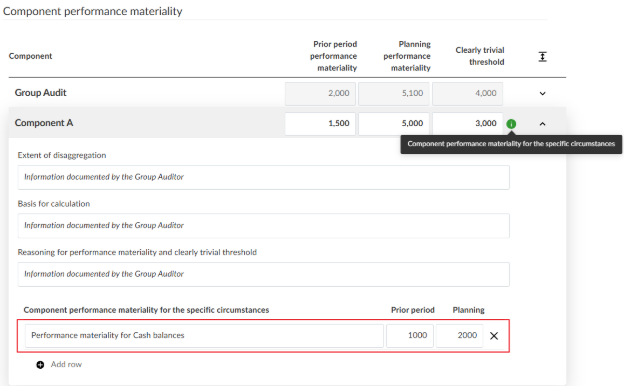
The component auditor can also add additional rows to the card to document component performance materiality for specific circumstances.
The group auditor can also document the Clearly trivial amounts for each of the components.
Conditional warnings
-
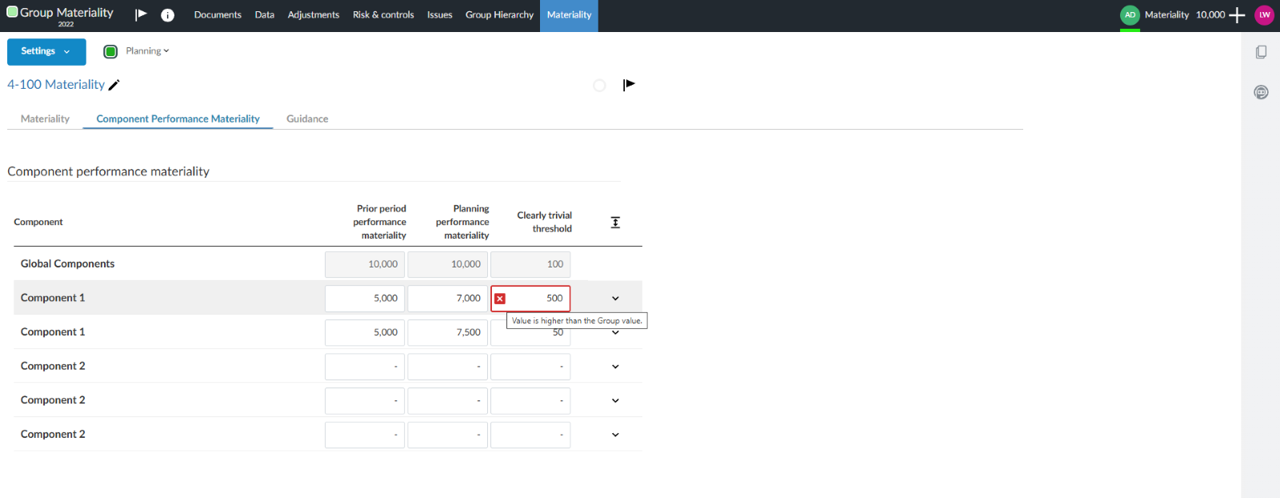
A red indicator icon [
 ] will show if the component materiality value exceeds the determined group value.
A yellow indicator icon [ ] will show if the component’s final performance materiality value differs from that of the planning performance materiality. To see the final performance materiality, you will need to be in the Revised mode of the Materiality form. The yellow indicator can be cleared if you provide the reasons for any change in performance materiality.
A green indicator icon [ ] will show if there is a specific performance materiality documented for a component. This helps users quickly identify components with performance materiality for specific circumstances without expanding each card.
To learn more about group audit, refer to Group audit workflow.