
View data for consolidated engagements in the Data page
In consolidated engagements, from the left panel in the Data page, the Accounts view changes to show consolidated data.
View groups in consolidated engagements
Two additional options are available in the group views on the left panel:
-
Consolidated - shows the subsidiaries balances and the consolidated balance of the parent entity with the subsidiaries.
-
Selected Entity - only shows the balances for the selected entity.
In the Consolidated view option, additional columns display:
-
A column showing the balances for the parent entity.
-
One or more columns showing the balances for the subsidiaries.
-
If there are multiple subsidiaries, the balances for each subsidiary display in a separate column next to the parent entity column.
-
-
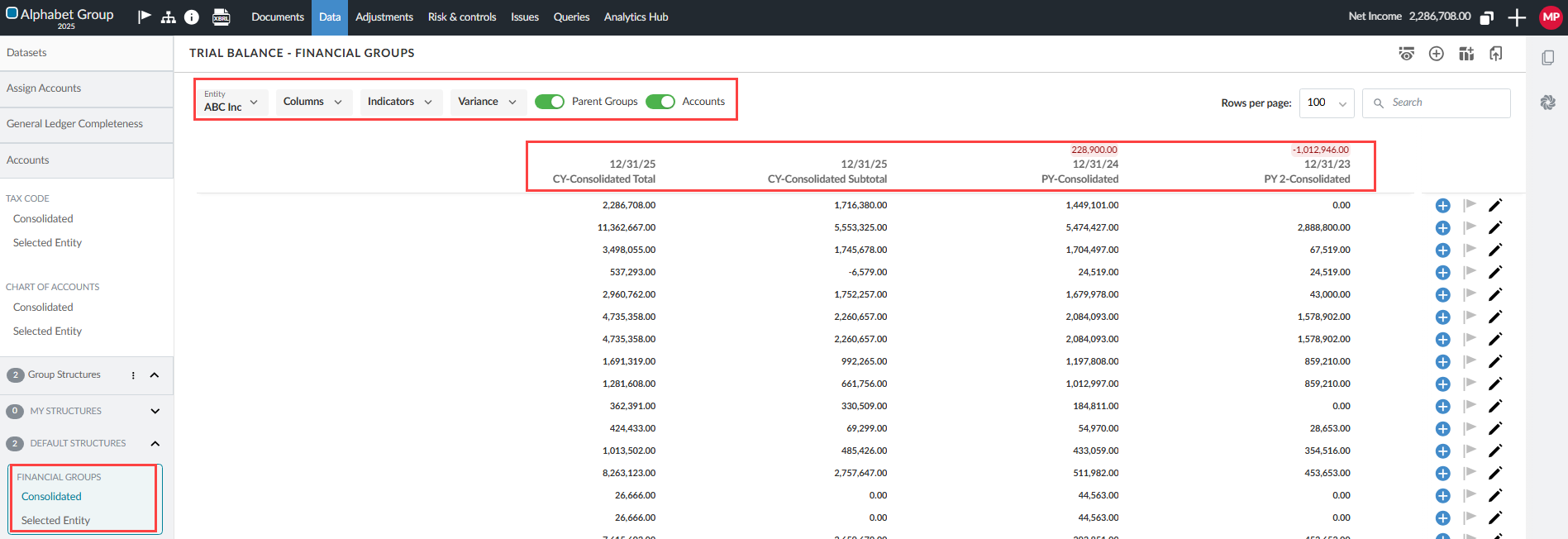
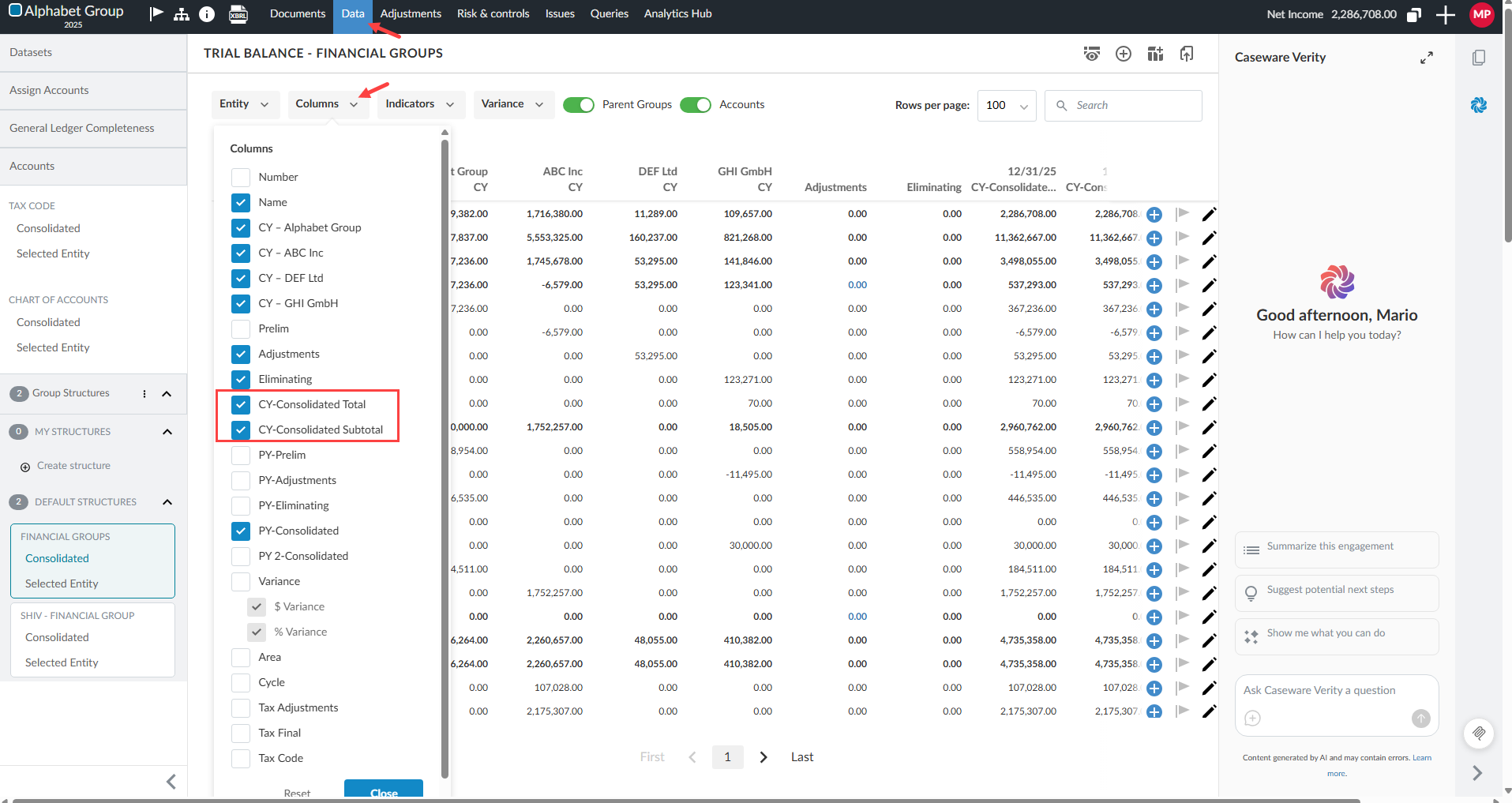
The CY Consolidated Total column - shows the consolidated balances for all entities in the engagement file, regardless of which entity columns are currently visible.
-
The CY Consolidated Subtotal column - shows a dynamic subtotal that updates based on which entity columns are currently displayed.
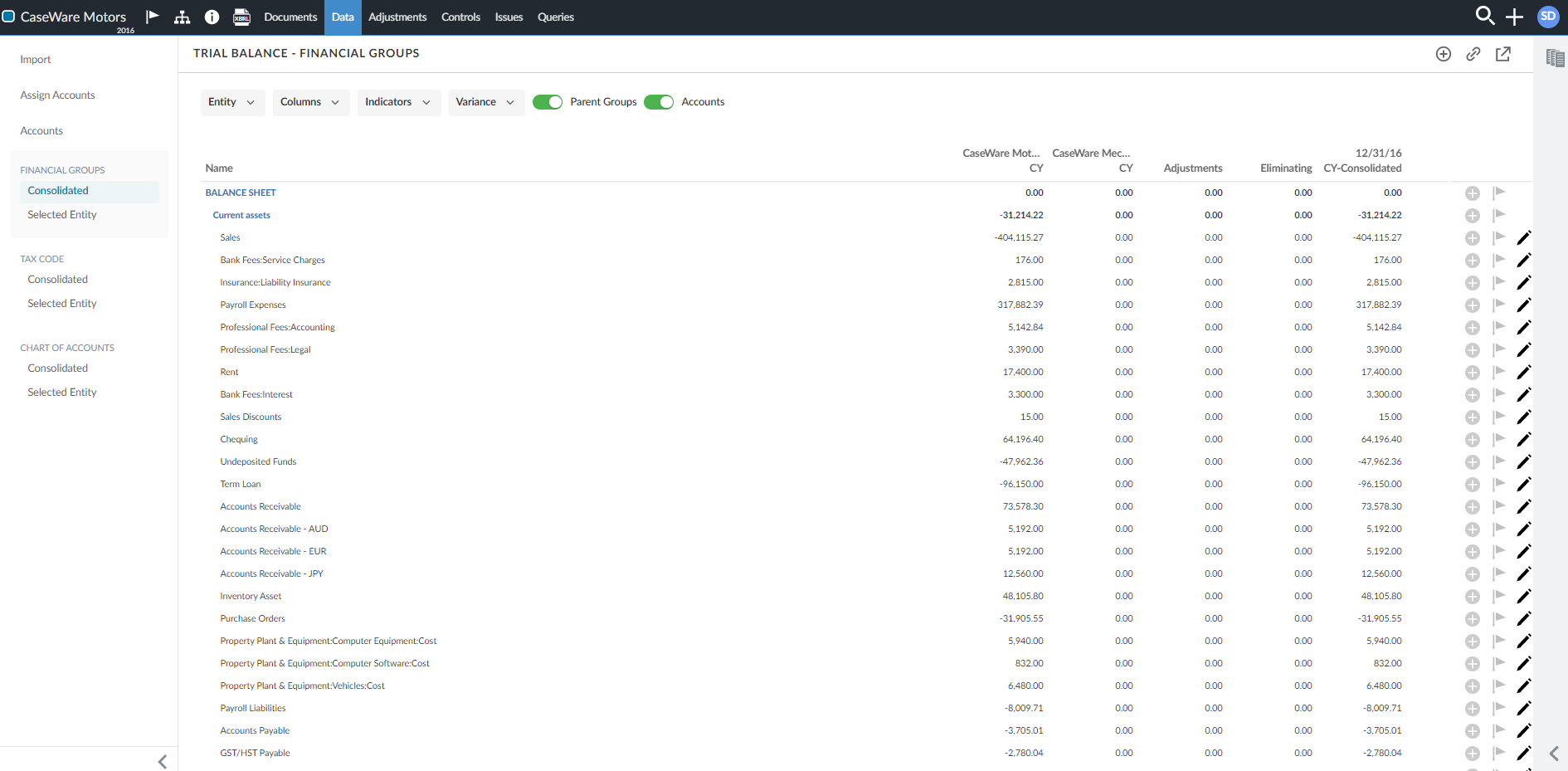
The following figure shows the Consolidated view for Financial groups, including the parent and subsidiary entity columns and consolidated total/subtotal columns.
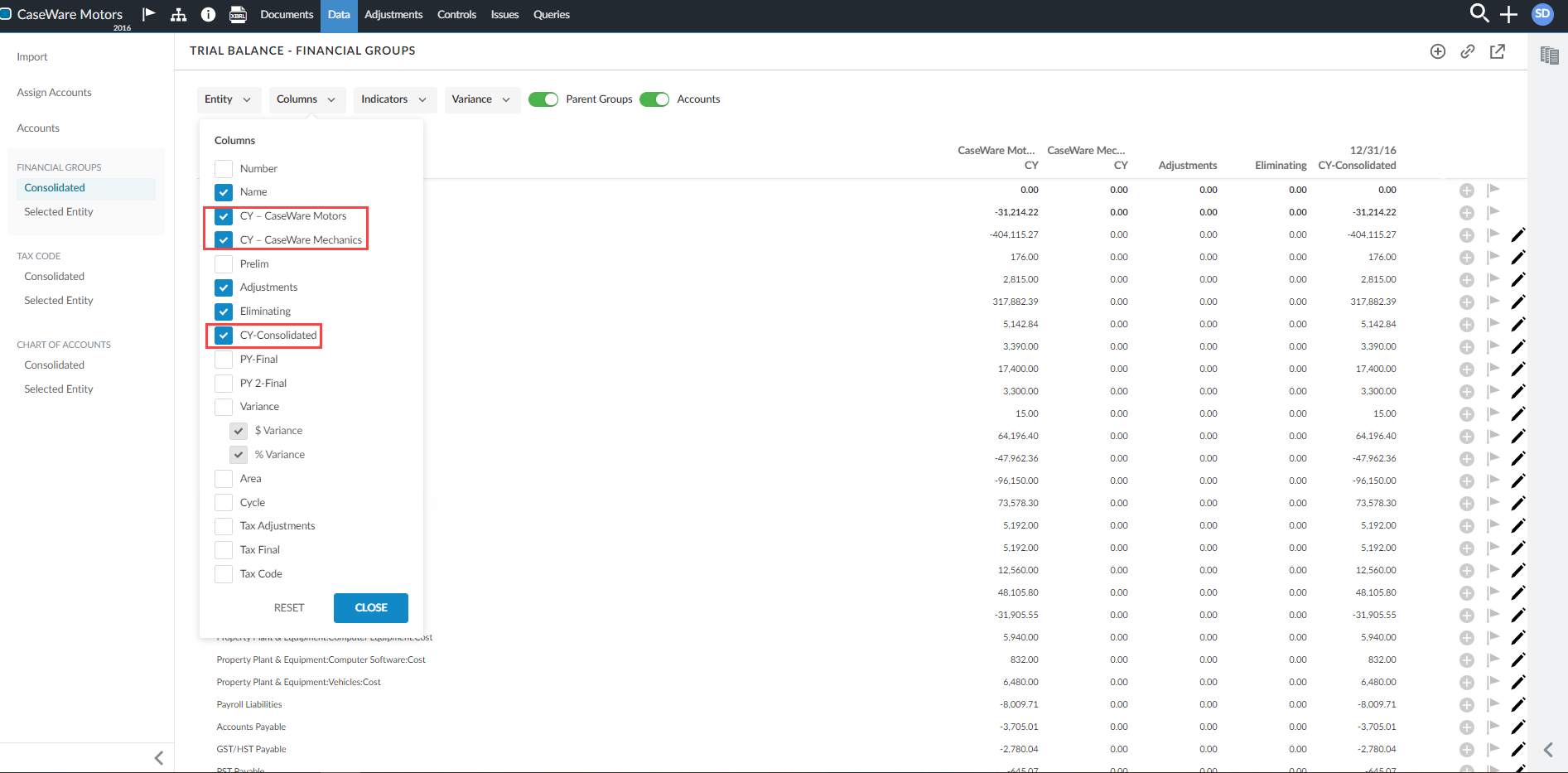
You can exclude any of the three additional columns by clearing the corresponding check box in the Columns drop-down.
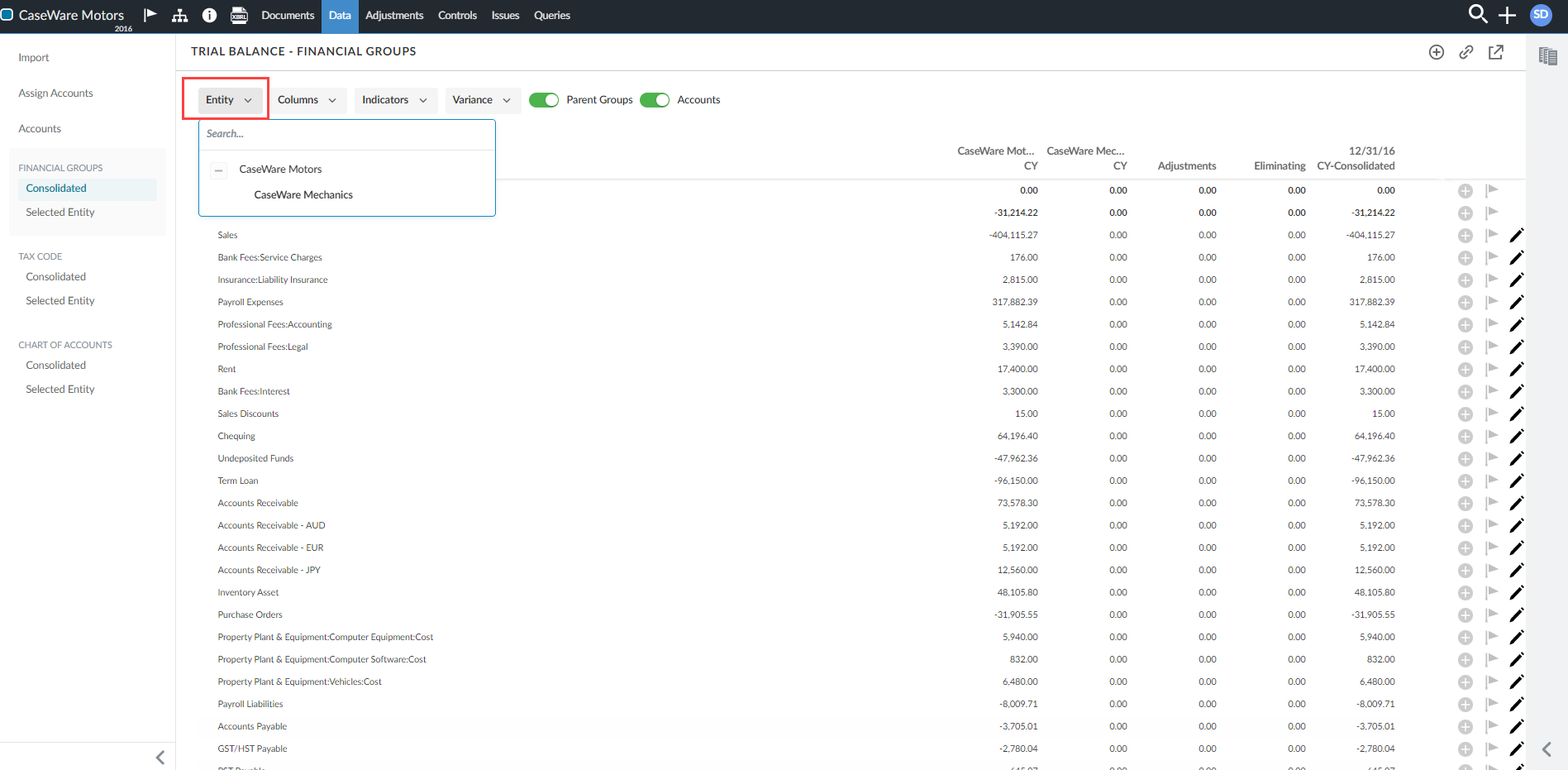
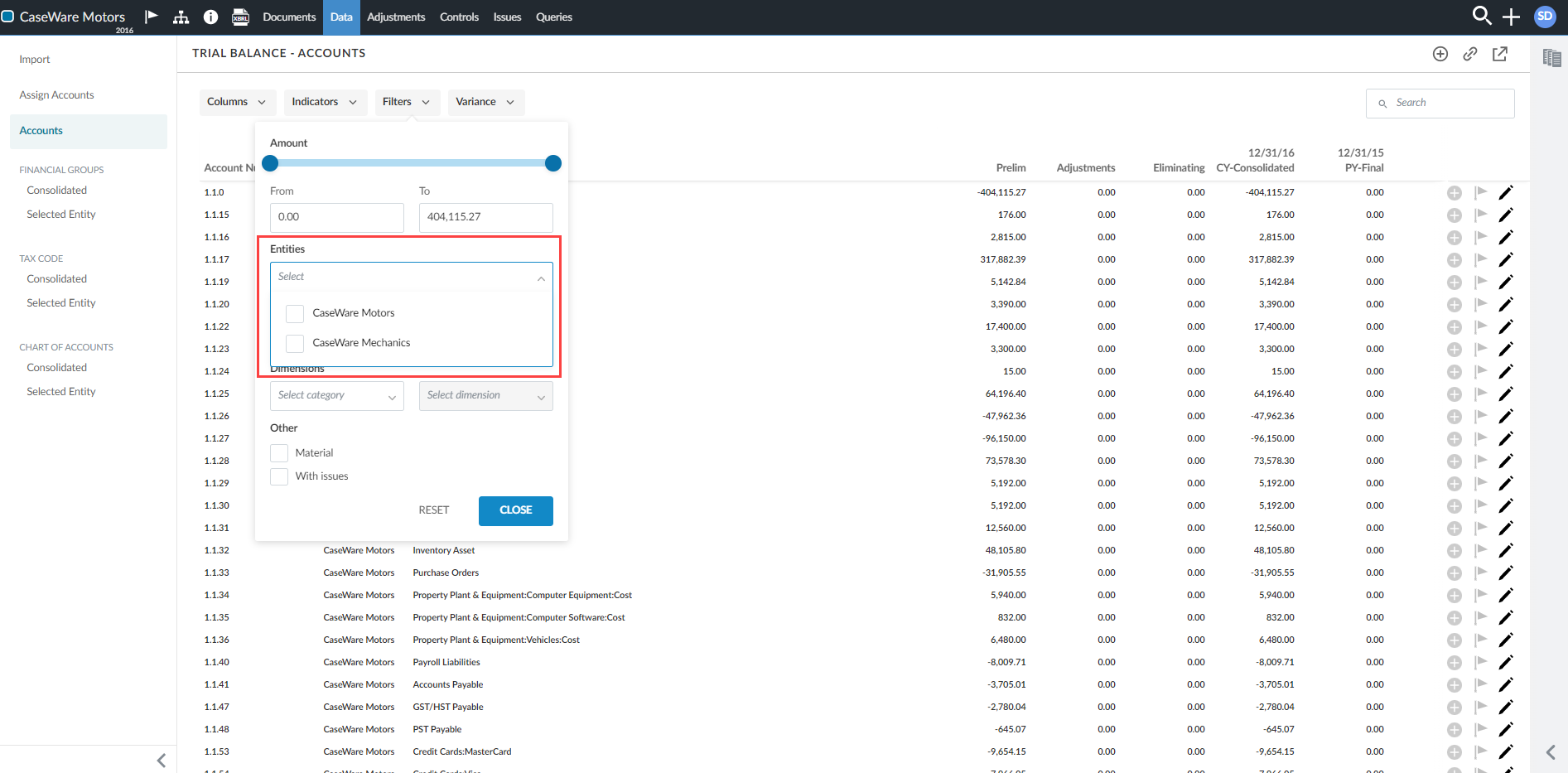
You can also filter for a specific entity using the Entity drop-down. The default value for the entity selector is the parent entity for the current engagement.
View accounts in consolidation engagements
In the Accounts view, two new columns display in the page for consolidation engagements:
-
Entity - displays the entity name for that line (whether the parent entity or the subsidiary).
-
Consolidated - shows the consolidated account balances.
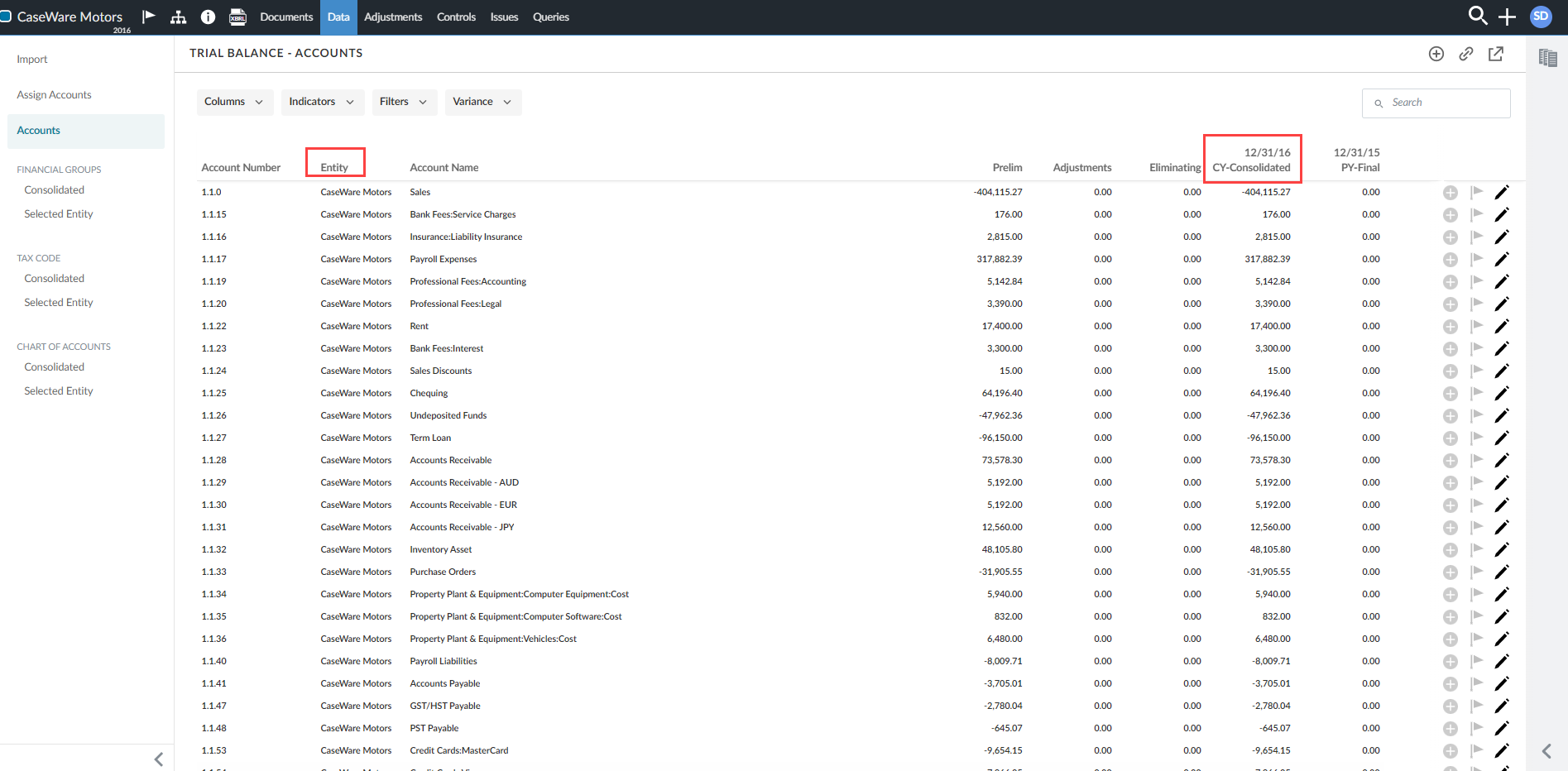
You can exclude the Consolidated column or the Entity column by clearing the corresponding check boxes in the Columns drop-down.
If transactions data is available in the consolidation engagement, you select an account to view its transactions. To learn more, see View account transactions.
Dynamic totals in consolidated views
Totals on the Data page update automatically when you show or hide entities in consolidated views. This means that as you adjust which entity columns are visible or apply filters, the total values reflect the current display.
Consolidated views on the Data page work as follows:
-
The CY Consolidated Subtotal column updates automatically when you show or hide entity columns. As you adjust which entities are visible or apply filters, the subtotal reflects only the currently displayed entities.
-
The CY Consolidated Total column always shows the full consolidated balance for all entities, regardless of column visibility settings.
-
You can show or hide the CY Consolidated Total and CY Consolidated Subtotal columns independently using the Columns drop-down.
-
When downloading a reference copy, only the CY Consolidated Total column is included. The CY Consolidated Subtotal column is not available in the Download reference copy (DRC).
Totals in consolidated view:
To learn more, see: