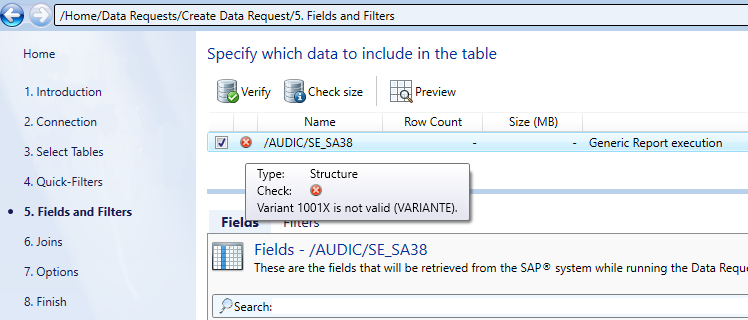
Determining the variants
The Report variant Quick-Filter is not mandatory. If you do not want to define a report variant or you already know the exact name of the variant, you can skip this step.
If you do not know the name and you want to use a specific variant, you can generate a list of available variants of the desired SAP® report.
Follow the steps described below:
-
In the Quick-Filters step, enter X in the List variants and fields field.
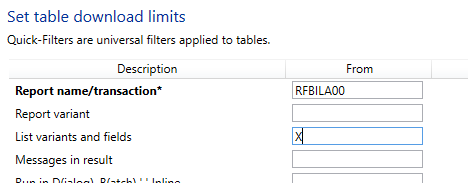
Figure: Field List variants and fields -
Now click Preview in the Fields and Filters step.
-
In the preview the existing variants in the SAP® system are displayed. Please note that only the first 100 lines are shown in the preview.
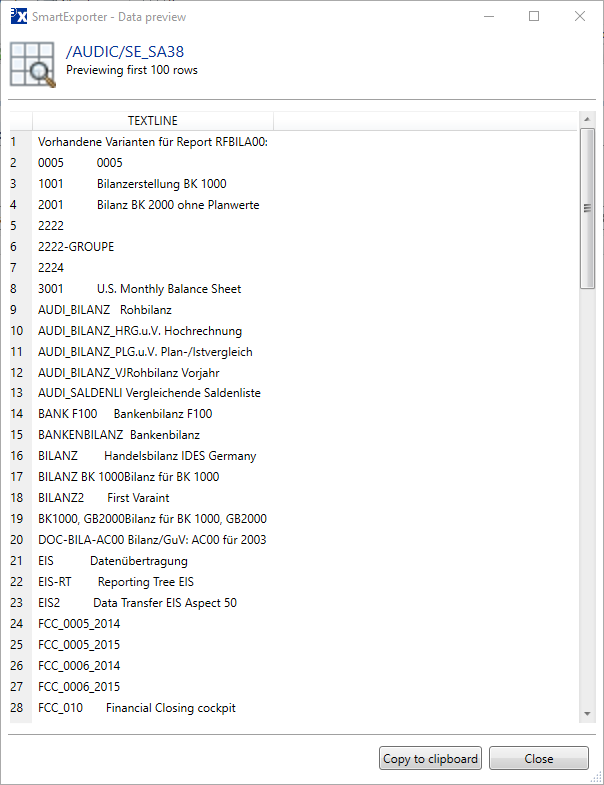
Figure: Display of the variants available in the SAP® system in the preview
As an alternative to the preview, you can use a SmartExporter extraction to download the corresponding data and view it in an editor. This alternative is also helpful if the list of existing variants should be longer than 100 lines.
In our example we use the variant 1001 („Bilanzerstellung BK 1000“).
Note:
SmartExporter can check if the variant is known on the SAP® system. To run the check, use the Verify function in the Fields and Filters step. If the variant does not exist, an error message is shown.