Engagement scope (ALT R2-20)
See Common Checklist Features for information on common checklist features.
| Number | Name | Description |
|---|---|---|

|
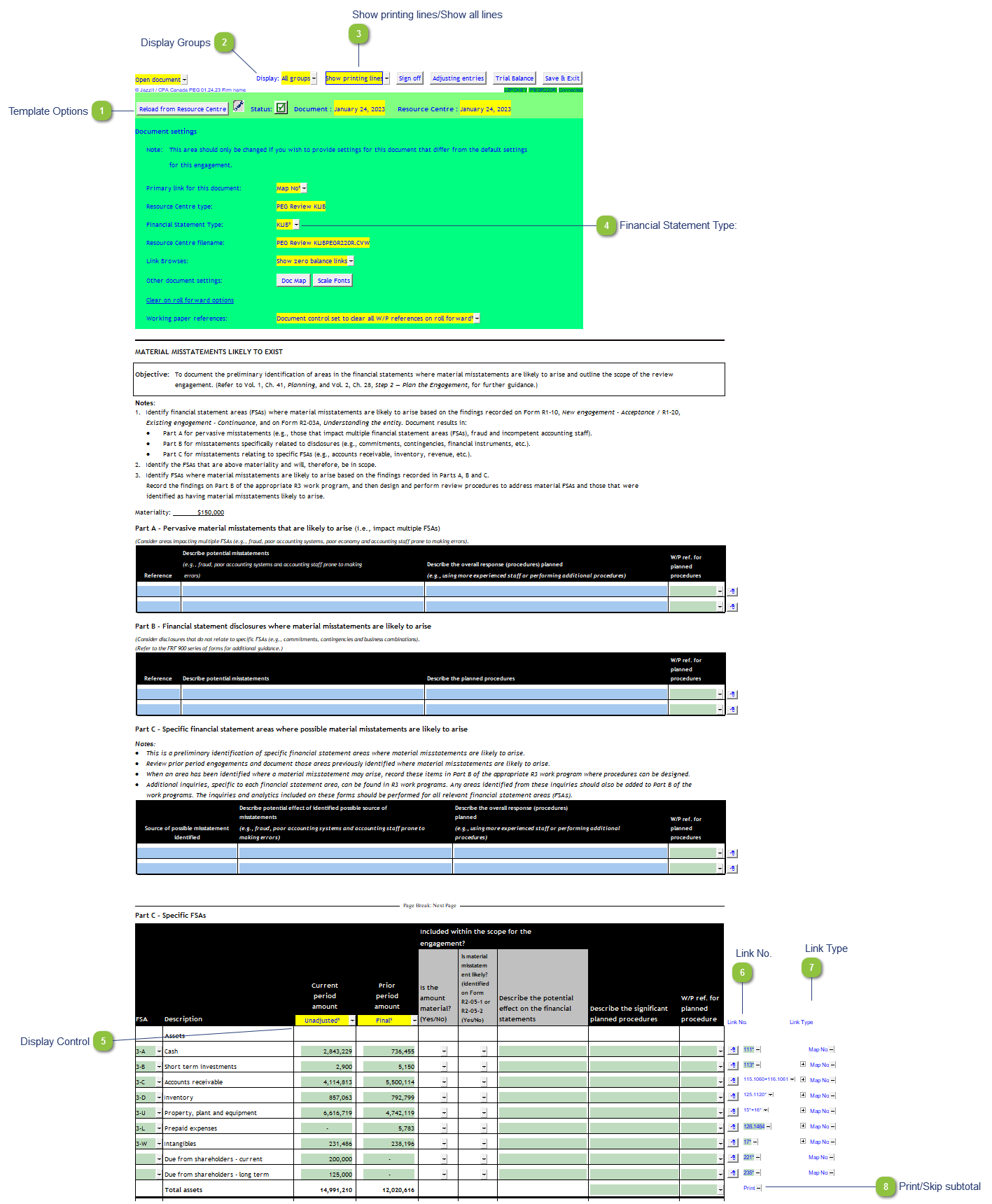
Template Options |
Please see template options for more details. |

|
Display Groups |
Display All groups, printing groups or individual groups in the Part C - Specific FSAs area. |

|
Show printing lines/Show all lines |
Set the document to display only printing lines. This is useful when reviewing the document. |

|
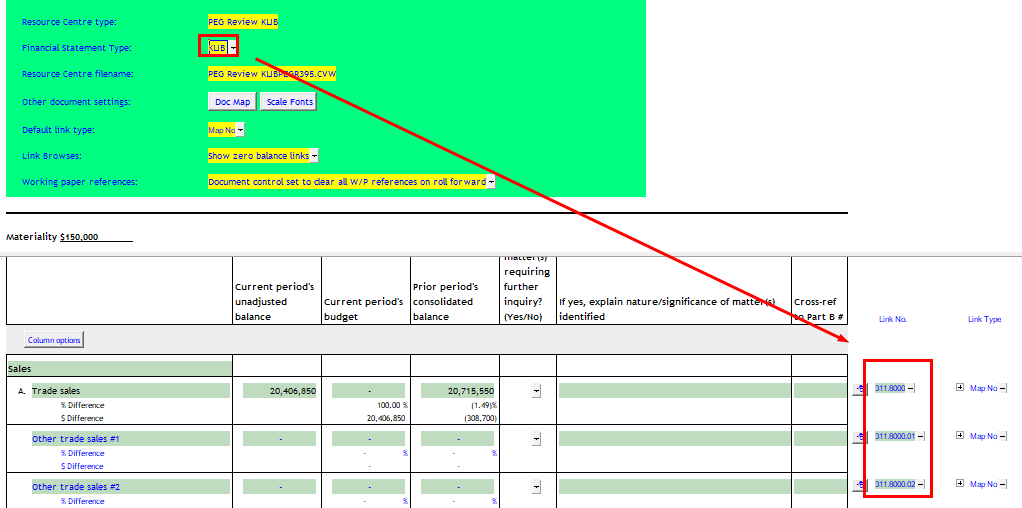
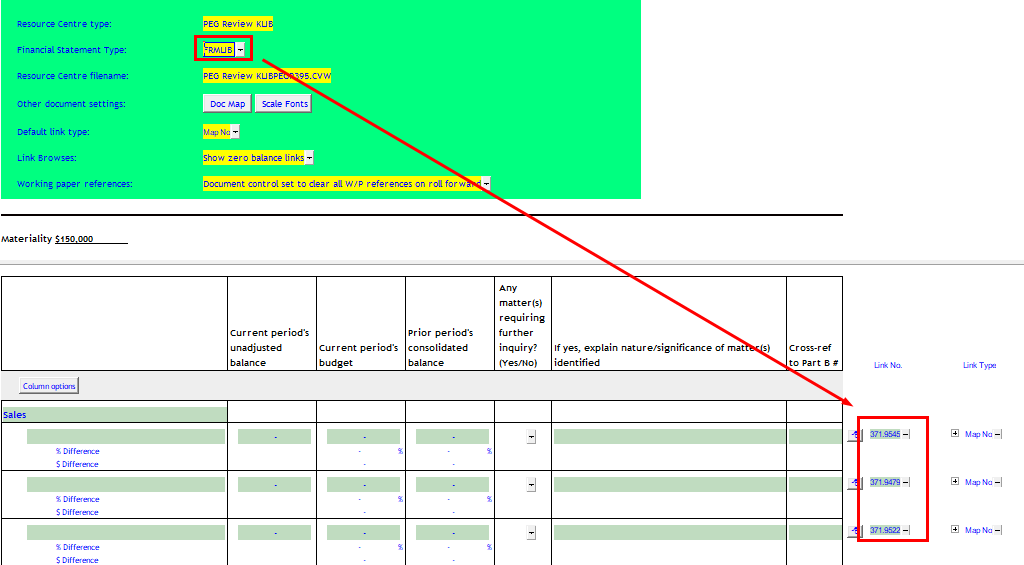
Financial Statement Type: |
This selection determines some of the default map numbers on the Link No. column. below. KLIB selected
FRMLIB selected
|

|
Display Control |
Select display specific data from the Working Papers trial balance. Unadjusted, Final, Budget, or Forecast |

|
Link No. |
The link number indicates which linked number (i.e. map number) the row is linked to. Use the popup menu to select a link number. This can be a map, account or group number depending on the link type selected. Refer to Balance Origins for more information. |

|
Link Type |
The link type is set from the default link type selected. You can change the link type for the individual row item if different from the default link type. |

|
Print/Skip subtotal |
Click on Print/Skip button to skip/print the section subtotal. |