
History Viewer
The History Viewer is a read-only activity log for an engagement. This record helps you review recent activity and troubleshoot engagement events.
You can use the History Viewer to review a trail of key engagement actions, such as:
-
Who accessed an engagement
-
When an engagement was locked or unlocked
-
Import activity
Open the History Viewer
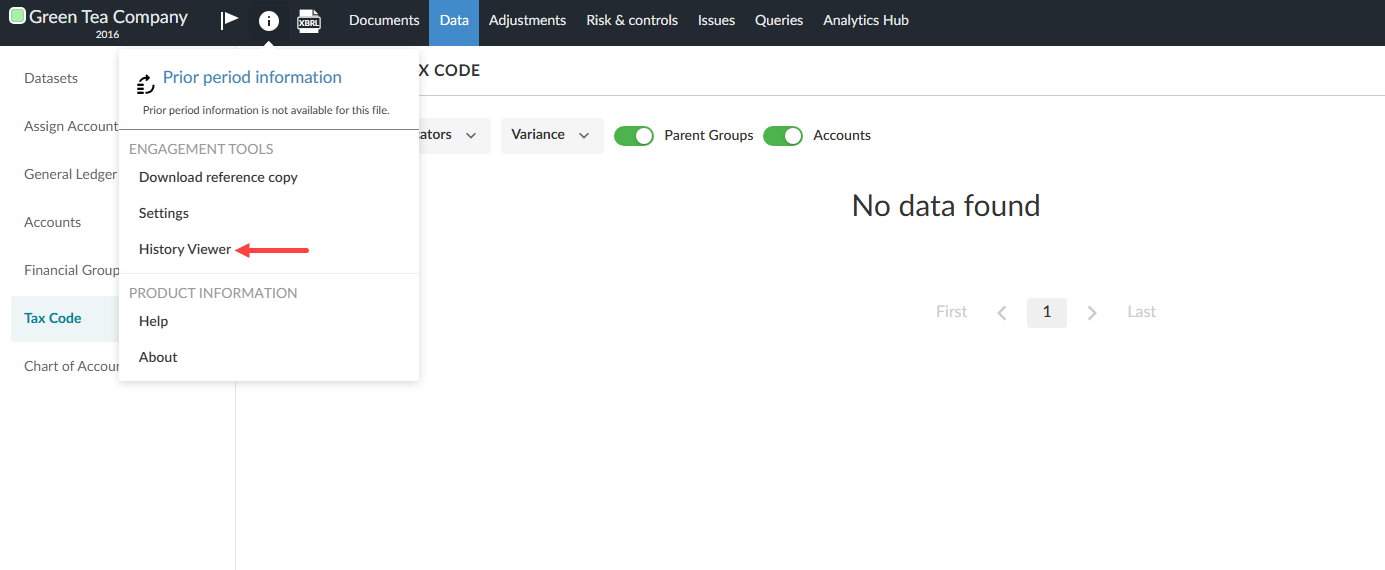
To open the History Viewer:
-
Open the engagement.
-
Select Information [
 ] at the top left of the engagement window.
 -
Select History Viewer.
Access the History Viewer:
What you can see
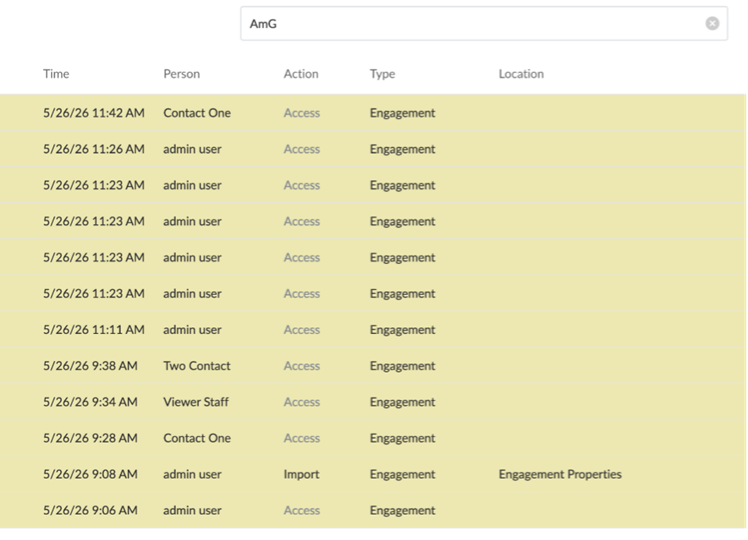
The History Viewer filters the following activity types:
-
Access
-
Lockdown
-
Unlock
-
Import
The History Viewer includes a date range filter to narrow results to a specific period.
Filtered by access:
What you see by role
What appears in the History Viewer depends on your role:
|
Role |
What you see |
|---|---|
|
End users |
The Access, Lockdown, Unlock and Import filters. The Import filter excludes account result imports. |
|
Primary, firm and enterprise authors |
The full set of action filters, for broader review and troubleshooting. |