
Export adjustments and trial balance data
Auditors can export adjustment entries and trial balance data to a file and provide it to their clients. Clients can then update their books and accounting systems with the changes made during the engagement.
Export adjustments
You can export adjustments to a CSV file or a PDF file. You can also export to a CSV ASCII format, which is compatible with Working Papers.
To export adjustments:
-
Go to the Adjustments page.
-
Select Export (
 ), then choose the export option you want. Your options are:
-
Export to CSV
-
Export to PDF
-
Export to Working Papers (CSV ASCII)
-
The data is exported to the selected CSV file type and the file automatically downloads. If you've chosen PDF export, the output PDF file opens.
Export trial balance data (Data page)
You can export the trial balance accounts to a CSV file, PDF or Working Papers compatible file (CSV ASCII).
To export trial balance accounts:
-
Select Accounts from the left panel at the Data page.
-
Select Export (
 ), then choose the export option you want. Your options are:
-
Export to CSV
-
Export to Working Papers (CSV ASCII)
-
Export to PDF
Note: The Export to PDF option generates a PDF that reflects the columns you have selected to display on the Data page. If the engagement is consolidated, the PDF also reflects whether you have chosen to view consolidated data or data for a selected entity in the consolidation hierarchy.
-
The trial balance accounts data is exported to the selected file type and download starts immediately.
Export grouped trial balance data (Groups page)
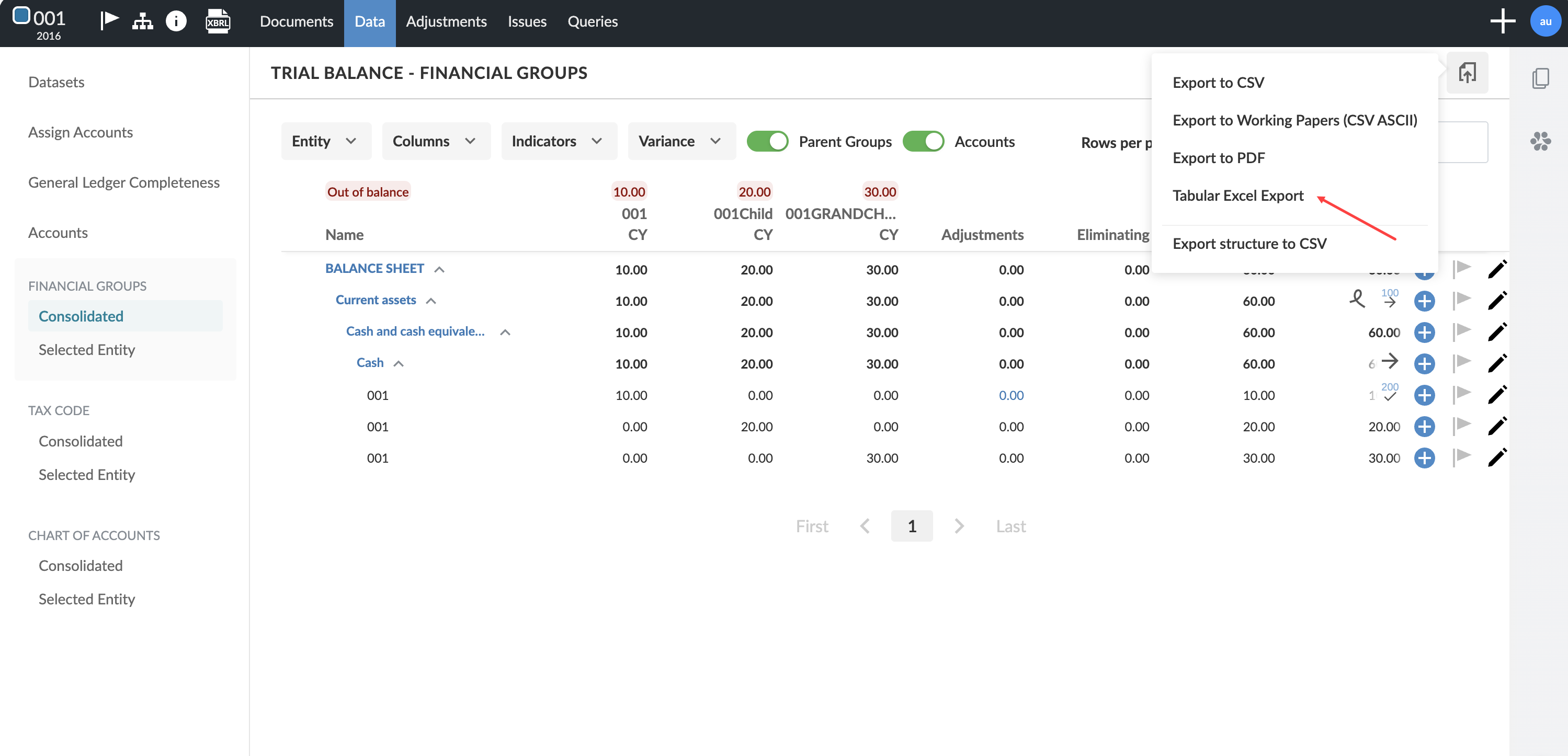
You can export the grouped trial balance from the Groups page to a formatted Excel file. The export uses a clean table layout with bold headers, underlines and an annotations section at the bottom of the file.
The export includes all accounts, parent groups and the account number column, regardless of your grouping structure settings.
If the engagement does not have prior year data, the prior year and variance columns remain in the export but are blank.
To export the grouped trial balance:
-
Go to the Groups page in the trial balance.
-
Select Export, then select Tabular Excel Export.
-
The file downloads in Excel format.
Export columns
The export includes balance, adjustment, variance and annotation columns. In consolidated engagements, the export also includes entity columns, eliminating adjustments and consolidated balance columns.
Annotations appear as numbered references in the table. Full annotation text appears in a separate section at the bottom of the export.