
Document Settings
| Number | Name | Description |
|---|---|---|

|
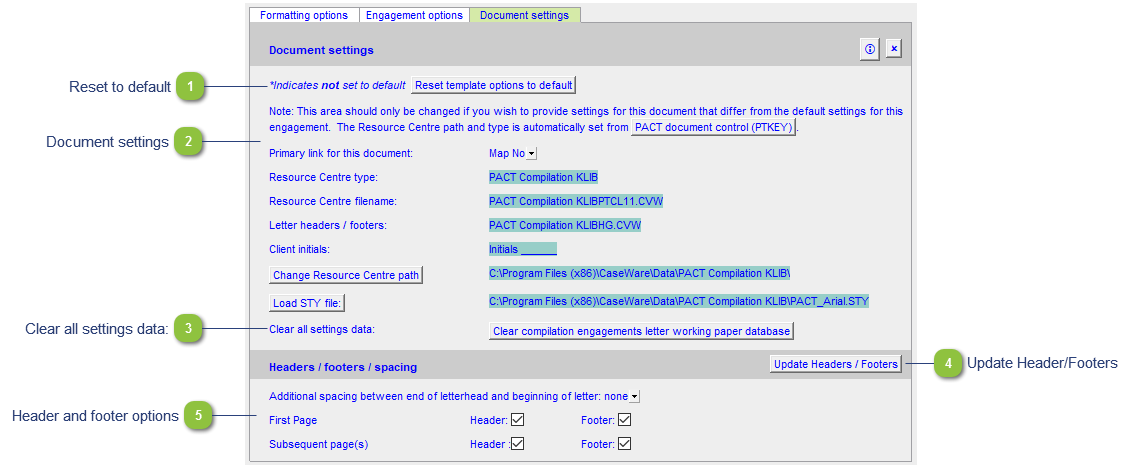
Document settings |
Document properties for the letters and working papers present information about the Resource Centre path, type and document filename. These settings are usually set in the Document control. We strongly recommend against overriding anything here.
|

|
Doc map |
The 'Doc Map' button allows you to toggle the Document Map on and off. You can normally toggle it on Home > Document Map in CaseView, however the setting will not save when you open the document again. Use the 'Doc Map' button to toggle the Document Map on a permanent basis. |

|
Update Header/Footers |
Update changes made to headers and footers in the Resource Centre without having to update the entire letter. |

|
Scale Fonts |
Toggles CaseView's Scale fonts to reduce clipping feature. Sometimes the text in a table will get 'cut-off' or 'clipped' on the screen. This feature corrects that. Please see Document settings | Compatibility for more information on this and other features. |

|
Header and footer options |
Change header and footer settings specific to the document. |