Address Area
| Number | Name | Description |
|---|---|---|

|
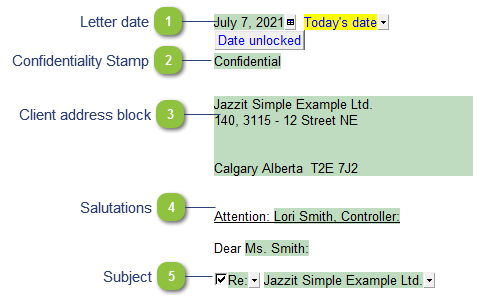
Letter date |
The letter date is linked to sign-off from the Working Papers Document Manager. You can choose from Today’s date, Preparer date, Manager date, Reviewer date and Manual date entry. |

|
Confidentiality Stamp |
Confidentiality notice can be set in formatting options of the letter. |

|
Client address block |
This is populated from the Engagement Properties dialog in Working Papers. Double-click on any of the fields to review the Engagement properties. |

|
Salutations |
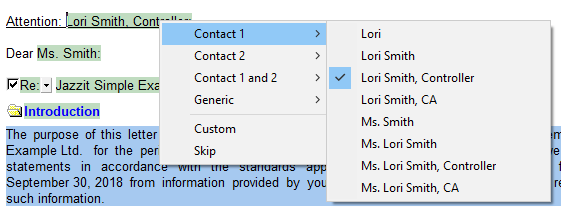
The salutations are populated from the Contact 1 and Contact 2 tabs in the Engagement Properties dialog. A list of different formats are available by right-clicking on the name.
|

|
Subject |
Use checkbox toggle on/off the subject line. Use the dropdowns to select the contents of the subject line. |