
Not linked to Working Papers
The loan calculator can be used as a standalone working paper not linked to an existing working paper.
-
Open the Loan Calculator working paper and in the Link to client loan ID section select None for Linked to WP and Loan ID per WP.

-
Complete the loan information by manually entering the relevant input fields.

-
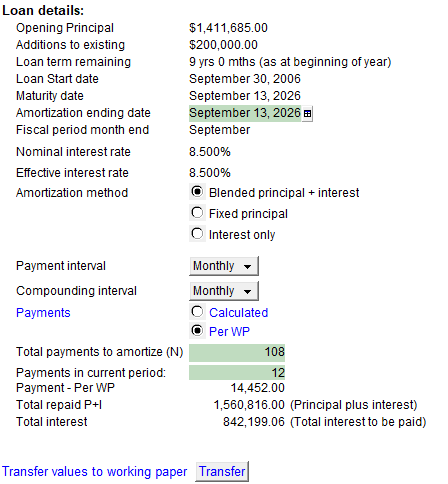
Complete the loan details information to determine the loan calculations.
-
Print out or PDF the results if you want to keep it on file.