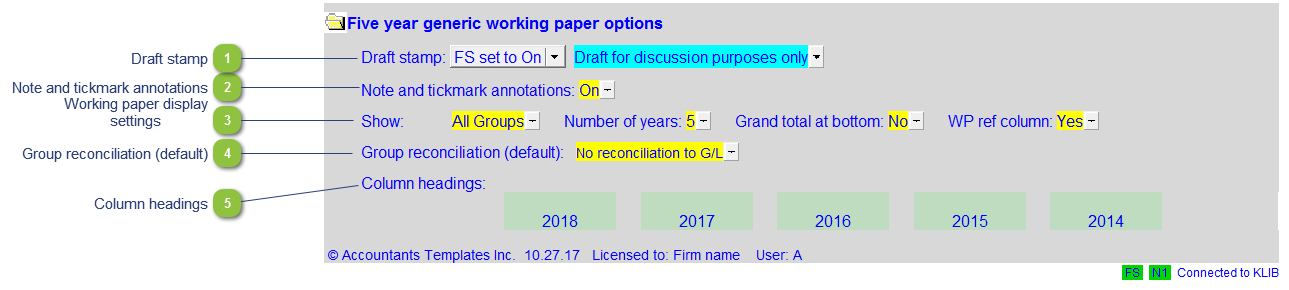
Working Paper Options
| Number | Name | Description |
|---|---|---|

|
Draft stamp |
The default option for the Draft stamp is set in the Diagnostics Report. If the default is not set to either globally on or off, you can set it manually for this working paper together with the draft wording. |

|
Note and tickmark annotations |
Select to display the note and tickmark annotations column. |

|
Working paper display settings |
Select how you want to display the working paper:
|

|
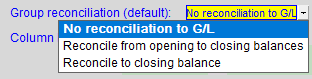
Group reconciliation (default) |
Set the default reconciliation type for all groups in the working paper. Choose from the 3 options seen below:
|

|
Column headings |
View and/or tailor the column headings for the working paper. |