
Working Paper Options
| Number | Name | Description |
|---|---|---|

|
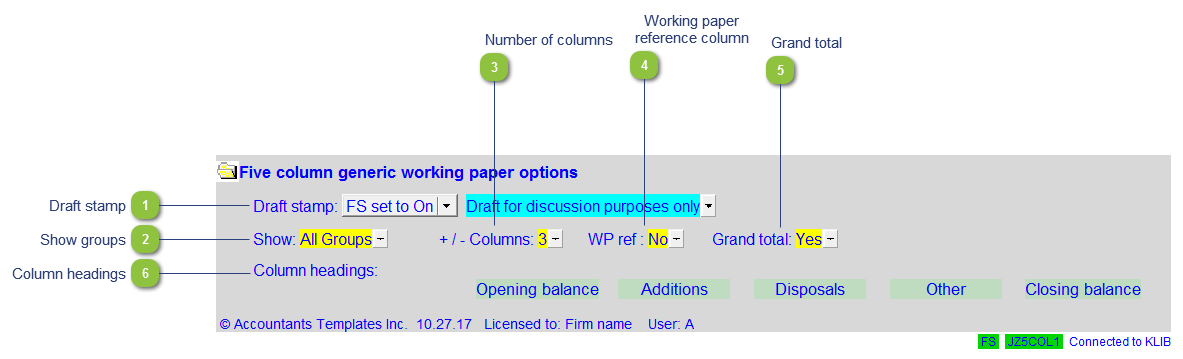
Draft stamp |
The default option for the Draft stamp is set in the Diagnostics Report. If the default is not set to either globally on or off, you can set it manually for this working paper together with the draft wording. |

|
Show groups |
Select to show either:
|

|
Number of columns |
Select the number of columns to be used in the working paper. |

|
Working paper reference column |
Display the working paper reference column. |

|
Grand total |
Display the grand total of all the groups at the bottom of the working paper. |

|
Column headings |
Customize the wording which appears at the top of each column. |