
Working Paper Options
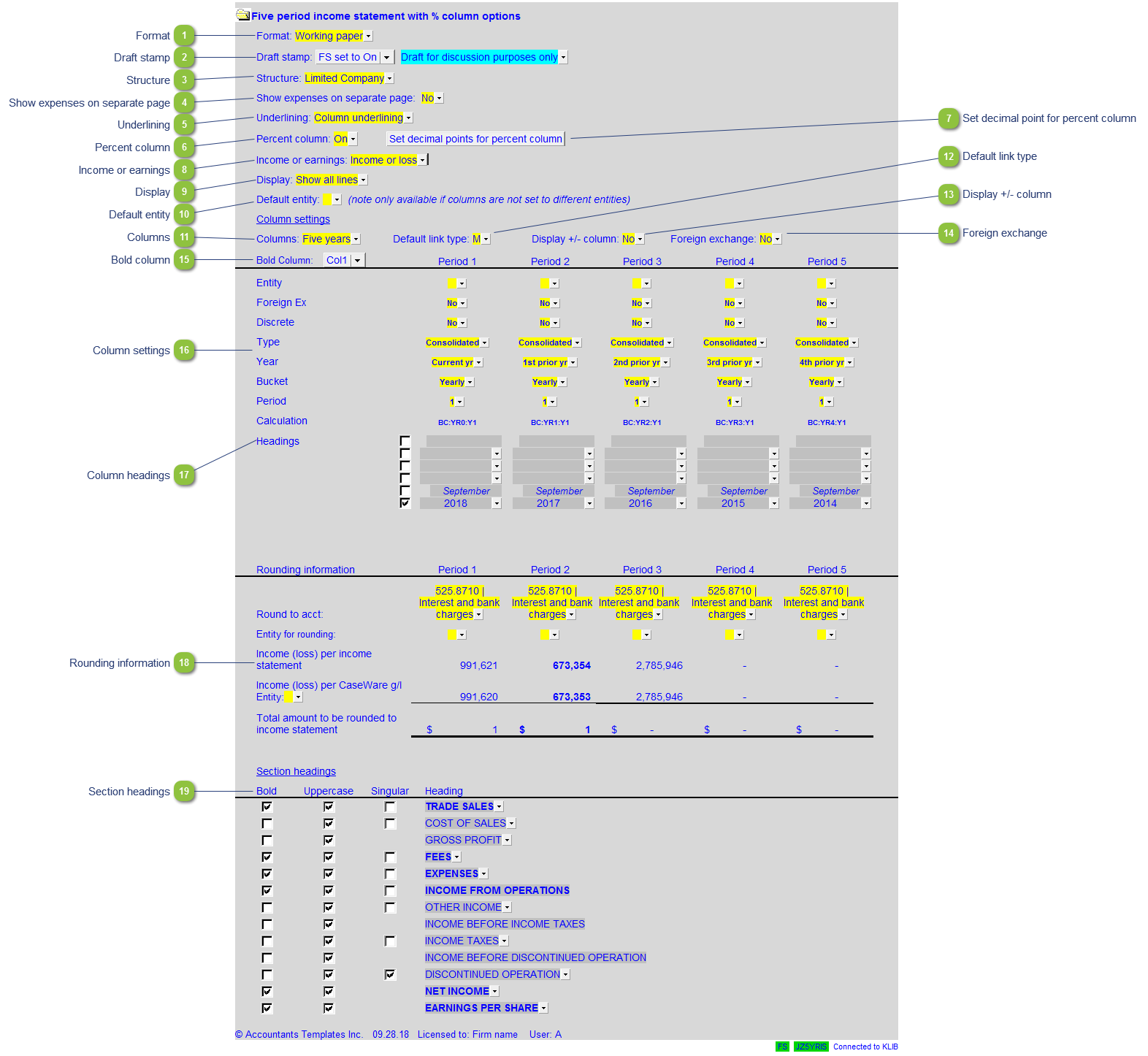
| Number | Name | Description |
|---|---|---|

|
Format |
The format option has 2 presets that allow the working paper to be presented to clients (Client version) or internal use (Working paper):
|

|
Draft stamp |
The default option for the Draft stamp is set in the Diagnostics Report. If the default is not set to either globally on or off, you can set it manually for this working paper together with the draft wording. |

|
Structure |
Set the entity structure for the working paper. This is defaulted to the selection in the Financial Statements. |

|
Show expenses on separate page |
Choose to show the expenses on a separate page. |

|
Underlining |
Select between column or margin to margin underlining. |

|
Percent column |
Turn the percentage columns on or off. |

|
Set decimal point for percent column |
Set the number of decimal points for the percentage columns, |

|
Income or earnings |
Set the description for the income or earnings lines in the working paper. |

|
Display |
Choose to show either all lines, or only printing lines for easier review of the working paper. |

|
Default entity |
Select the default entity to be used in the working paper. |

|
Columns |
Select the number of columns to be used in the working paper. |

|
Default link type |
Select the default grouping you want to use for the schedule linkage. The schedule is defaulted to use the Map No link. |

|
Display +/- column |
Set to display the signage column to the right of each line. |

|
Foreign exchange |
Select to apply foreign exchange to the working paper. |

|
Bold column |
Select which column in the working paper to bold. |

|
Column settings |
|

|
Column headings |
Select which column headings are to print the wording. |

|
Rounding information |
From the dropdown, select which account is to be rounded to for each individual column. |

|
Section headings |
Select between bold, uppercase, and singular (or combination of the three) for each section heading in the wording paper. |