Financial statements checklist (FI)
See Common Working Paper features to see information on features not specific to this working paper.
| Number | Name | Description |
|---|---|---|

|
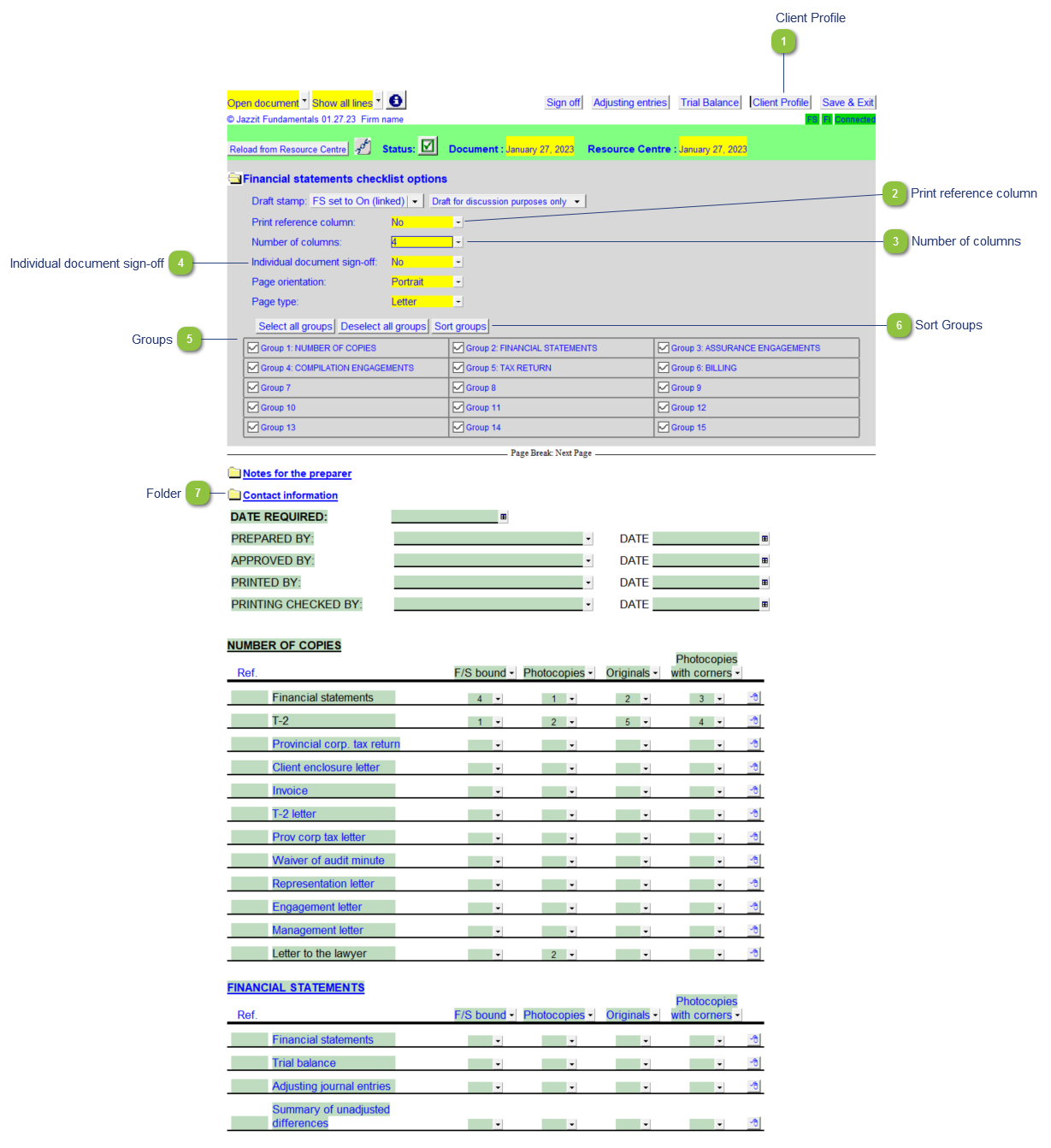
Client Profile |
Click to directly access Working Papers engagement properties which includes client profile information. |

|
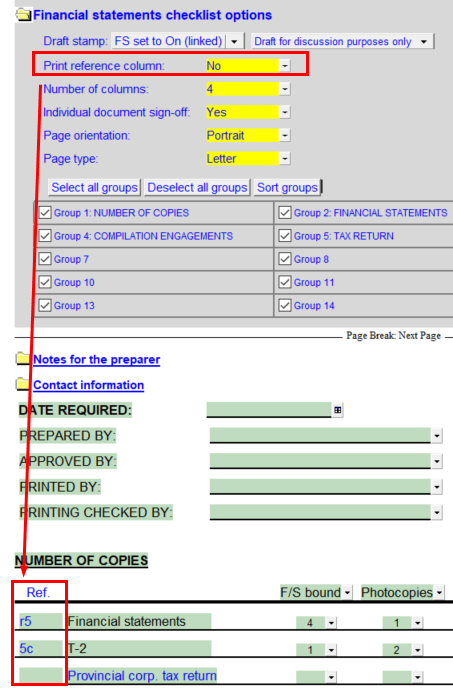
Print reference column |
Skip/print the reference column on the left side of the working paper.
|

|
Number of columns |
Set the number of columns for all the sections. The default is 4. |

|
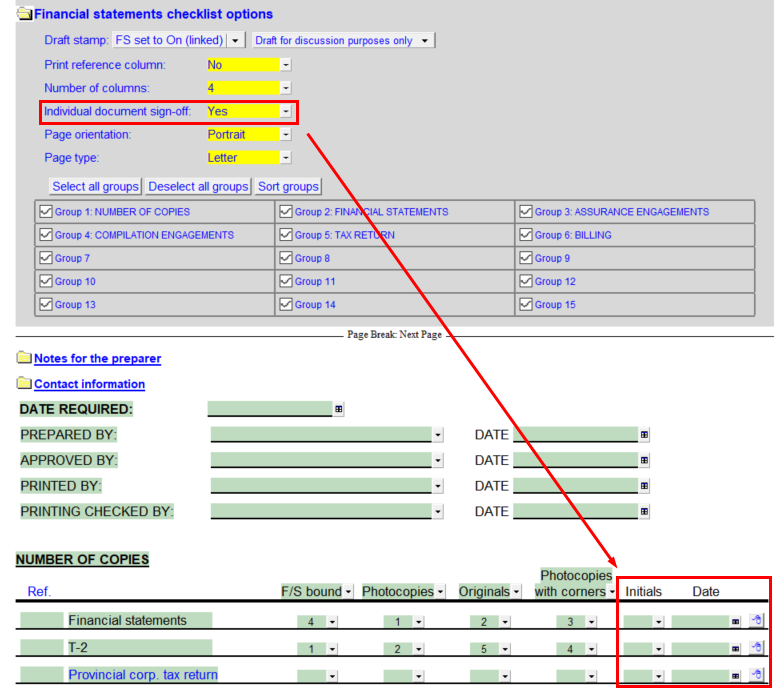
Individual document sign-off |
Turn on/off the document sign-off column.
|

|
Groups |
Toggle sections on/off. Scroll down to the group and manually edit the header cell to rename groups. Use the buttons Select all groups and Deselect all groups to turn on/off all groups. |

|
Sort Groups |
Click button to sort the working paper groups. |

|
Folder |
Click on the folder to turn on/off each section. |