
Working Paper Highlights
| Number | Name | Description |
|---|---|---|

|
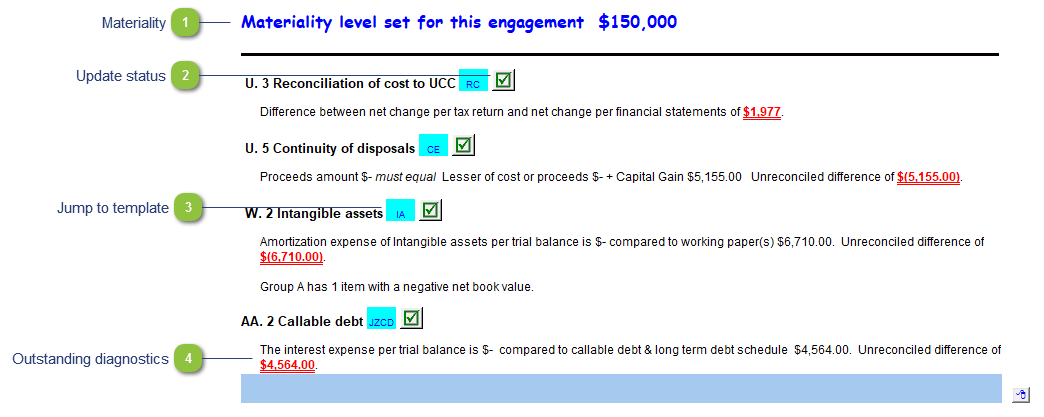
Materiality |
The materiality for the engagement is drawn from the materiality checklist or the Support Settings panel. See technical bulletin JZ124. |

|
Update status |
A green checkmark indicates that the document is up to date. A yellow status indicator ( |

|
Jump to template |
Double-click on the cell to jump to the specified template. |

|
Outstanding diagnostics |
Unresolved working paper diagnostics will show on the Diagnostics Report. Open the template to resolve the diagnostics. |
