Continuity of disposals (CE)
See Common Working Paper features to see information on features not specific to this working paper.
| Number | Name | Description |
|---|---|---|

|
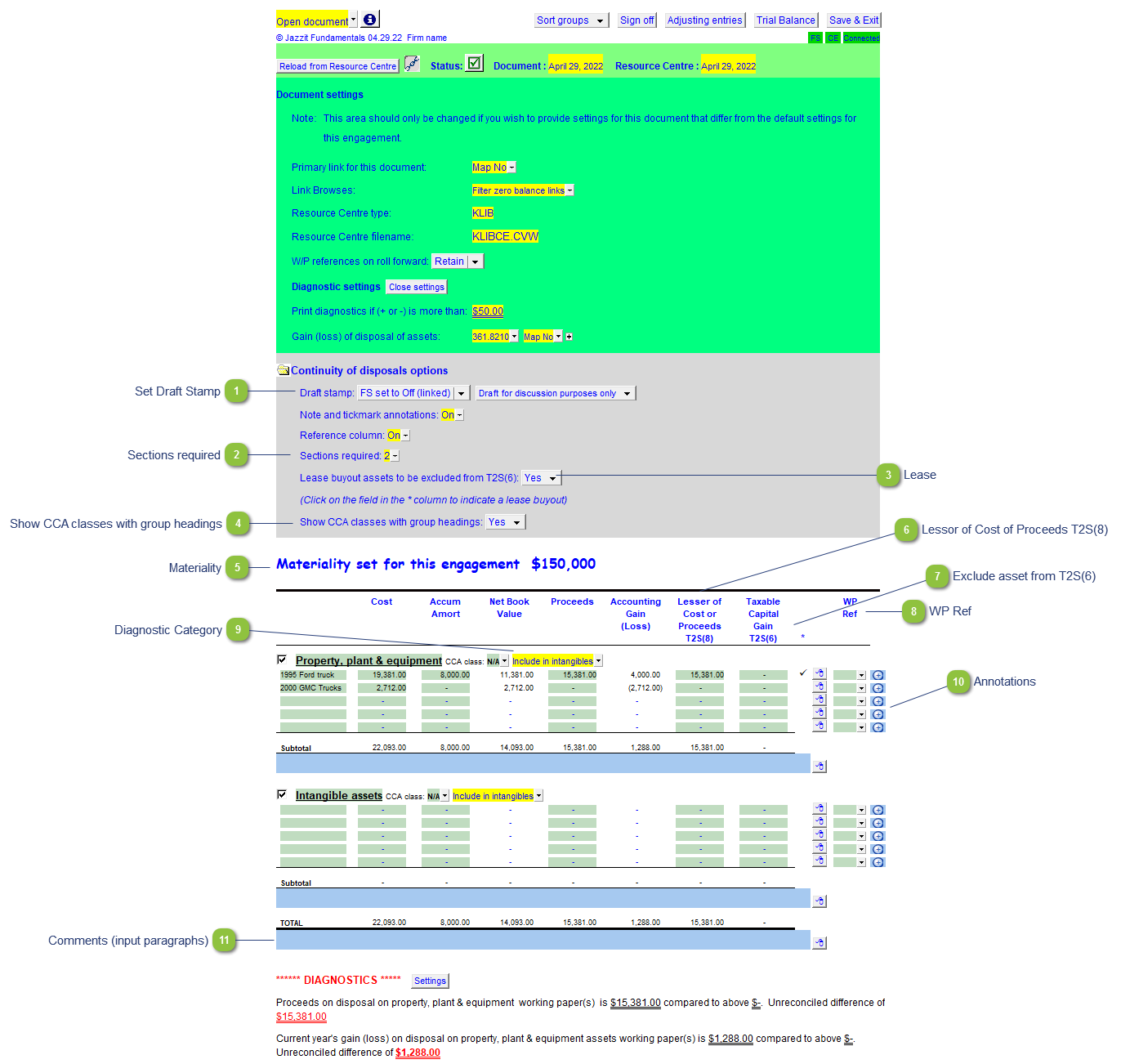
Set Draft Stamp |
Set the default behavior for the draft stamp for the letters and working papers. You can either set it to default to the Jazzit financial statement draft stamp behavior or set it to default On or Off independently from the Jazzit financial statements. Check the checkbox next to the description to set the default globally for all the Jazzit letter and Jazzit Working Papers or leave the checkbox unchecked to allow preparers to set the draft stamp behavior on each individual letter and Working Paper. |

|
Sections required |
Supports up to 20 sections in the working paper. |

|
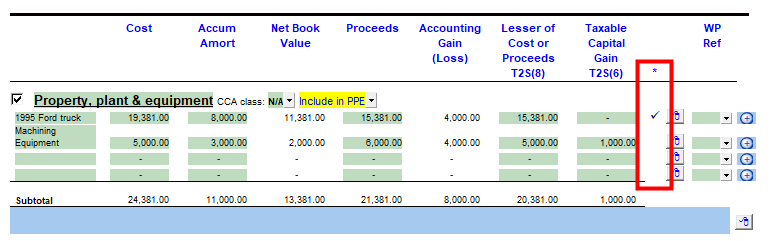
Lease |
Show or hide the column that allows assets to be excluded from T2S(6).
|

|
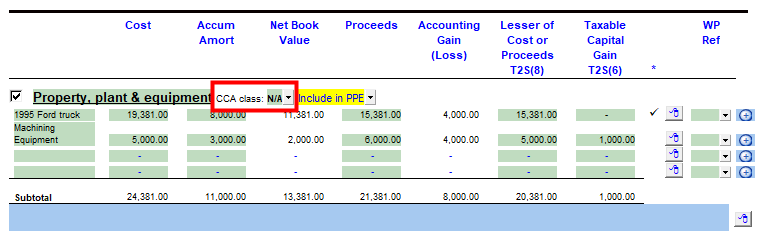
Show CCA classes with group headings |
Show or hide the CCA class dropdown in each section of the Working paper.
|

|
Materiality |
The materiality for the engagement is drawn from the materiality checklist or the Support Settings panel. See technical bulletin JZ124. |

|
Lessor of Cost of Proceeds T2S(8) |
Automatically calculated the lessor of the amounts under the Cost or Proceeds columns. |

|
Exclude asset from T2S(6) |
Double-click on activate the option. |

|
WP Ref |
Enter the working paper reference if applicable. Double-click on the reference to jump to the referenced working paper. The working paper should exists within the Document Manager for this to work. |

|
Diagnostic Category |
Choose whether to include section total in PPE or Intangibles for the purposes of calculating the diagnostics. |

|
Annotations |
Double-click on the icon to annotate the line item to either insert a note or a tickmark. |

|
Comments (input paragraphs) |
You can edit existing input paragraphs or insert more paragraphs using the express menu. Refer to Input Paragraphs for more information on inserting paragraphs. |