KPD - Detailed amortization note
| Number | Name | Description |
|---|---|---|

|
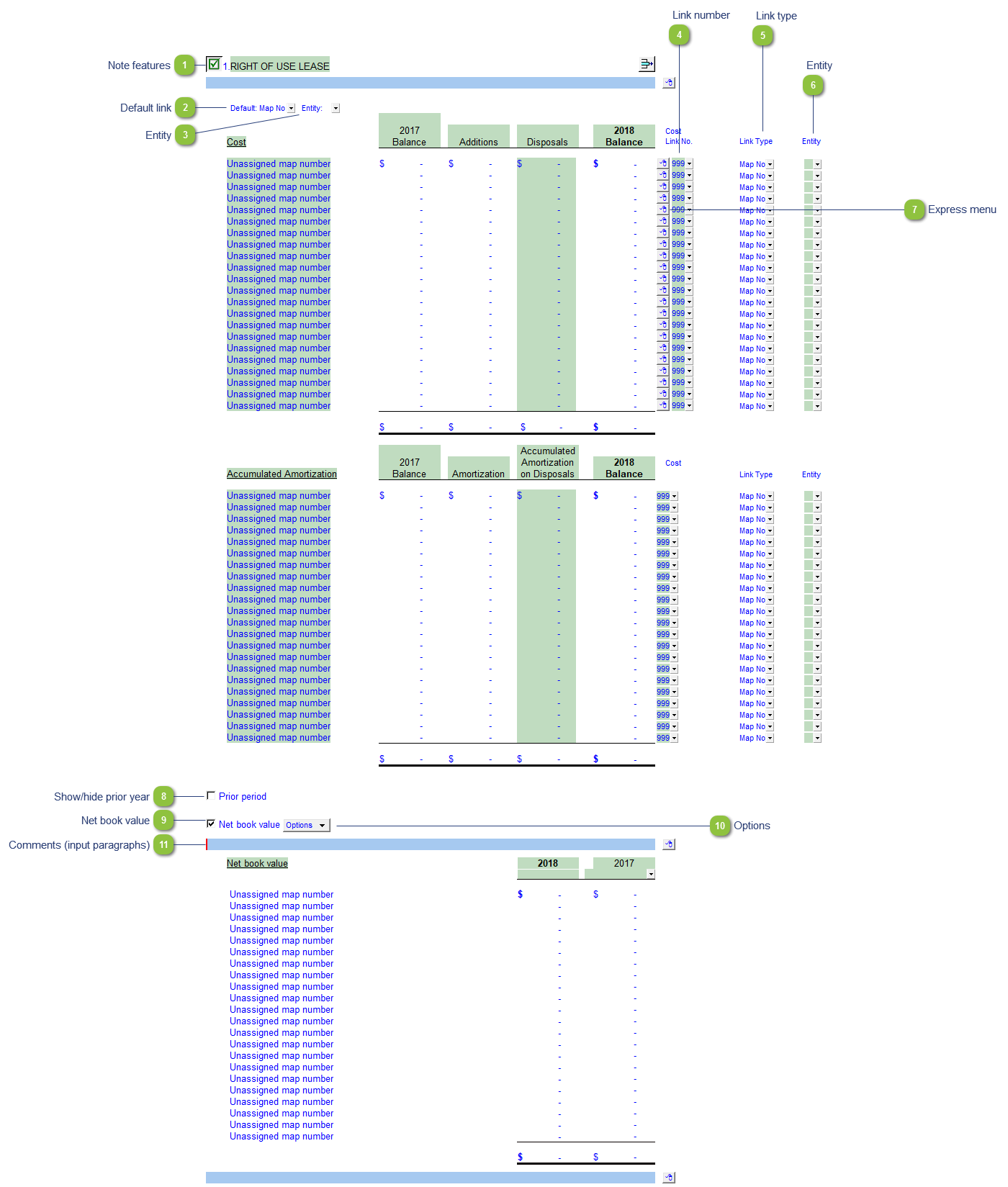
Note features |
Each note has a series of common features. Refer to Common Note Features for more information on each feature. |

|
Default link |
Select the default grouping you want to use for the note linkage. The note is defaulted to use the Account link. |

|
Entity |
Use the entity popup to select the default for the entity popups to the right. |

|
Link number |
Use the popup menu to select a link number. This can be a map, account or group number depending on the link type selected. |

|
Link type |
The link type is set from the default link type selected. You can change the link type for the individual row item if different from the default link type. |

|
Entity |
Use the entity popup menu to select the entity from the list for each row. This will only show the balances associated with the selected entity for that row. |

|
Express menu |
Use the express menu to insert more linked and manual lines, insert subtotals, sort and delete current lines where the options are available. |

|
Show/hide prior year |
Click on the checkbox to show or hide comparatives for the note. |

|
Net book value |
Click on the checkbox to toggle the Net book value section on/off. |

|
Options |
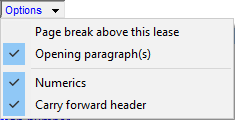
Please see the following link for more information on the rest of the options.
|

|
Comments (input paragraphs) |
You can edit existing input paragraphs or insert more paragraphs using the express menu. Refer to Input Paragraphs for more information on inserting paragraphs. |