First Time Adoption of ASPE / ASNPO
| Number | Name | Description |
|---|---|---|

|
Note features |
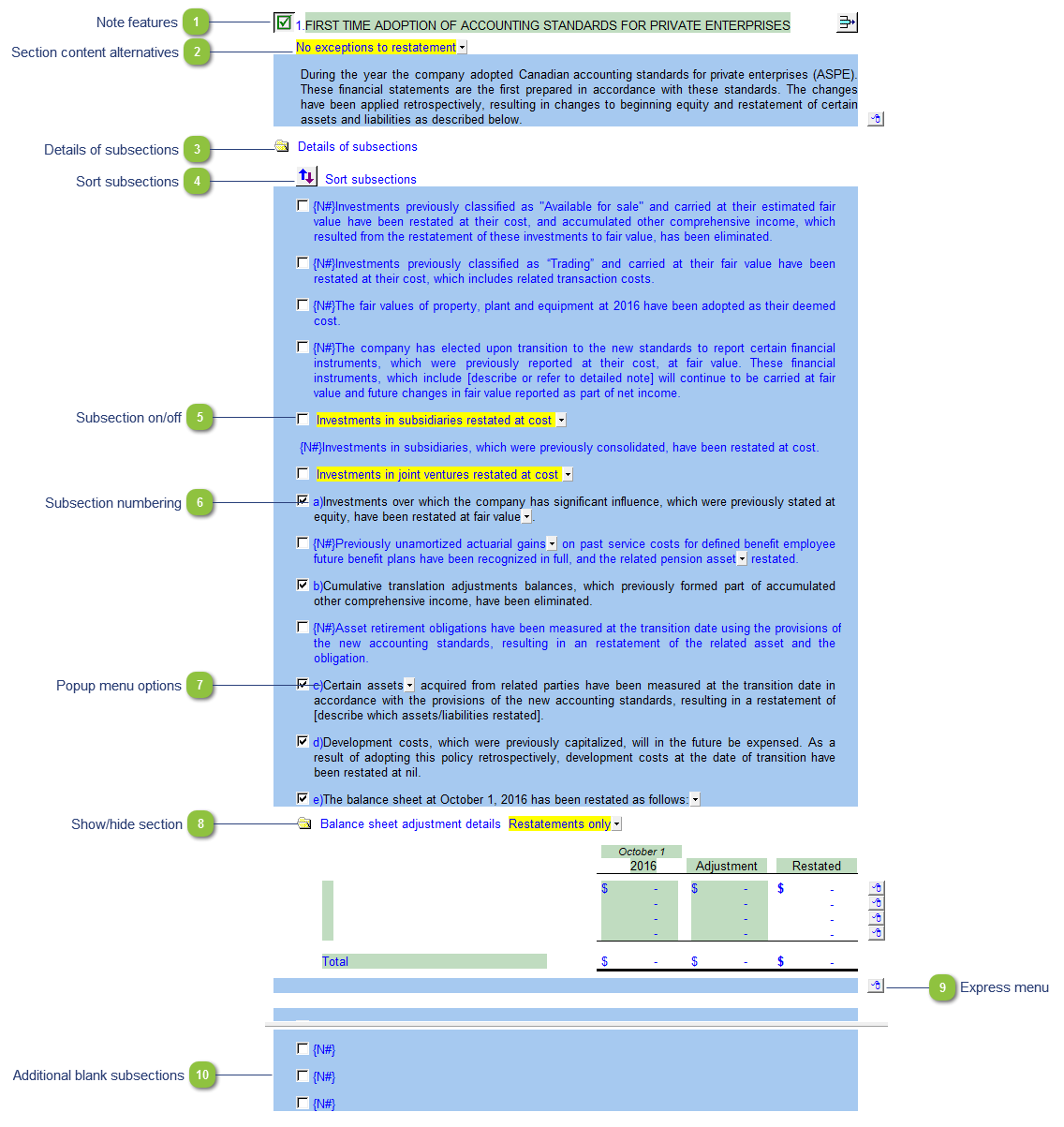
Each note has a series of common features. Refer to Common Note Features for more information on each feature. |

|
Section content alternatives |
Use the yellow popup menu to select the section content. The wording or format of the note will change depending on the selection. |

|
Details of subsections |
Click on the folder icon to show or hide the details of the restatement of certain assets or liabilities. |

|
Sort subsections |
Click on the Sort button to sort the subsections. |

|
Subsection on/off |
Click on the checkbox next to each heading to show the applicable section(s). Uncheck the checkboxes to hide the section(s) not applicable. |

|
Subsection numbering |
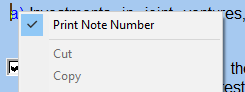
The subsections are automatically numbered and will renumber if the subsections are turned on or off. Right-click on the number to skip the subsection number if you don't want the numbers to print.
|

|
Popup menu options |
Some notes have popup cells that provide choices for alternative wording. Items listed on the menu that appear in bold (where applicable) indicate default wording. |

|
Show/hide section |
Click on the folder icon to show or hide the applicable section. |

|
Express menu |
Right-click on the express menu to insert more linked and manual lines, insert subtotals, sort and delete current lines where the options are available. |

|
Additional blank subsections |
Additional blank subsections are provided for custom entries. You can manually enter your own custom text into the input paragraphs. |