
Income Statement (9-column Statement Format)
The 9-column Income Statement format allows you to show up to 7 columns + a current year and prior year total or 1-9 columns that can be individually setup. Refer to 9 Column Statements with Budget Column on how to setup the 9-column statement format.
This statement can be used when preparing Not for Profit, Combined/Consolidated, Quarterly or Interim financial statements.
The same functionality exist on the 9-column statements and the 2 year with % statement formats with the exception of the following items:
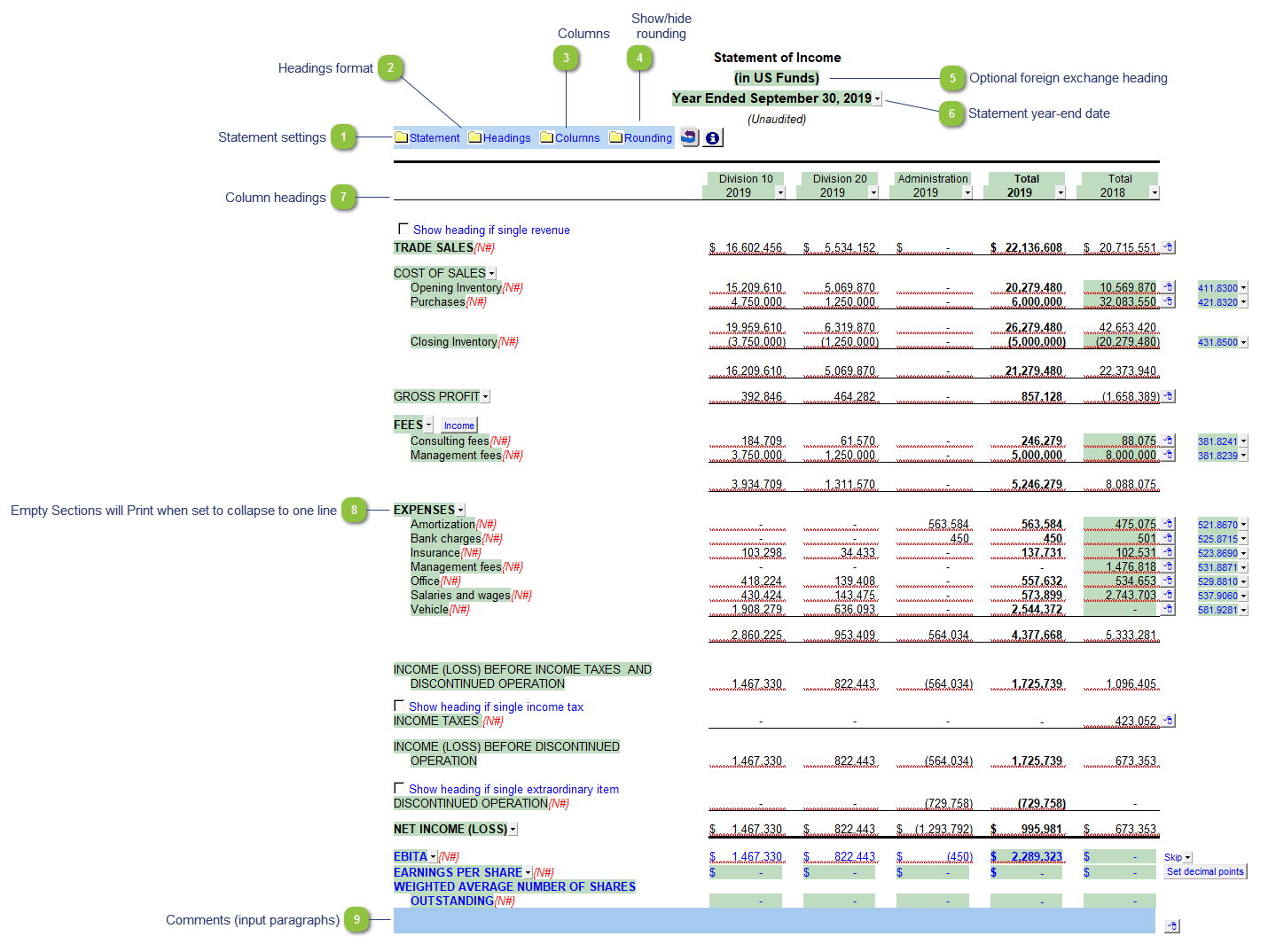
| Number | Name | Description |
|---|---|---|

|
Statement settings |
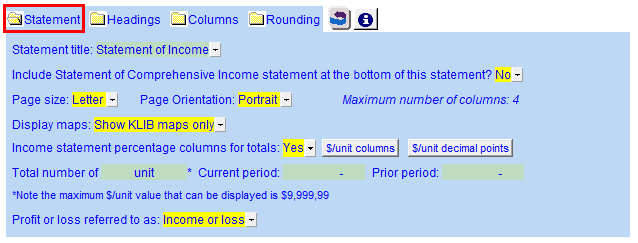
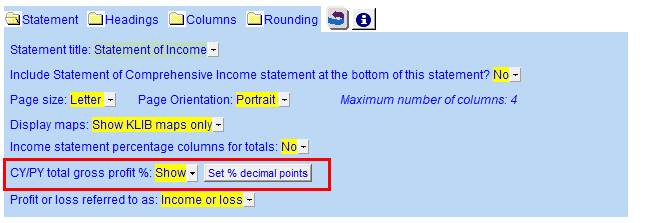
The statement settings provide additional options for the Income Statement.
|

|
Headings format |
The headings for the Balance Sheet can be formatted. Refer to Statement Section Headings Formatting for more information on the options available. |

|
Columns |
Click on the folder icon to show the column settings. In addition to setting the column headings, you can jump to the global column settings, either the Column selection settings or the Period settings. See Home menu column settings for more information.
|

|
Show/hide rounding |
Click on this button to show/hide the statement Rounding options. |

|
Optional foreign exchange heading |
The foreign exchange heading pulls from the selections made in Columns section of the Home Menu. Double-click on the cell to jump to the Home Menu. |

|
Statement year-end date |
The statement year-end date is automatically calculated based on the reporting dates set in the Engagement Properties dialog. Use the popup menu to display an alternative date format. |

|
Column headings |
Use the checkboxes to the left of each heading line to skip or print the headings. Select the heading option you'd like to print using the popup menus. The following headings are available:
|

|
Empty Sections will Print when set to collapse to one line |
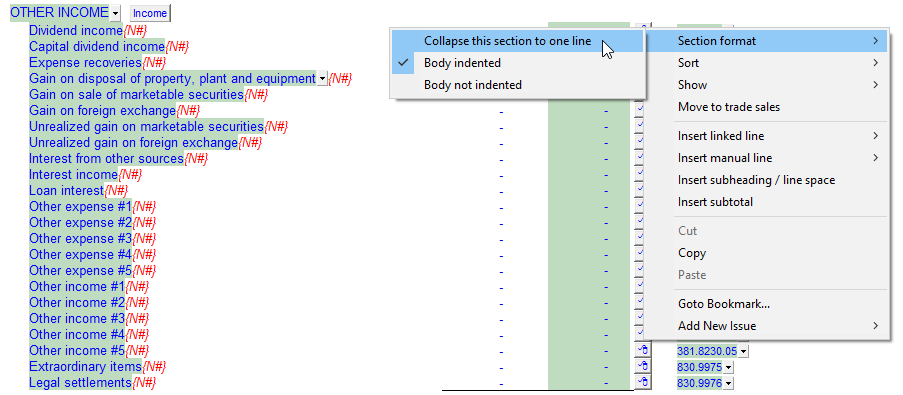
When set to 'Collapse this section to one line' the single heading will print, even if there is no numbers in that section. Other Income Section which is empty is set to collapse
The Other Income prints even when there is no amounts present
|

|
Comments (input paragraphs) |
You can edit existing input paragraphs or insert more paragraphs using the express menu. Refer to Input Paragraphs for more information on inserting paragraphs. |



Also included: