
Draft Income Statement Automatic Document for Rounding Troubleshooting
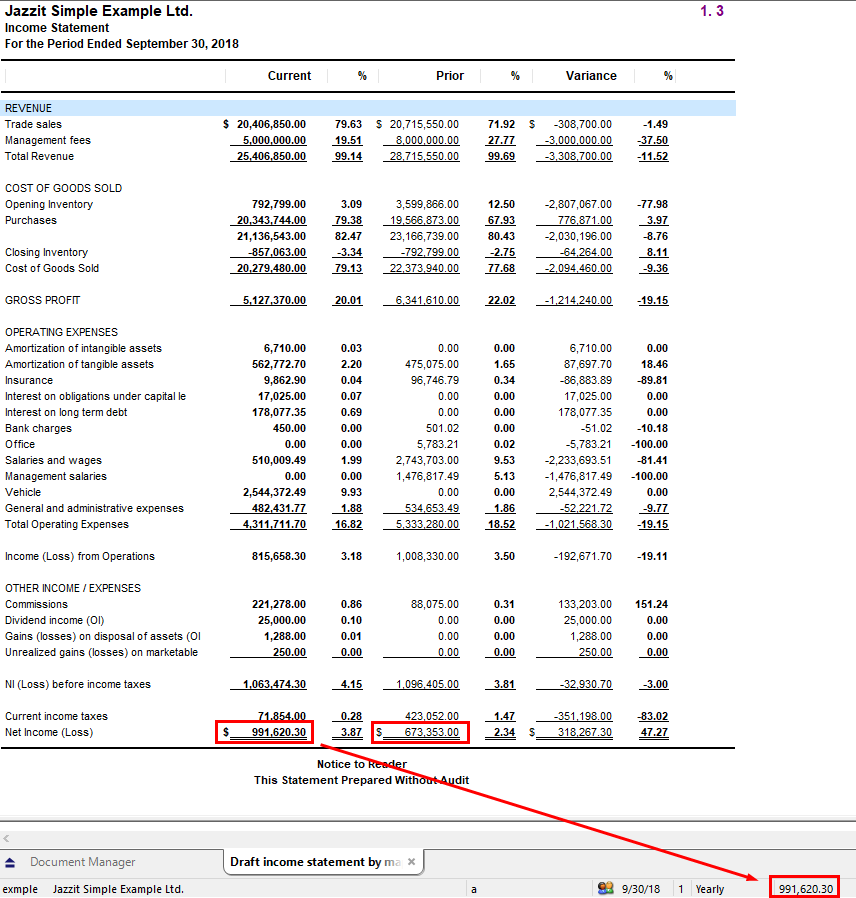
The Draft Income Statement automatic document can be used to verify the rounding for the Jazzit financial statements. This document can be used to check the net income as calculated by Working Papers and the Jazzit Income Statement. The document is generated from the mapped trial balance in Working Papers.
The Net Income as calculated by the Working Papers Draft Income Statement should agree with the Net Income calculated by Working Papers and the Net Income as calculated by the Jazzit Income Statement. Ensure that all trial balance accounts are mapped and that the Jazzit mapping structure is used. See the following link for more information on mapping.
You can try the following solutions:
-
Make sure that all Income Statement accounts in the trial balance have the type set to Income Statement.
-
Run a Repair File in Working Papers or try running an Autofill of all account properties.
-
Compare the Draft Income Statement and Jazzit Income Statement on a line by line basis.
Creating the Draft Income Statement
-
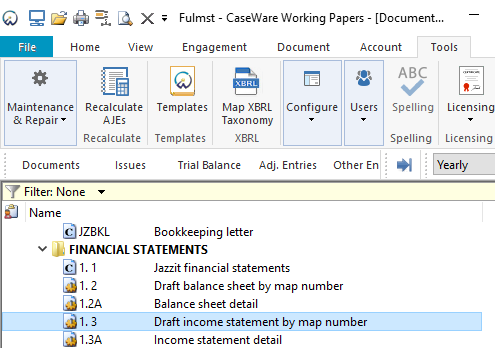
Either copy the document from the FULMST master file, or;
-
Create the automatic document manually in the client file by following the steps below:
-
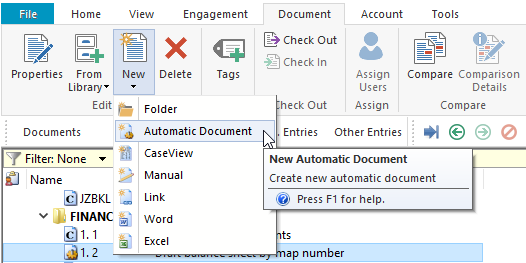
From the Working Papers ribbon, go to Document > New > Automatic Document.
-
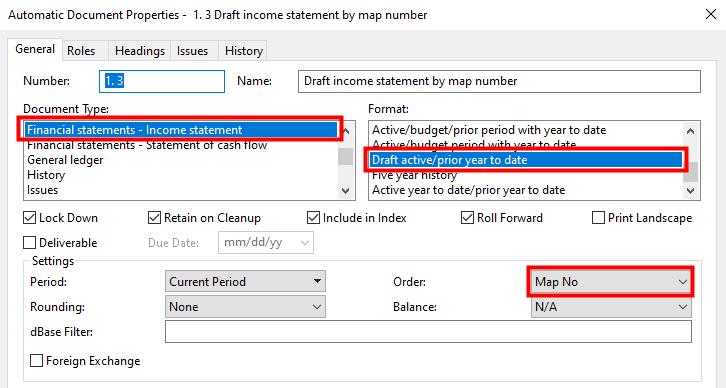
Complete the settings as indicated on the screenshot below:
-