
QuickBooks Import
| Number | Name | Description |
|---|---|---|

|
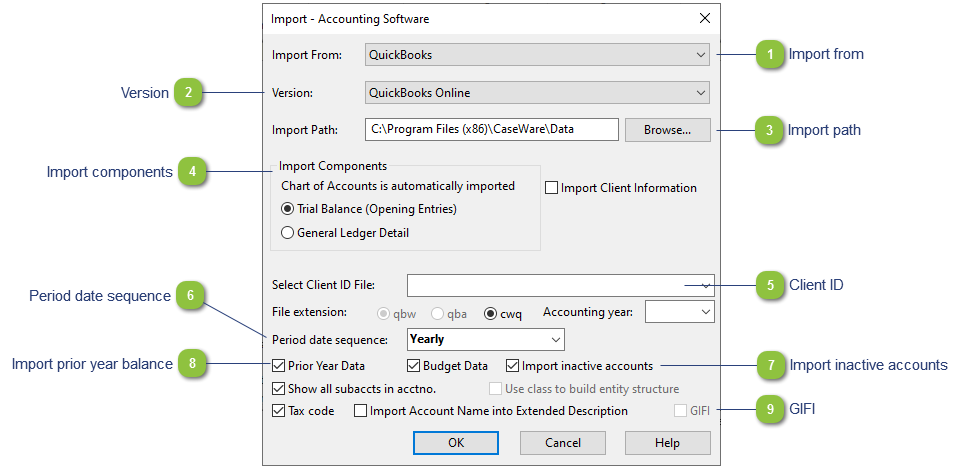
Import From |
Choose the accounting program you are importing from. |

|
Version |
Choose the version of the program. |

|
Import Path |
Choose the path to the file. |

|
Import Components |
Choose which components to import: Trial Balance (Opening entries only) or General Ledger Detail. |

|
Client ID |
Choose the path to the file. |

|
Period date sequence |
Make sure the period date sequence is set to Yearly if you are only doing the year-end and will not be preparing interim reports from Caseware. |

|
Import inactive accounts |
This will bring in inactive accounts that can be used at a later stage. |

|
Import prior year balance |
Only import prior year if you want the prior year to overwrite the prior year balances in Caseware. |

|
GIFI |
Make sure that this option is unchecked. GIFI codes are assigned to the accounts when the accounts are mapped using the Jazzit default map structure. |