
Applying the Funds To Schedules
-
For this function to work, the trial balance should be divided into the different funds (page 3) and the GL account numbers assigned to these funds (page 5).
-
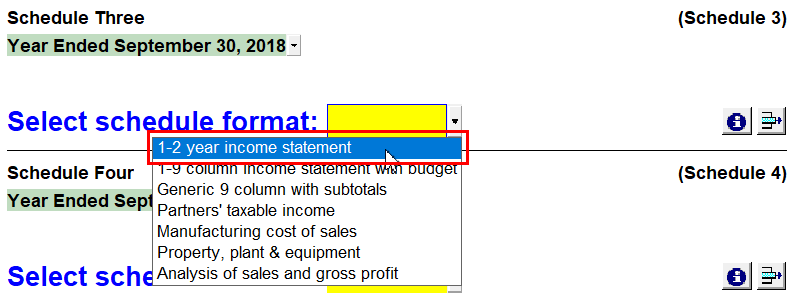
Use the yellow popup cell and select the 1 - 2-year income statement schedule format.
-
Complete the following fields:
Number Name Description 
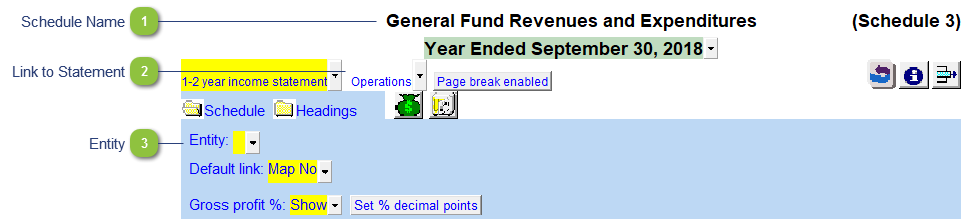
Schedule Name
Double-click to enter the Schedule name, i.e. General Fund Revenues and Expenditures.

Link to Statement
If you want to link the Schedule to the main Statement of Revenues and Expenditures.

Entity
Use the entity popup menu to select the fund from the list. This will only show the balances associated with the selected fund.