
Configuring the Cover Page and Table of Contents
Financials enables you to specify the properties of the Cover Page and Table of Contents that are generated with the financial statements. Options not defined here are included in Configuring common options.
Fundamental Topics
Specifying the client name for the cover page
You can specify the operating name that will appear on the cover page of the financial statements.
Procedure- In the Financial statements document, click anywhere in the cover page.
-
Select the Cover Page tab and in the Properties section, select the operating name to use. The default is set in the Entity Information ribbon,
 Titles and Terms dialog.
The operating name is specified on the cover page.
Customizing the Table of Contents
In the Table of Contents for the financial statements, you can:
- Specify the client name or select the default set in the Entity Information ribbon, Titles and Terms dialog
- Set the pages to display in the Table of Contents as either single page entries or multiple page entries
- Configure the table of contents by assigning financial statement areas to headings/subheadings.
- In the Financial statements document, click in the Table of Contents.
-
Select the Table of Contents tab.

- To specify the client name, in the Client name field, select or type in the client name to use.
- To use single or multiple page entries, from the Pages drop-down, select either Single page entry or Multiple page entry.
- To add a more detailed table of contents, click
 .
. - In the Select from the following dialog, select Format 4: Detailed table of contents radio button.
- A warning message will appear indicating there are unassigned areas in the table of contents. To assign these items, click
 to open the Table of Contents Configuration dialog.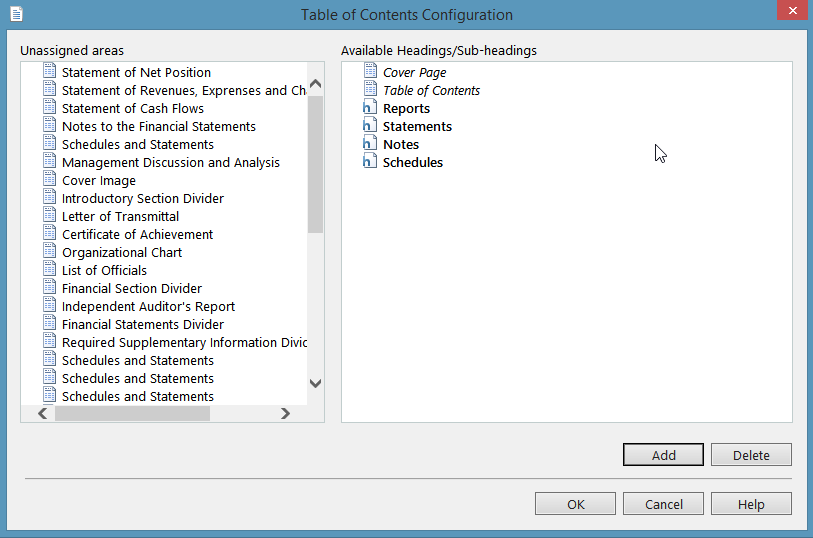
- Drag and drop unassigned areas to an available headings/sub-headings in the Table of Contents Configuration dialog.
The Table of Contents is updated.