
Inserting Page Breaks
You can insert a page break anywhere in the statements.
Procedure
- Click an area in the Financial statements where you would like to add the page break.
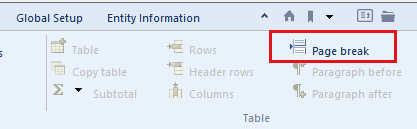
- From the Insert tab, in the Table group, click Page break.
Results
The page break is inserted at the beginning of the line or row.
This online help system applies to all Financials products. Not all features are available in all products.