
Specifying map browse options
You can specify whether to view all mapping/grouping numbers or only the mapping/grouping numbers that have balances assigned to them. You can also choose to view them in a hierarchical format.
Procedure
- Open the Financial statements document and select the Global Setup tab
-
From the
 (Map browse) drop-down, select one of the following viewing options:
Option Description All Display all map/group numbers. Balances Display only map numbers with balances. -
From the
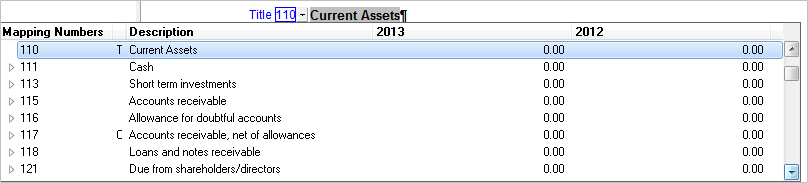
(Map browse) drop-down, select one of the following options to control how map/group numbers are displayed in the drop-down:Option Description View As Hierarchy Display the map numbers in a hierarchy.
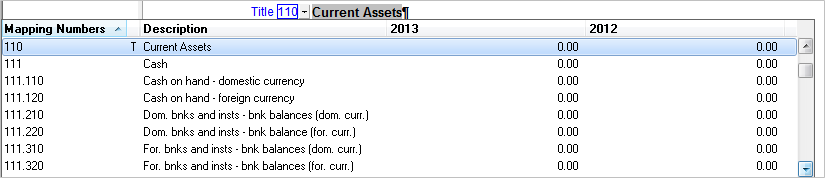
View As List List the map numbers in numeric order.
Results
The mapping numbers are displayed as specified.