
Specifying the Location of the Knowledge Library
By default, the Knowledge Library is installed to the following directory:
- C:\Program Files (x86)\Caseware\Library\FinancialsIFRS
If your Knowledge Library is located in a folder other than the default folder, you can specify the location of the Knowledge Library. We recommend leaving the Knowledge Library folder in the default location.
Prerequisites
The Knowledge Library must be in place before content supplied with Financials can be included in the financial statements.
Procedure
- In the Document Manager, open the CL - Organization standards document.
-
From the Organization Settings pane, select Knowledge Library. The location of the Knowledge Library folder is displayed at the top of the Knowledge Library pane.
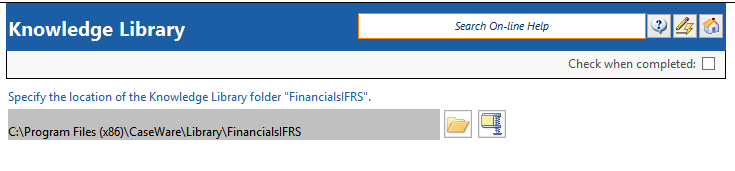
- To change the location of the Knowledge Library folder, click
 . The Select folder dialog will appear. Locate the Knowledge Library folder and click Select Folder.
 - You can save the library folder as a ZIP file to be shared to other authors by clicking
 and selecting the Knowledge Library folder.
Results
The Knowledge Library is now available for access in the specified location.