
Identified areas of likely material misstatement
If you have identified areas where misstatements are likely to arise, add them to the engagement file.
To add an area of likely material misstatement:
-
On the engagement toolbar, select New engagement item (
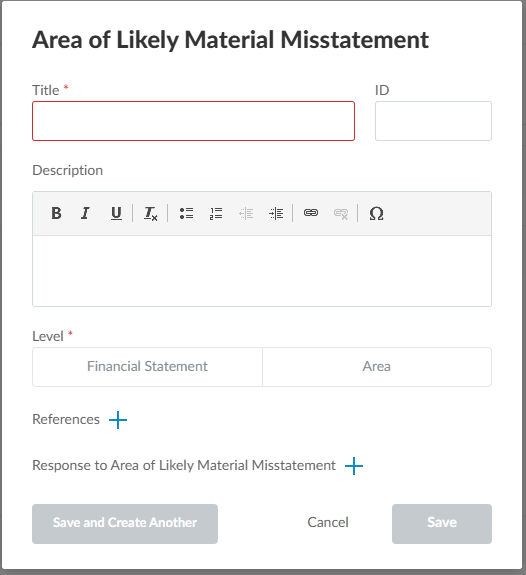
 ) | Area of Likely Material Misstatement. The New Area of Likely Material Misstatement dialog displays.
 -
Enter a title and description for the area of likely material misstatement.
-
Select the appropriate level. Select the Financial Statement level if the area of likely material misstatement has a pervasive effect on the financial statements and potentially affects many areas. Select the Area level if the area of likely material misstatement affects a specific financial statement area.
-
Complete any other applicable options.
-
Select Save.
The risk now displays in the Area of Likely Material Misstatement tab. The Area of Likely Material Misstatement tab displays a list of the area of likely material misstatement identified in your engagement, where you can view, add, modify and delete area of likely material misstatement.
To modify an area of likely material misstatement:
-
Select an area of likely material misstatement to open it.
-
Select the Title and Description text fields to edit them.
-
Select Add (
 ) to add areas, references and responses to areas of likely material misstatement.
 -
Select a conclusion from the dropdown menu.
If your documents have signoffs enabled, you can use review tools to review changes to areas of likely material misstatement. After a reviewer has signed off on your areas of likely material misstatement, the following review tools are available:
-
Added: Marks areas of likely material misstatement that have been added.
-
Modified: Marks areas of likely material misstatement that have been modified.
-
Deleted: Marks areas of likely material misstatement that have been deleted.