Identify and assess risks
Risk assessment procedures are organized across several documents in the Risk Assessment Procedures folder:
-
A-300 Risk Assessment Scoping — scoping the financial statement areas relevant to the engagement
-
A-305 Risk Assessment Detailed Procedures
-
A-310 Planning Analytical Review — analytical procedures performed during planning
-
A-315 Risk Assessment Procedures
-
A-320 Journal Entry Testing
-
A-325 Engagement Quality Review — Planning
Adding risks
Risks identified during planning can be added at any time, either individually or from the risk library.
To add a risk:
-
On the Risk & Controls page, select Risk, then New Risk.

Or, on the engagement toolbar, select New engagement item (
 ) | Risk.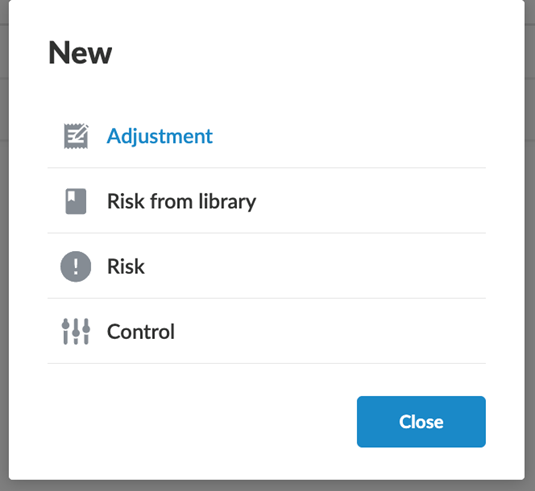
-
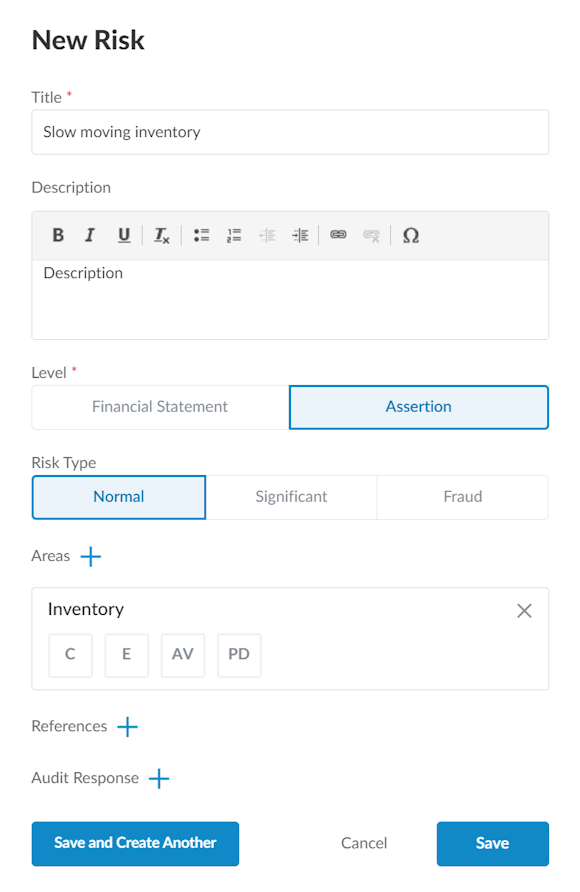
Enter a title and description for the risk.
-
Select the appropriate level of risk. Select the Financial Statement level if the risk has a pervasive effect on the financial statements and potentially affects many assertions. Select the Assertion level if the risk affects a specific financial statement area.
-
Complete any other applicable options.
Risks are surfaced in the engagement-wide Risks & controls tab and in the AC-115 Risk & Controls Matrix. Risks can also be linked at the procedure level within a checklist, allowing risk responses to be traced directly to the work performed.
Add a risk from the risk library
You can add risks to the engagement directly from the predefined list in the risk library.
To add a risk from the risk library:
-
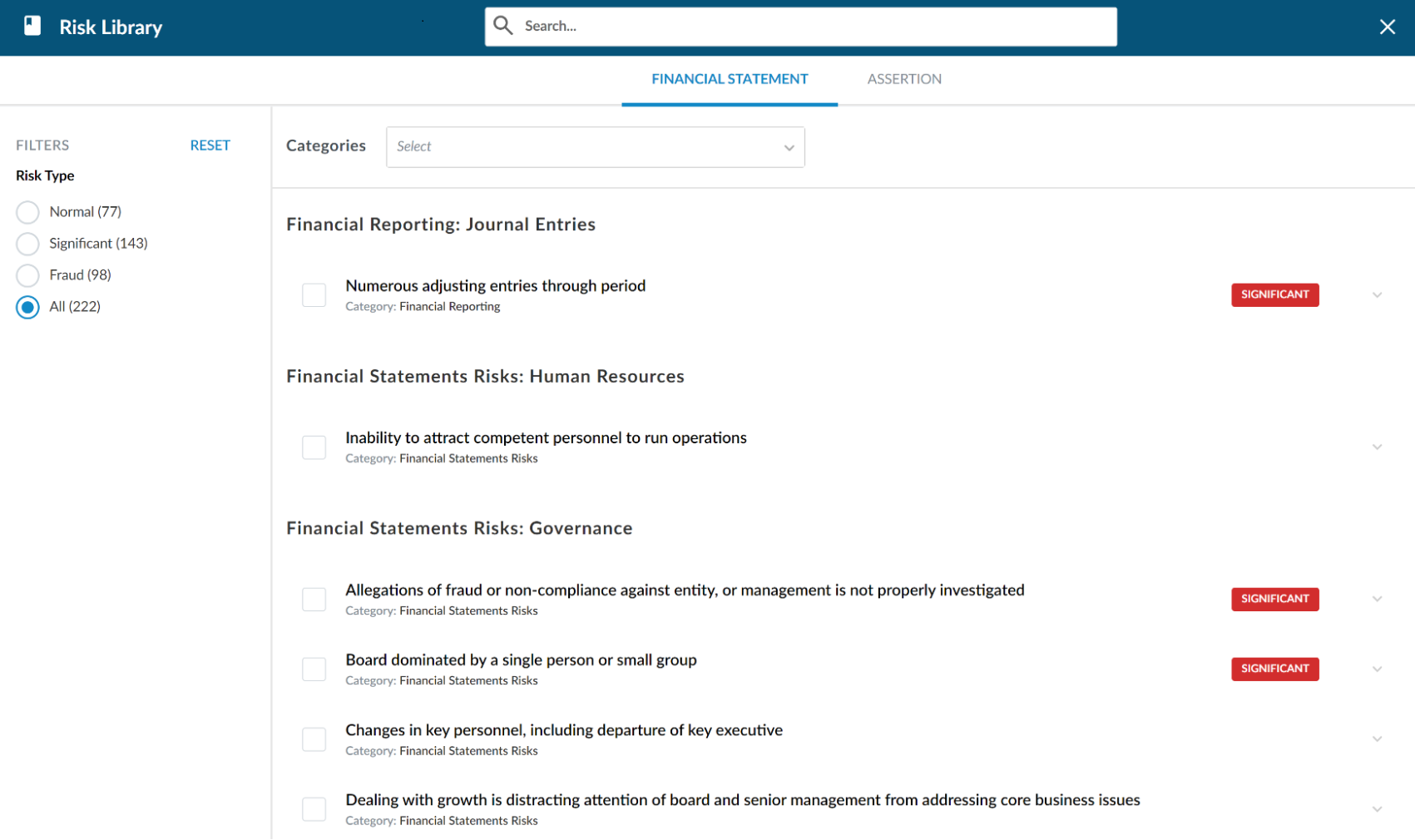
On the Risk & Controls page, select Risk, then select Risk Library.
Or, on the engagement toolbar, select New engagement item (
) | Risk from library.
-
Filter the list of risks using the Categories drop-down menu and select RESET to clear the filter.
-
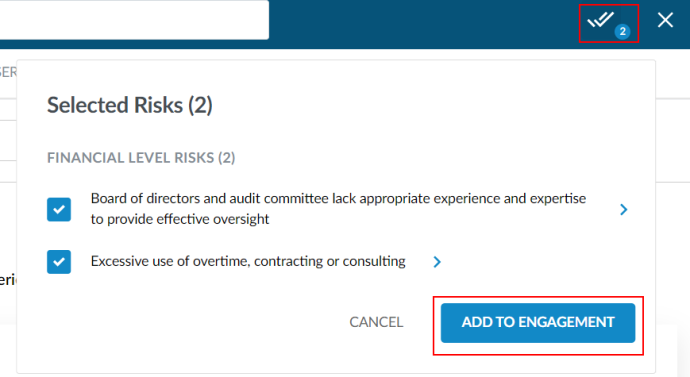
Select the checkbox next to the risks you want to add to the engagement. As you select risks, the number next to the Selected Risks indicator (
 ) increases. Select the indicator for a list of selected risks.
 -
When you have finished selecting risks to add, select the Selected Risks indicator (
), then Add to engagement.