
New in Caseware Verity—2026-09
August and September 2026 updates
This update covers Caseware Verity changes released from August 11 to September 30, 2026.
Attach documents to a chat
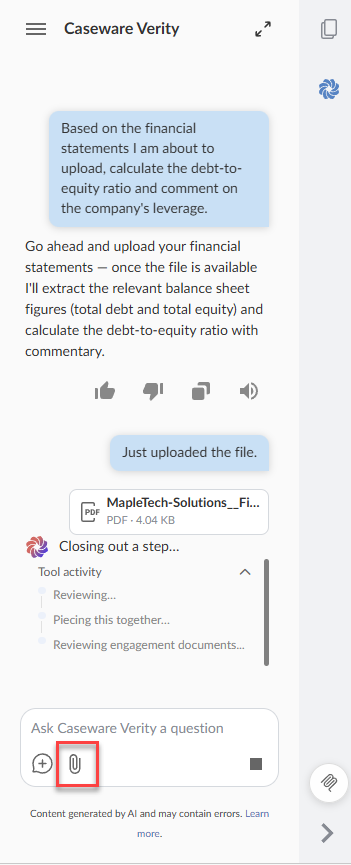
You can now attach PDFs and Word documents in .docx format to a Caseware Verity chat using the Attach file icon  , without adding them to the engagement or a knowledge base first. Attach up to 10 documents at a time, up to 25 MB each. You can cancel, retry or remove a file before you send your message. Caseware Verity reads the attached documents in that chat. Only you can see them, and only in the chat you added them to.
Attached documents aren't added to engagement search, and responses don't cite them.
Suggested next steps after a response
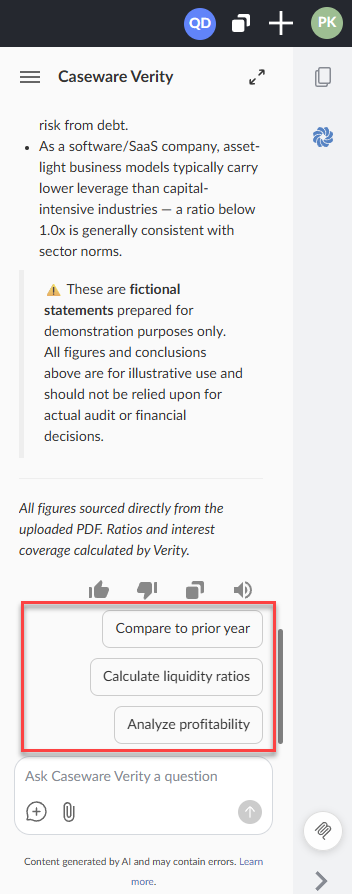
When Caseware Verity finishes a response, it can suggest up to three next steps below it. Select one to send it as your next message. For example, after Caseware Verity answers a question about the debt-to-equity ratio, it might suggest steps such as "Compare to prior year" or "Analyze profitability."
Sticky question header in the Disclosure Checklist Agent
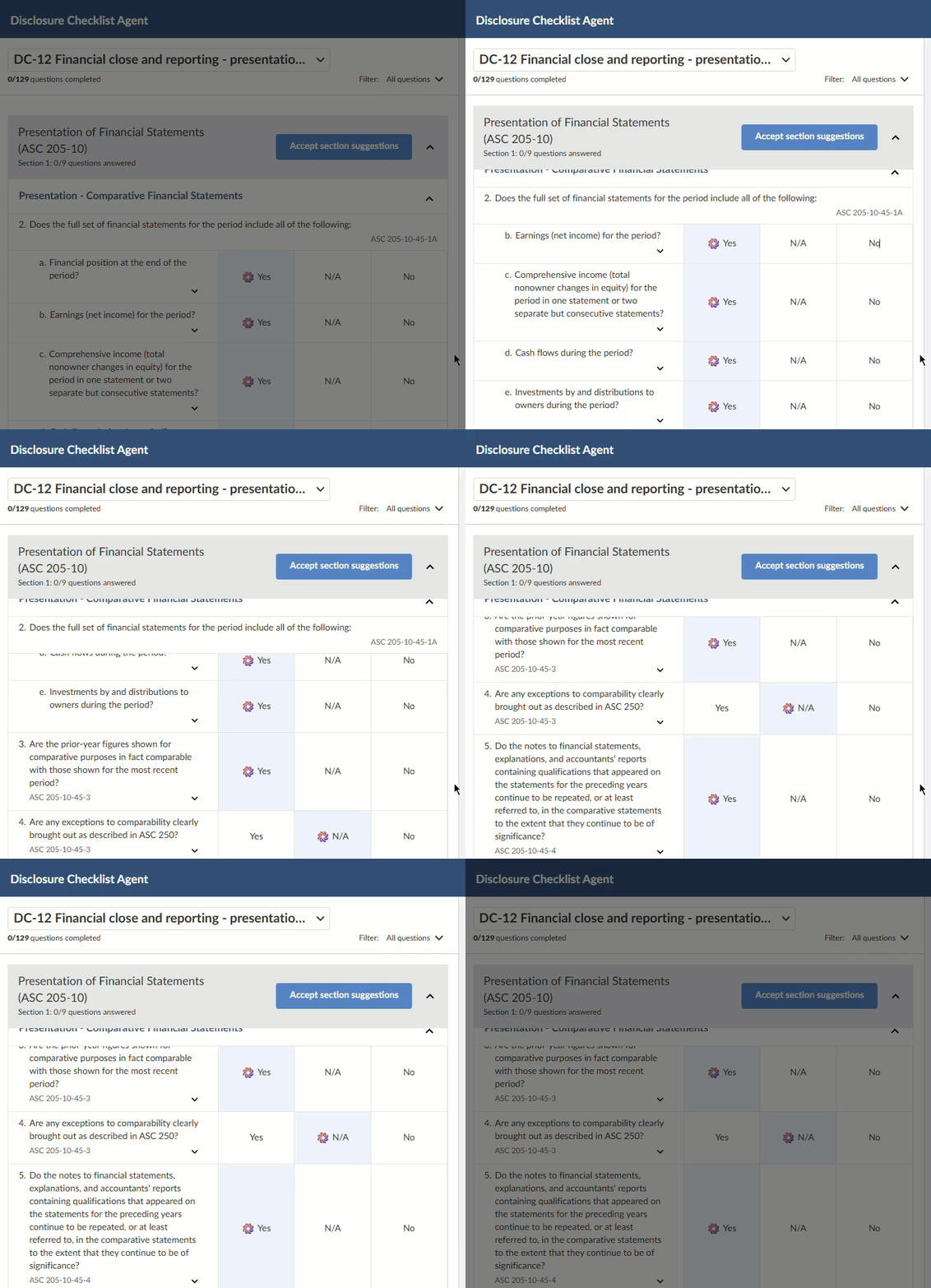
On a question with multiple parts, the parent question stays at the top while you scroll through its subquestions.
Resume previous chats in Caseware Verity for Excel
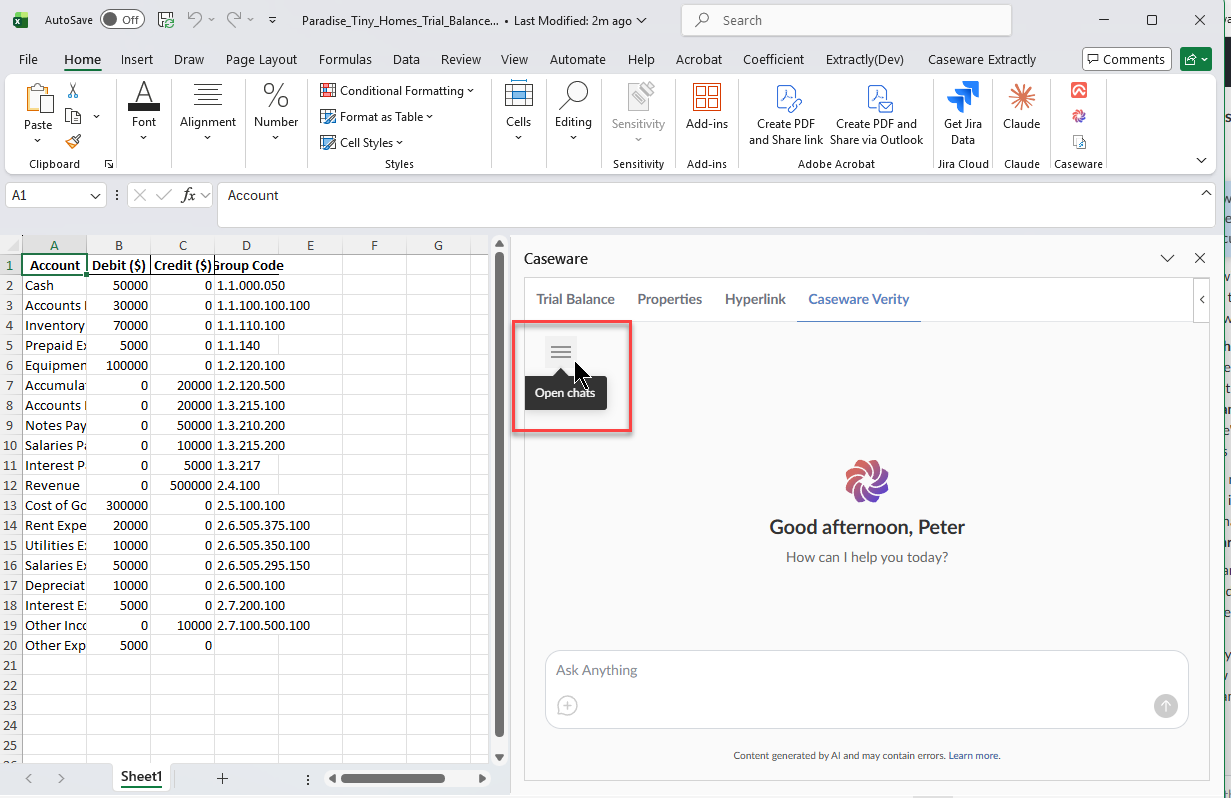
You can now browse and resume previous chats in Caseware Verity for Excel. Select the Open chats icon  at the top of the task pane.
Larger feedback comment box
The comment box in the response feedback dialog is larger, so longer comments fit without scrolling.
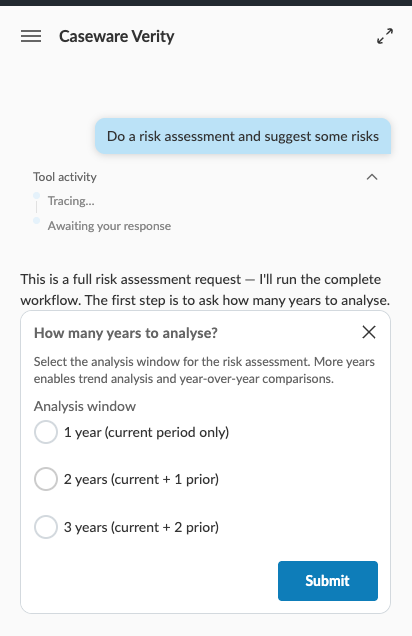
Caseware Verity requests information during workflows
When Caseware Verity needs additional input to complete a workflow, it surfaces a prompt to collect what it needs. For example, a risk assessment request may ask how many years of data to analyze before it continues. Select an option and submit to proceed.
Resolved issues
-
A file that failed to process could invalidate the whole knowledge base, instead of only that file needing to be replaced.
-
Caseware Verity could stop reading a long workflow part-way through, so later steps did not run.
-
Caseware Verity could misread which options were ticked in PDF forms, such as retirement plan adoption agreements.
-
Knowledge bases published to a product did not appear in Caseware Verity. Firm-level knowledge bases were not affected.
-
Caseware Verity reopened when you refreshed or moved to another page, even after you had closed it.
-
Caseware Verity could fail to open a PDF that was already in the engagement, with a "couldn't fetch this document" error, so scanned PDFs were not read. This also affected Caseware Verity for Excel.
-
Caseware Verity read bulleted and numbered lists in PDFs twice, so answers could repeat list items.
-
After you stopped a response, Caseware Verity could keep working on the request in the background.
-
Long or document-heavy requests could fail with an error if Caseware Verity went more than a minute without producing output.
-
Responses could fail in chats with a long history, or after Caseware Verity read a very large document.
-
A failed lookup part-way through a request could stop Caseware Verity from returning an answer.