Redact information
Use Redact to permanently hide sensitive or confidential information in your files.
-
On the ribbon, select Redact.
-
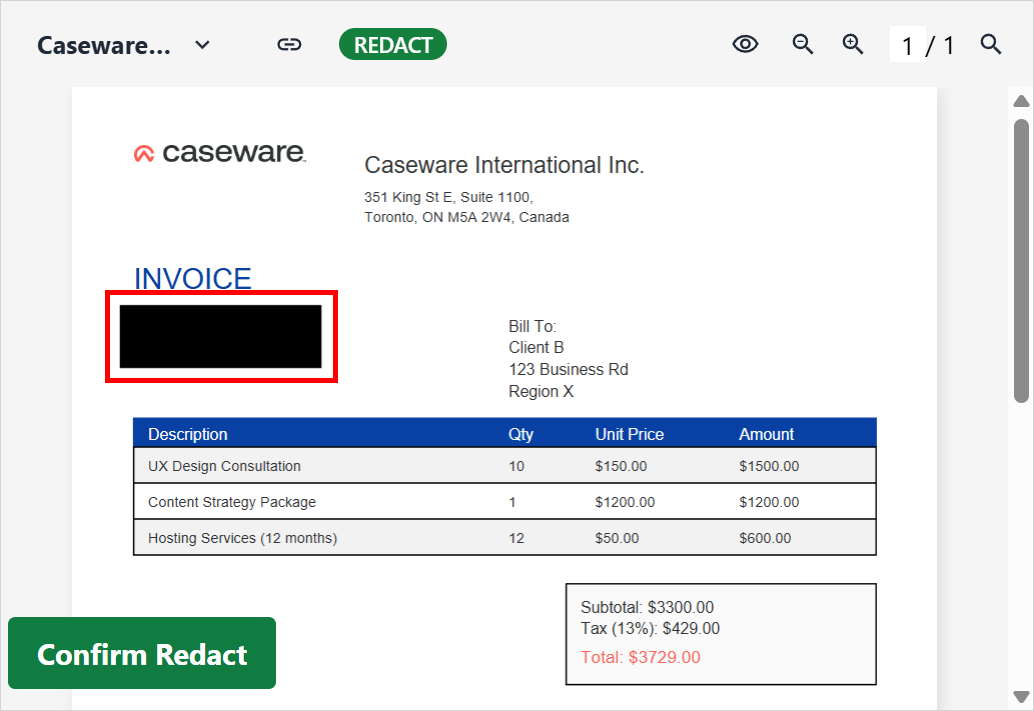
On the sidebar, draw a box around the content to redact.
-
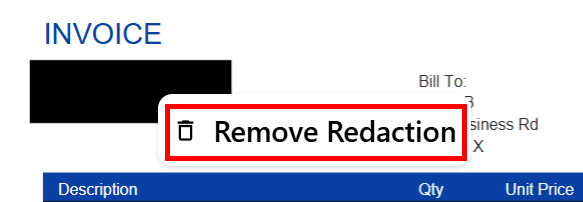
You’ll receive a prompt to confirm the redaction. To undo a redaction before confirming it, right-click the redacted box and select Remove Redaction.
-
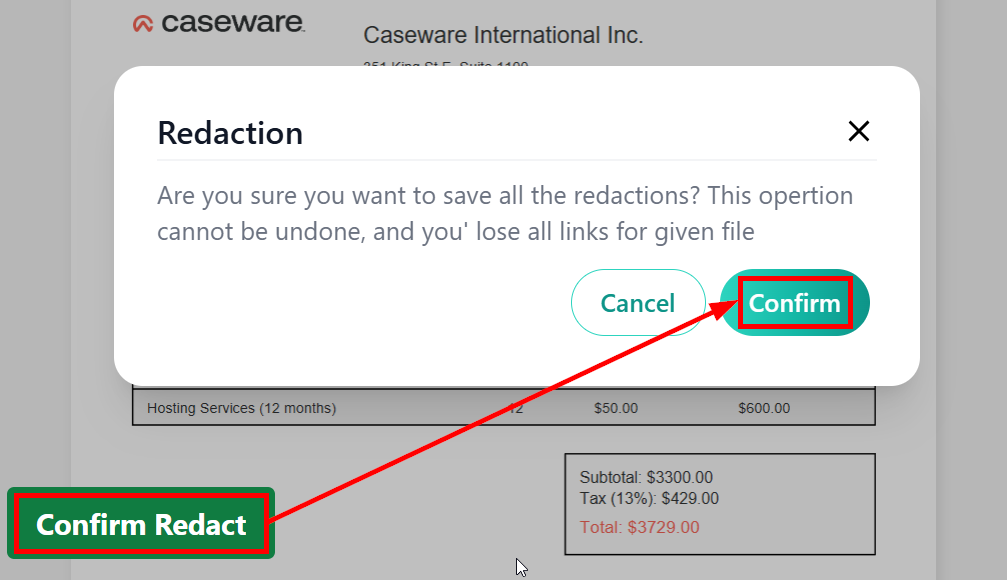
To confirm and permanently apply the redaction, select Confirm Redact, then Confirm.