
Review your firm’s Caseware Verity usage and credits
As a firm administrator, you can see how much of your firm’s Caseware Verity credit allocation has been used at any time. This helps you track usage against your plan and anticipate when your firm may be approaching its limit.
To view your firm’s usage:
-
Ensure you have the Staff Admin role or equivalent privileges.
-
From the Cloud menu
 , select Settings | Caseware AiDA | Credit Overview.
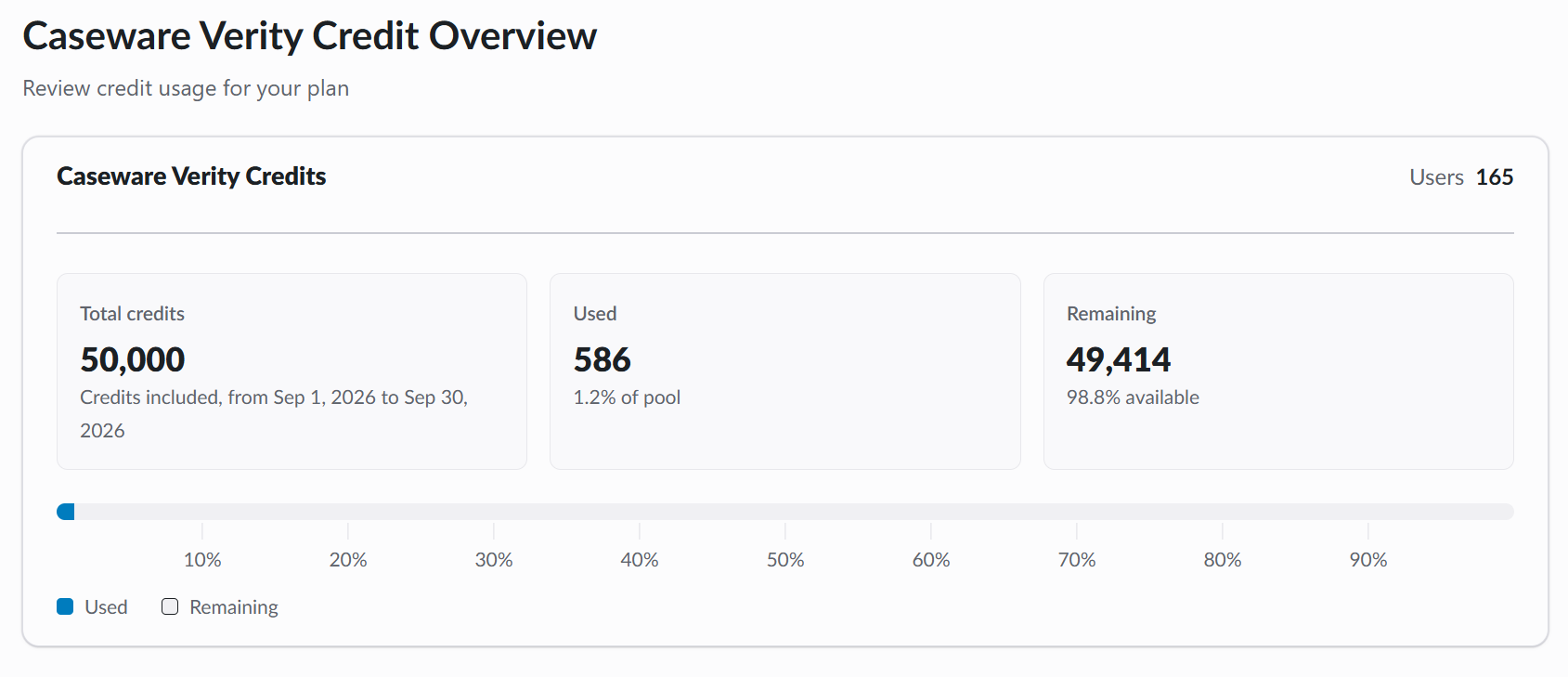
The Credit Overview page shows:
-
Users – the number of users assigned a Caseware Verity license.
-
Total credits – the number of credits your firm purchased, and the start and end dates of your firm’s contract term.
Note: The start and end dates show your firm’s contract term, which is usually 12 months. Total credits is the quantity your firm purchased. If your firm bought Caseware Verity partway through its contract term, or separately from the renewal of its other Caseware products, the term can be shorter than 12 months. In that case, your firm pays a prorated amount and receives a prorated quantity of credits, which can be lower than the standard package quantity. -
Used – the number of credits consumed so far, also shown as a percentage of the total pool.
-
Remaining – the number of credits left, also shown as a percentage of the total pool.
-
A usage bar showing used credits against the full pool.
If your firm hasn’t purchased Caseware Verity credits, or your credit period has expired, the page shows this message instead:
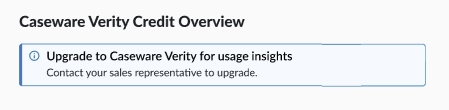
If your firm reaches its credit limit, Caseware Verity blocks new runs before any cost is incurred.
If your firm is approaching its limit, contact your Caseware sales representative to purchase additional credits. Additional credits are added to your firm’s current plan and expire on the same date as your existing credits. See Caseware Verity usage caps for details on what your users experience.