
Tax group assignment
You can review or modify tax group mappings in the account properties window or the Assign Accounts page.
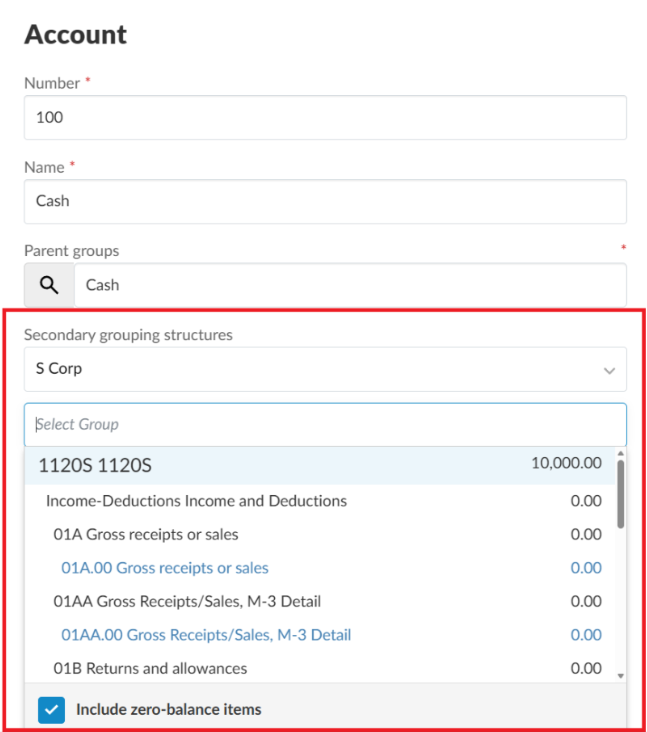
To modify tax groups in the account properties window:
In the account properties window, update Secondary grouping structures. If the full list of tax groups doesn't display, select the Include zero-balance items check box.
To modify tax groups on the Assign Accounts page:
-
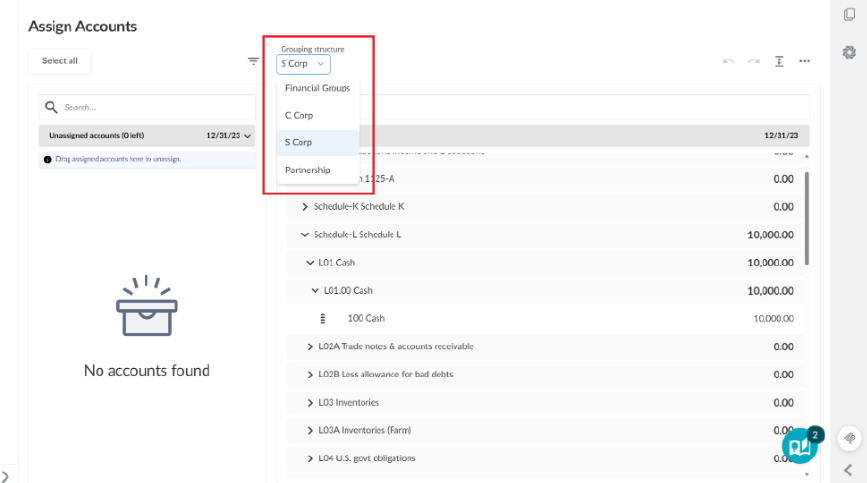
Select Data | Assign Accounts.
-
In the Grouping structure drop-down menu, select the entity type that matches the engagement.
Note: All three entity types currently appear in the Grouping structure drop-down menu. In a future release, only the entity type that matches the engagement will appear. -
Assign accounts to the appropriate tax groups.
For more information, see Assign accounts to groups.