
New in Caseware Verity—2026-10
October and November 2026 updates
This update covers Caseware Verity changes released from October 1 to November 4, 2026.
Review an engagement with the Engagement Review agent
The Engagement Review agent is available in select solutions. It checks an engagement and returns one report of evidence-backed findings for you to validate. Start a review from an engagement phase, or ask for one in Caseware Verity chat. You can review the whole engagement, selected phases or specific workpapers.
To learn more, refer to Engagement Review Agent.
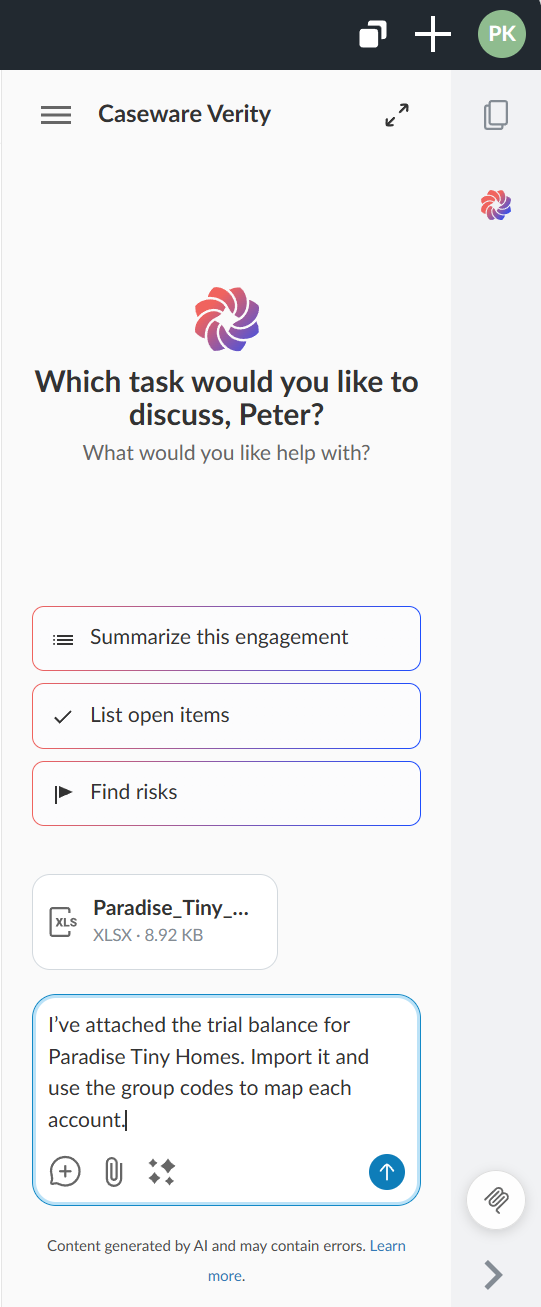
Attach Excel workbooks to a chat
You can now attach Excel workbooks in .xlsx format to a Caseware Verity chat, as well as PDFs and Word documents in .docx format. In a new chat, you can attach documents before you send your first message.
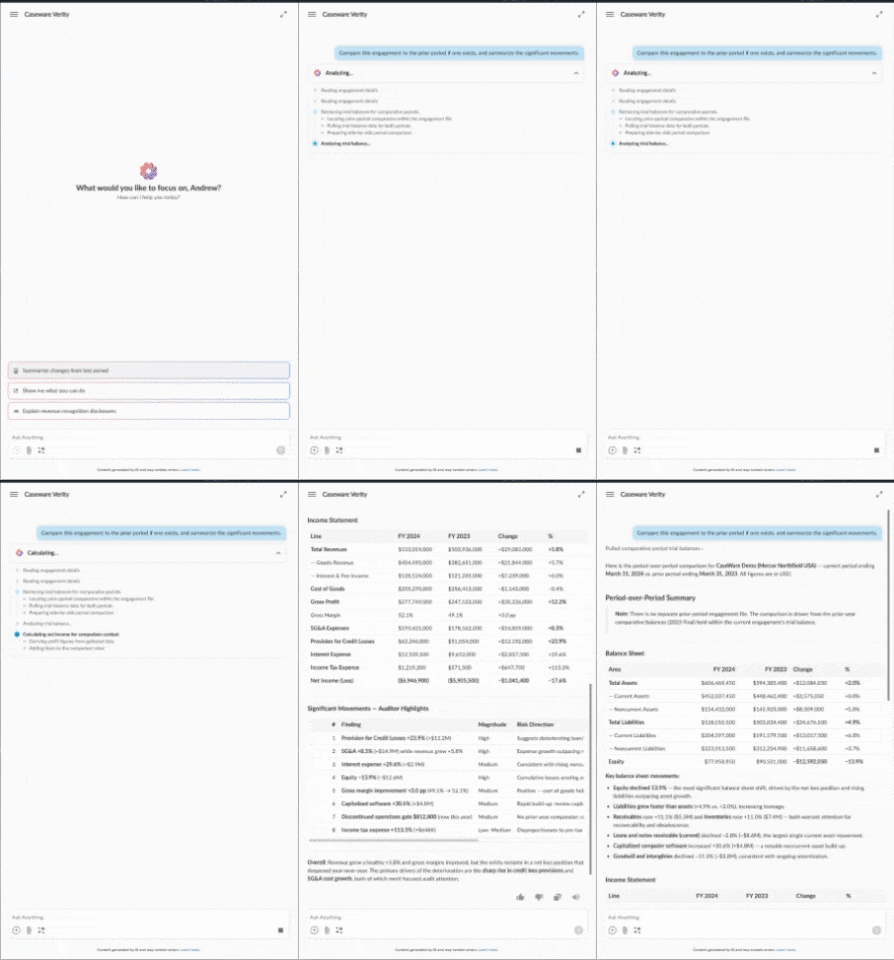
Redesigned Activity panel
While Caseware Verity works on a response, the Activity panel shows the steps it's taking. Expand or collapse the panel to show or hide the steps. When a response finishes, the panel shows a one-line summary of what Caseware Verity did. If you reload the page or come back to a chat while a response is in progress, the steps are still there, and the panel no longer shows Completed while the work is still running.
Headings, paragraphs and lists in Caseware Verity responses now have clearer hierarchy and spacing, so longer answers are easier to scan. Headings are sized to fit the chat panel.
Resolved issues
-
In full-screen mode, tables with only a few columns were squeezed to a narrow width and forced horizontal scrolling even when there was room to spare.
-
After Caseware Verity responded, the cursor didn't return to the chat box, so you had to click it before typing your next message.
-
When you dragged to resize the Caseware Verity panel, it could be made wider than half the screen. It now stops at half the width, and dragging past that point switches to full screen.
-
If a response was interrupted, for example by a dropped connection, it could end without an error, leaving a partial answer or none, or resume part-way through, sometimes mid-sentence.
-
Caseware Verity could stop responding in a chat: in a new chat when an answer took more than a few seconds, or for about 15 minutes, after which the chat couldn't be used.
-
When Caseware Verity analyzed scanned PDFs inside a ZIP file, finished answers could disappear and the work could start again from the beginning.
-
Caseware Verity for Excel could fail with "Internal error during agent invocation" when it read the workbook and the engagement in the same step.
-
After you reopened a chat, a message you'd sent could appear as a long internal instruction instead of what you typed.
-
In the Disclosure Checklist Agent, some answers didn't appear, and only the reasoning was shown.
-
The Disclosure Checklist Agent could fail to save its answers to some checklists.
-
In Caseware Verity for Excel, a request could run for about 20 minutes with no response and no error.
-
Caseware Verity could fail to read text from very large PDFs in the engagement.
-
In Caseware Verity for Excel, a step that was waiting on Excel could stay stuck after a dropped connection, so your prompt never got an answer and the work was discarded when you sent your next message.
-
In Caseware Verity for Excel, when a request ran too long, you could see a raw technical error instead of a clear message.
-
When a tool failed repeatedly, Caseware Verity could keep trying it for a very long time and end without a useful answer.
-
In some cases, a document attached to a chat wasn't recognized as a supported file type, and Caseware Verity failed to answer.
-
A request to review the planning section could time out after more than 15 minutes, and your prompt could appear twice in the chat.