
What is Caseware Verity?
Caseware Verity is an AI assistant built into Caseware Cloud engagements. It answers questions grounded in the specific engagement you are working on — drawing from your engagement data, your firm's methodology, and authoritative standards — so you get relevant, cited answers without leaving the file.
Caseware Verity is read-only. It surfaces information and supports your decision-making, but does not make changes to your engagement.
For information on setting up and using Caseware Verity, see Get started with Caseware Verity.
How Caseware Verity answers questions
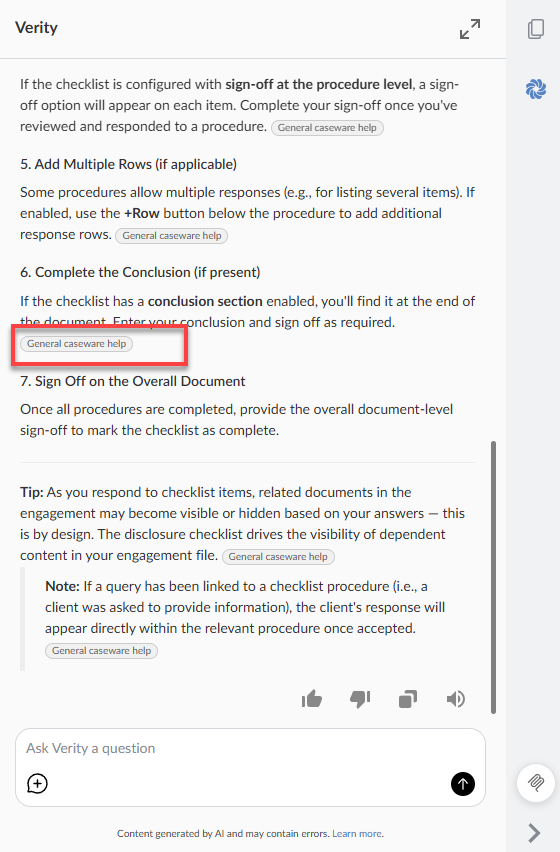
Every response Caseware Verity gives draws from up to three sources, depending on what you ask:
-
Your engagement — Caseware Verity reads your live engagement data in real time, including checklists, financial statements, trial balance, risks and controls, materiality, adjustments, issues, engagement properties, and uploaded PDFs.
-
Your firm's knowledge bases — If your firm has uploaded methodology, procedures, or guidance, Caseware Verity draws from those when relevant. Firm administrators set up and manage knowledge bases in Settings. See Create firm-managed knowledge bases.
-
Authoritative standards — Caseware Verity draws from Caseware-published knowledge bases, including AICPA authoritative standards for US engagements.
Caseware Verity determines which sources are relevant to your question automatically. Every response includes citations so you can verify the source of each answer.
What Caseware Verity can help with
Caseware Verity is most useful when you would otherwise look something up in firm guidance, search an external source, or ask a senior colleague. It handles two kinds of tasks: retrieving specific information from your engagement or authoritative sources, and cross-referencing information across multiple parts of the engagement to surface inconsistencies, gaps, or patterns.
Looking things up
-
What a standard requires for a specific area — for example, documentation requirements for IT general controls or going concern indicators
-
What materiality threshold is set on this engagement and how it was calculated
-
What your firm's methodology or published guidance says about a technical accounting area
-
Key points from an uploaded document, such as a client-provided controls memo or board minutes
-
Which procedures are open and what they require before the engagement can be completed
Cross-referencing and reviewing
-
Whether trial balance accounts with significant movement from the prior period have documented explanations — including cross-account relationships, not just individual variances
-
Whether the risk assessments documented in the engagement align with the procedures and checklist responses on file
-
Whether commitments or decisions in the board minutes appear to have corresponding audit support
-
A summary of the significant areas of this engagement, with a flag on anything that looks incomplete or inconsistent before wrap-up
-
Whether the documented procedures and evidence in a specific area are sufficient relative to the identified risks
For examples by audit phase, see Ask Caseware Verity questions.
What Caseware Verity does not do
Caseware Verity does not make changes to your engagement. It does not write to checklists, risks, financial statements, or any other engagement content. Everything Caseware Verity produces is a response in the chat panel for your review — you decide what to do with it.
Caseware Verity does not replace professional judgment. It surfaces information to support your decisions, but responsibility for conclusions and documentation remains with you.
Availability
Caseware Verity is available to Caseware Cloud firms. Access is enabled on a per-user basis by a firm administrator. See Enable access to Caseware Verity. To request access to Caseware Verity, see Caseware Verity Demo Request.
Your data and privacy
Caseware Verity operates within your Caseware Cloud environment. Your firm's data is not used to train AI models, is not shared between firms, and does not leave your Caseware Cloud environment.
Chats are scoped to you and your engagement. Other users in your firm cannot see your threads.
For answers to common questions, see Caseware Verity FAQ.