
Use the Checklist Response Agent
Caseware Verity can propose answers to checklist questions using the Checklist Response Agent and supplementary documents. It doesn't answer the questions automatically; you review each answer and accept or reject it.
For prerequisites and best practices, see What is the Checklist Response Agent?
For additional support, see Checklist Response Agent FAQ.
To complete a checklist using the Checklist Response Agent:
-
In your engagement, select the Documents tab.
-
Open the checklist you want to complete.
-
Expand the Caseware Verity pane.
-
In the prompt, specify the documents you want Caseware Verity to use. For example, "Complete this checklist using the plan profile and trust agreement PDFs."
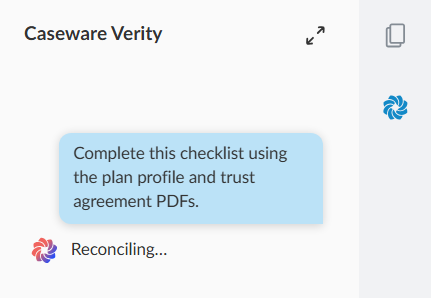
Caseware Verity reviews the documents in your engagement and proposes an answer to each question. It explains its reasoning for each answer in the conversation.
-
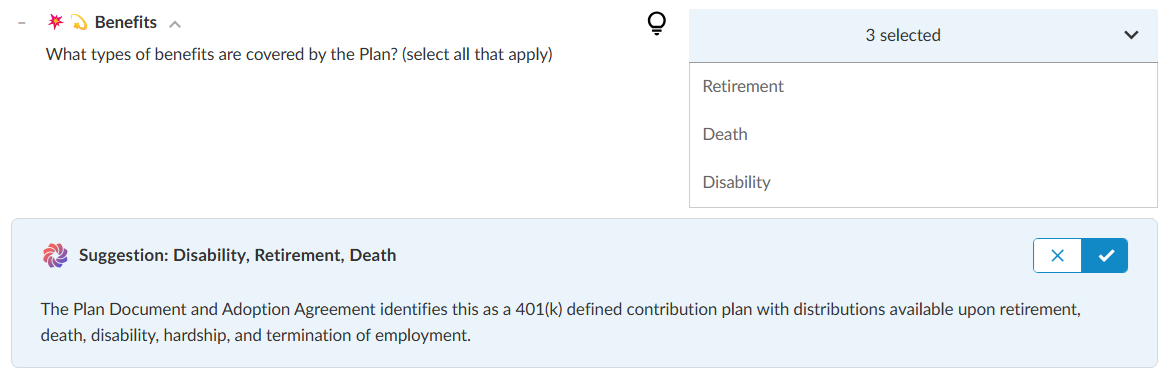
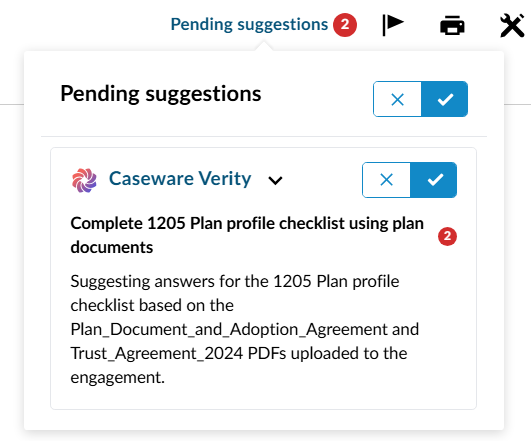
Review each proposed answer one-by-one, or select Pending suggestions to accept or reject them in bulk.
-
Accept or reject each answer.