
Einen Kontext als Favorit markieren
Hinweis: Diese Funktion ist nur verfügbar, wenn sie in Ihrem Produkt aktiviert wurde.
You can mark up to five custom contexts as favorites to make them easier to find. Bevorzugte Kontexte werden oben in der Kontextliste im Kontext-Editor und in der Drop-down-Liste Kontext angezeigt, wenn Sie ein Tag hinzufügen oder bearbeiten.
Bevor Sie beginnen, wählen Sie das XBRL-Symbol ( ) im oberen Menü, wählen Sie die zu prüfende Taxonomie aus und Start Review, um das Prüffenster zu öffnen.
To mark a context as a favorite:
-
Wählen Sie im Abschnitt Kontext die Option Kontext-Editor.
-
Navigate to the context you want to favorite and select the Star (
 ) icon to mark it as a favorite.
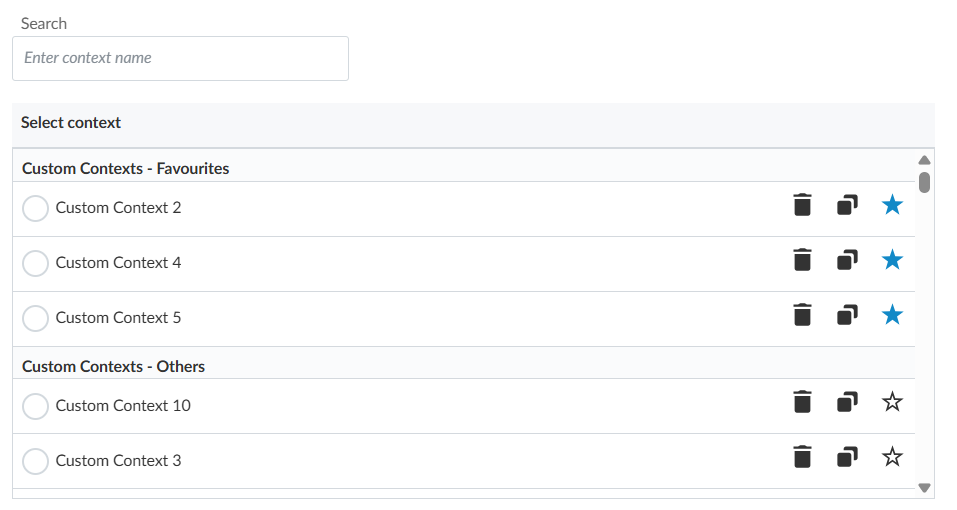
If you want to remove a context from your favorites, select the Star (
) icon again.