
Eine Zahl (numerische Operation) hinzufügen oder bearbeiten
You can add or edit numerics from the XBRL review panel.
Bevor Sie beginnen, wählen Sie das XBRL-Symbol ( ) im oberen Menü, wählen Sie die zu prüfende Taxonomie aus und Start Review, um das Prüffenster zu öffnen.
Add a new numeric
You can add a new numeric if the existing numerics don’t meet your requirements.
To add a numeric:
-
In the Numeric section, select Numeric editor.
-
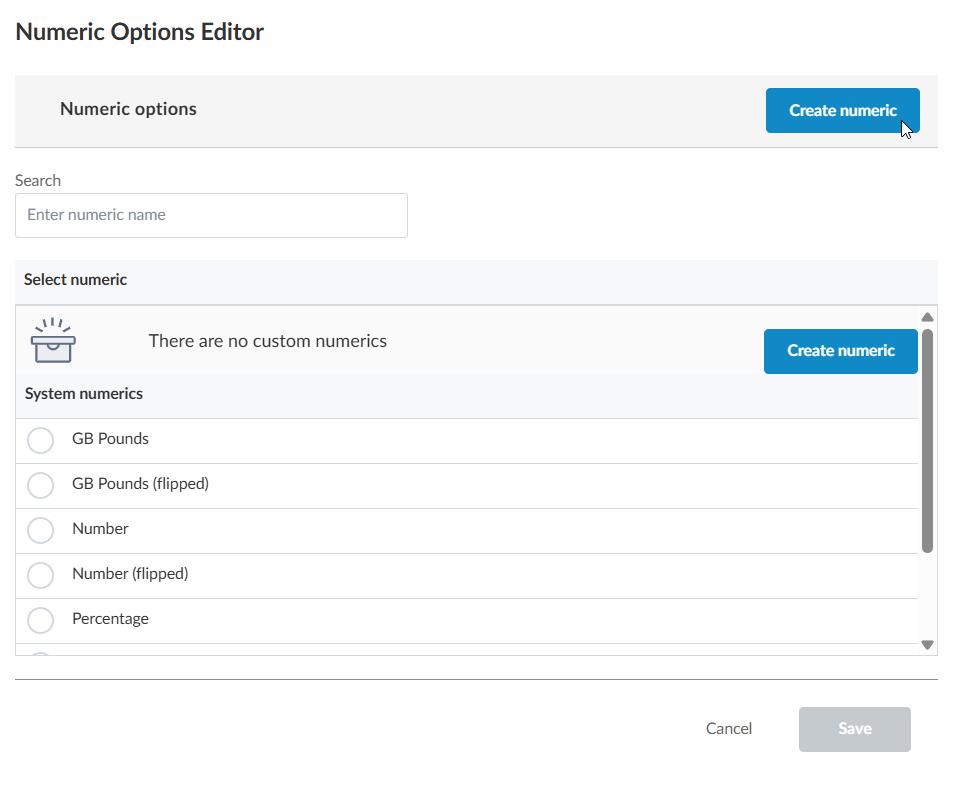
Select Create numeric.
-
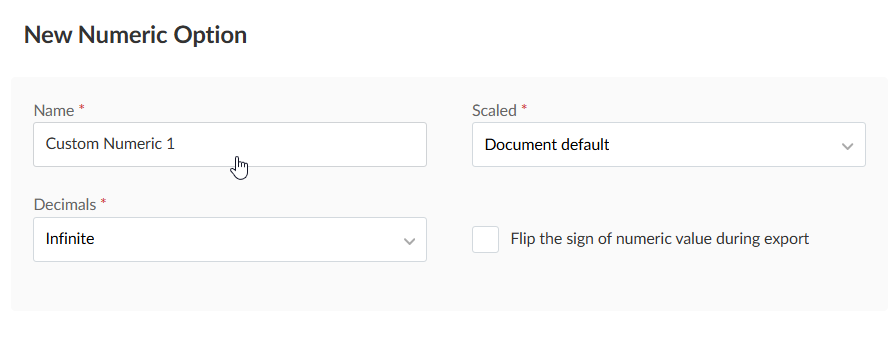
Populate the initial fields for the new numeric.
-
Scaled: When set to Document default, this field ensures that the scale of your nominal figures in the exported iXBRL report matches those of the financial statements.
For example, when the statements are rounded to Thousands, a figure such as $125,000 will appear as $125 in the statements and subsequently the iXBRL report. The scale attribute ensures the true value of this amount is preserved within the report.
-
Decimals: Similar to the Scaled setting, this field ensures that values containing decimal places are interpreted correctly.
-
-
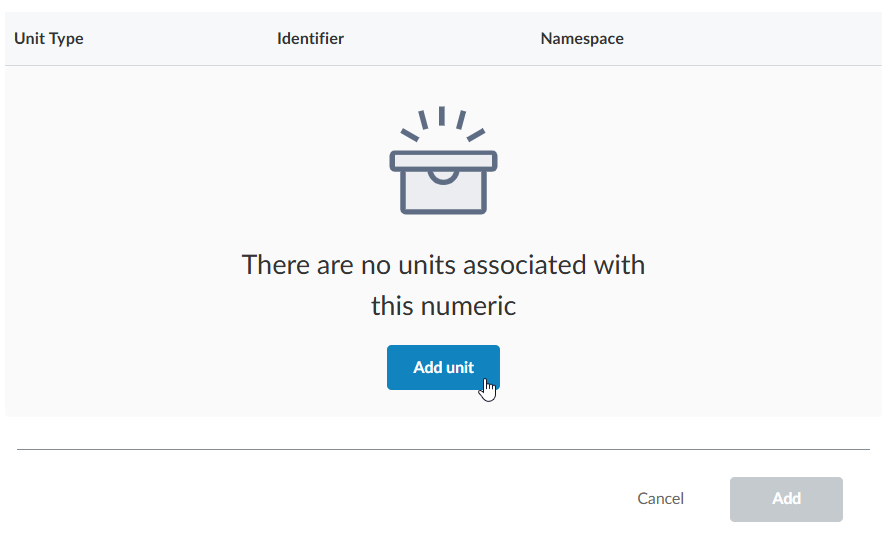
Click to add any units required by your numeric.
-
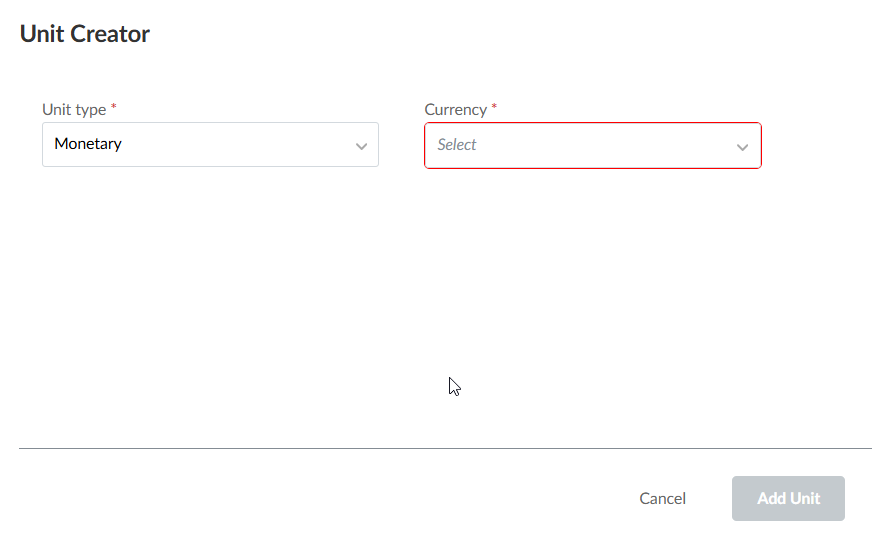
Define the units in the Unit Creator dialog.
-
All possible monetary units can be selected from the dropdown. Other units can be found defined here: https://www.xbrl.org/utr/utr.xml
Hinweis: A planned future enhancement will introduce all possible "other" units in the same way as the existing monetary units. -
You can add multiple units in this dialog.
-
You may need to add "divisor" units, such as earnings per share. These numerics cannot be defined in this dialog. If you need to create such numerics, reach out to the XBRL team.
-
-
Select Add.
The numeric you created is now available to apply to tags.
Edit a numeric
You can also edit any numerics you add.
To edit a numeric:
-
In the Numeric section, select Numeric editor.
-
Navigate to the numeric you want to edit on the list and select it.
-
Once you select a numeric, the details of that numeric display below the numeric list. Edit the information as required.
-
Wählen Sie Speichern.