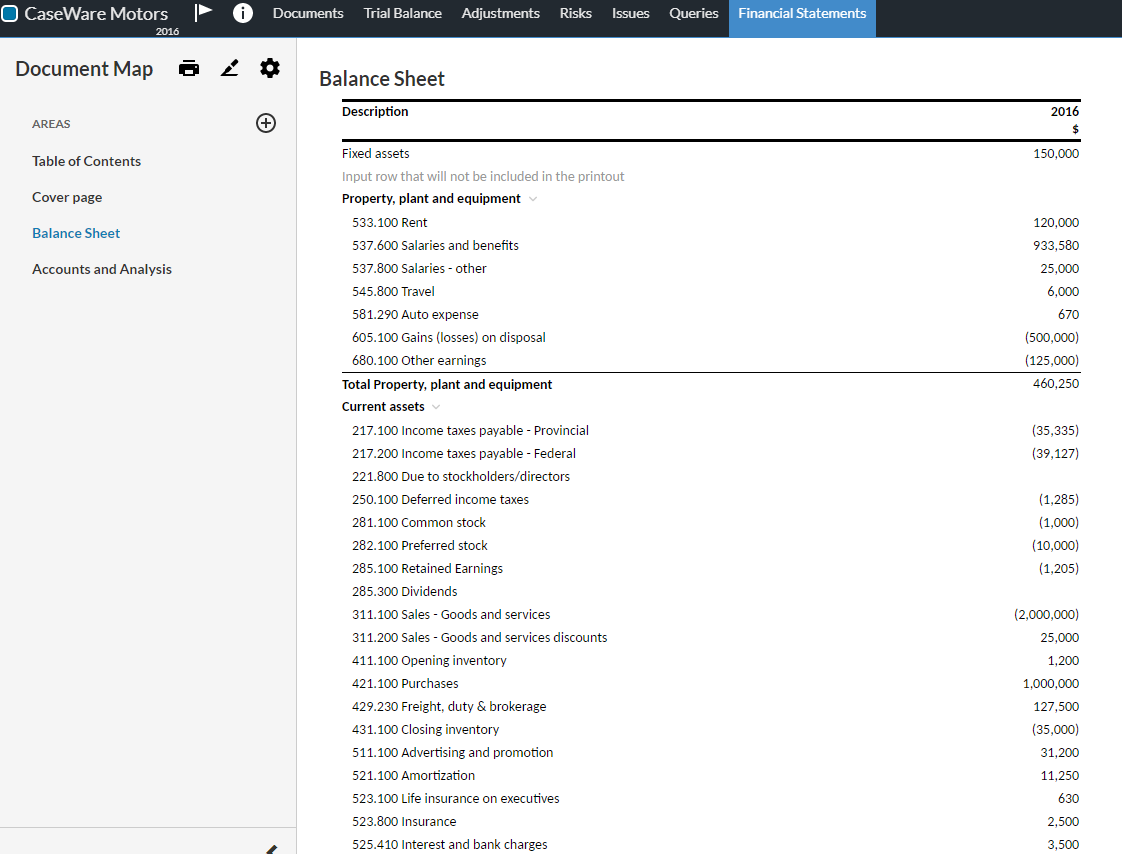
Anzeigeoptionen für Tabellenzeilen ändern
Sie können die aktuelle Anzeigeoption für Tabellenzeilen ändern. Je nach Zeilentyp stehen Ihnen drei oder zwei Anzeigeoptionen zur Auswahl.
-
Apply default behavior
The default behavior differs based on the row type:
For input rows:
-
Always display this row in the financial statements.
-
Display this row in the document PDF print copy if it has a non-zero balance (that is, the cell is not empty and its value is not zero) - otherwise, hide the row in the PDF print copy.
For group rows (trial balance group and custom group Total or Title):
-
Always display this row in the financial statements.
-
Display this row in the document PDF print copy if the group includes more than one account with non-zero balance (that is, the cells are not empty and their values are not zero) - otherwise, hide this row in the PDF print copy.
For trial balance rows:
-
Display this row in the financial statements and in the document PDF print copy if the balances for current or prior years exist - otherwise, hide this row in both.
-
-
Always display this row
The row always displays in the financial statements and in the PDF print copy.
-
Always hide this row
The row is always hidden in the financial statements and in the PDF print copy.
Hinweis: This option is only available for input rows and group rows (trial balance group rows, custom group Title and Total rows).
So ändern Sie die Anzeigeoption für eine Zeile:
-
Wählen Sie die Tabelle aus.
-
Wählen Sie Weitere Aktionen (
 ) und anschließend Dynamische Tabelle bearbeiten.
Die Tabellenoptionen im Bearbeitungsmodus.
-
Wählen Sie mithilfe der Kontrollkästchen auf der linken Seite die gewünschte Zeile aus.
-
Wählen Sie das Augensymbol (
 ).
Es öffnet sich eine Drop-down-Liste mit den verfügbaren Anzeigeoptionen für die ausgewählte Zeile.
Standardverhalten anwenden ist standardmäßig ausgewählt.
Hinweis: Handelt es sich bei der Zeile um eine Eingabezeile oder eine Gruppenzeile, ist in der Liste die Option Diese Zeile immer ausblenden verfügbar. Andernfalls stehen nur die Optionen Standardverhalten anwenden und Diese Zeile immer anzeigen zur Verfügung.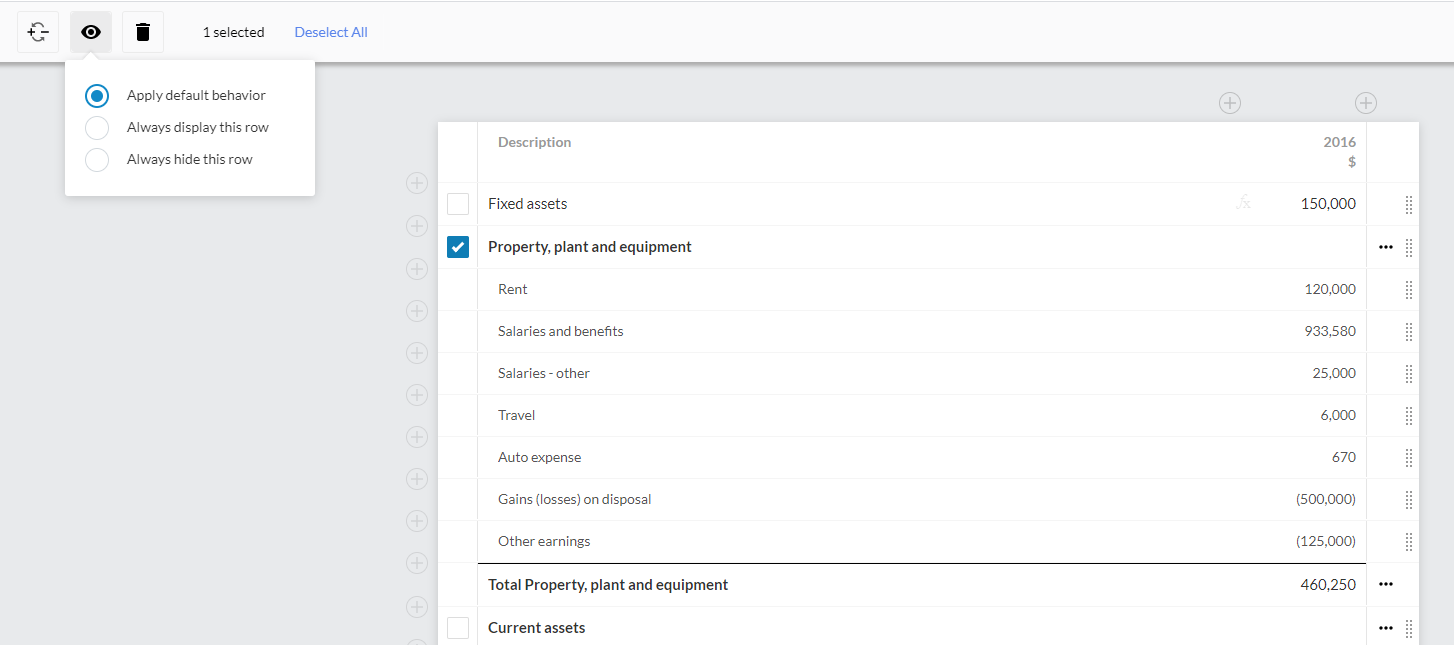
-
Wählen Sie die gewünschte Anzeigeoption aus.
Tipp: Wenn Sie die aktuelle Anzeigeoption nicht ändern möchten, deaktivieren Sie das Kontrollkästchen in der Zeile.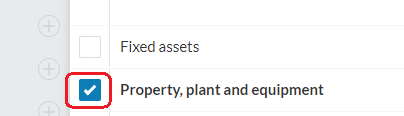
-
Wählen Sie SPEICHERN oder SPEICHERN&SCHLIEßEN.
Beachten Sie, dass Zeilen, die nicht in den Dokumentausdruck aufgenommen werden, grau dargestellt werden, sodass Sie sie leicht erkennen können.