
Option Währungssymbol für Zeilen festlegen
Once you add a trial balance, input, dimension or custom group row, you can specify the desired currency symbol option for the row in the financial statements and in the document PDF print copy.
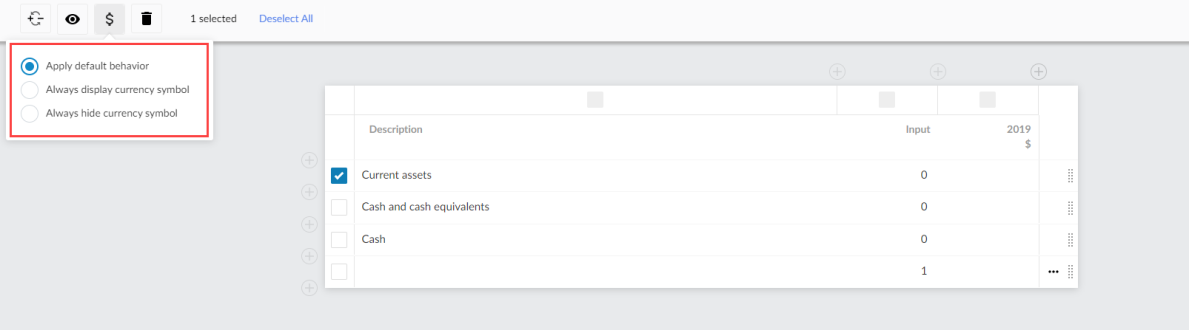
Based on the row type, you can have three or two display options to choose from:
-
Apply default behavior - Apply the currency symbol options specified in the Currency Symbol settings.
-
Always display currency symbol - The currency symbol always displays in the row in the financial statements and in the PDF print copy.
-
Always hide currency symbol - The currency symbol never displays in the row in the financial statements and in the PDF print copy.
To specify the display option for a row:
-
Navigieren Sie zur Tabelle.
-
Wählen Sie Weitere Aktionen (
 ) und anschließend Dynamische Tabelle bearbeiten.
Die Tabellenoptionen im Bearbeitungsmodus.
-
Wählen Sie mithilfe der Kontrollkästchen auf der linken Seite die gewünschte Zeile aus.
-
Select the Currency Symbol icon (
 ).
-
Select the desired currency symbol option.
-
Select SAVE or SAVE & CLOSE.